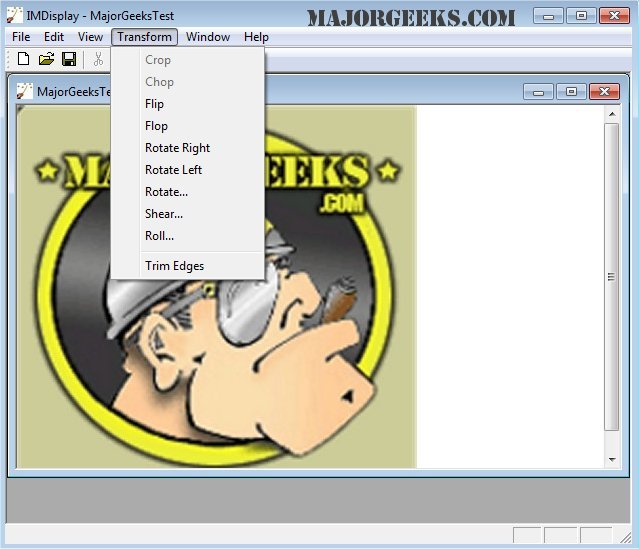
ImageMagick 7.1.2-16 has been released, enhancing its reputation as an all-in-one, free graphics software suite that operates across Windows, Linux, and Mac platforms. This powerful tool allows users to create, edit, compose, and convert images in over 100 different formats, including popular ones like JPEG, PNG, and TIFF.
With ImageMagick, users can perform a wide variety of tasks such as resizing, flipping, rotating, and adjusting image colors. It also offers features like adding text and shapes, applying special effects, and creating GIF animations. Users can engage with ImageMagick through command line operations or integrate its functionalities into applications written in various programming languages.
Key features of ImageMagick include:
- Format Conversion: Easily switch images between formats (e.g., from PNG to JPEG).
- Transformations: Modify images through resizing, cropping, and other manipulations.
- Transparency Handling: Make portions of images invisible.
- Drawing Capabilities: Add shapes and text to images.
- Effects and Enhancements: Apply blurring, sharpening, and other visual effects.
- Animations: Create GIFs from multiple images.
- Image Identification: Analyze and describe image formats and attributes.
- Compositing and Montaging: Overlay images or arrange thumbnails on a canvas.
- Advanced Algorithms: Implement Discrete Fourier transforms and color management.
- High Dynamic Range (HDR) Support: Manage a broad range of intensity levels in images.
ImageMagick is also optimized for performance, supporting large images and parallel processing across multicore processors. Its capabilities extend to mobile platforms, allowing editing and conversion on iOS devices like the iPhone or iPad.
In addition to its core functionalities, ImageMagick integrates with various workflows, providing solutions for image processing in diverse applications, from web design to digital filmmaking.
For users looking to explore more tools and functionalities, additional resources are available, such as guides on restoring Windows Photo Viewer and enhancing picture viewing in Windows 10 and 11
With ImageMagick, users can perform a wide variety of tasks such as resizing, flipping, rotating, and adjusting image colors. It also offers features like adding text and shapes, applying special effects, and creating GIF animations. Users can engage with ImageMagick through command line operations or integrate its functionalities into applications written in various programming languages.
Key features of ImageMagick include:
- Format Conversion: Easily switch images between formats (e.g., from PNG to JPEG).
- Transformations: Modify images through resizing, cropping, and other manipulations.
- Transparency Handling: Make portions of images invisible.
- Drawing Capabilities: Add shapes and text to images.
- Effects and Enhancements: Apply blurring, sharpening, and other visual effects.
- Animations: Create GIFs from multiple images.
- Image Identification: Analyze and describe image formats and attributes.
- Compositing and Montaging: Overlay images or arrange thumbnails on a canvas.
- Advanced Algorithms: Implement Discrete Fourier transforms and color management.
- High Dynamic Range (HDR) Support: Manage a broad range of intensity levels in images.
ImageMagick is also optimized for performance, supporting large images and parallel processing across multicore processors. Its capabilities extend to mobile platforms, allowing editing and conversion on iOS devices like the iPhone or iPad.
In addition to its core functionalities, ImageMagick integrates with various workflows, providing solutions for image processing in diverse applications, from web design to digital filmmaking.
For users looking to explore more tools and functionalities, additional resources are available, such as guides on restoring Windows Photo Viewer and enhancing picture viewing in Windows 10 and 11
ImageMagick 7.1.2-16 released
ImageMagick is an all-in-one freeware graphics software suite for creating, editing, composing, or converting images in Windows, Linux, and Mac.