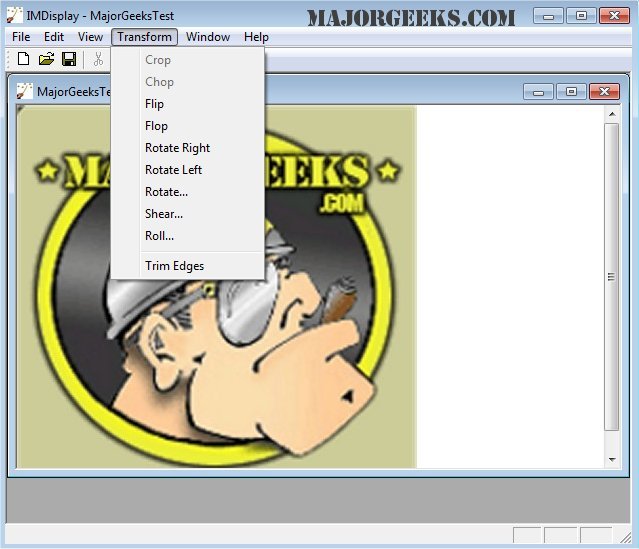
ImageMagick 7.1.2-12 has been released, enhancing its capabilities as a comprehensive freeware graphics software suite for image creation, editing, composition, and conversion across multiple platforms including Windows, Linux, and Mac. With support for over 100 image formats such as DPX, EXR, GIF, JPEG, and PNG, ImageMagick allows users to perform a variety of tasks including resizing, rotating, and applying special effects to images.
Key features of ImageMagick include:
- Format Conversion: Easily switch between image formats (e.g., from PNG to JPEG).
- Transformations: Resize, rotate, crop, flip, or trim images.
- Transparency: Make parts of an image invisible.
- Drawing Tools: Add shapes or text to images.
- Decoration: Apply borders or frames to images.
- Special Effects: Apply blurring, sharpening, or color tinting.
- Animation: Create GIF animations from a series of images.
- Image Identification: Analyze the format and attributes of images.
- Compositing and Montage: Overlay images or arrange thumbnails on a canvas.
- Pixel Distortion: Correct or induce distortions, including perspective adjustments.
- Morphology and Pattern Recognition: Extract features and recognize shapes within images.
- High Dynamic Range Support: Accurately represent a wide range of brightness levels in images.
- Color Management and Image Calculations: Utilize color profiles and apply mathematical transformations to image channels.
- Large and Distributed Image Processing: Handle extremely large images and leverage distributed processing capabilities for efficiency.
Additionally, ImageMagick can be utilized through command line interfaces or integrated into various programming languages, making it flexible for developers and users alike. The software also offers mobile support, allowing for image editing on iOS devices like the iPhone and iPad.
As the software continues to evolve, users can expect ongoing enhancements and new features that keep pace with the latest advancements in imaging technology. This makes ImageMagick an essential tool for both casual users and professionals in graphics editing and image processing
Key features of ImageMagick include:
- Format Conversion: Easily switch between image formats (e.g., from PNG to JPEG).
- Transformations: Resize, rotate, crop, flip, or trim images.
- Transparency: Make parts of an image invisible.
- Drawing Tools: Add shapes or text to images.
- Decoration: Apply borders or frames to images.
- Special Effects: Apply blurring, sharpening, or color tinting.
- Animation: Create GIF animations from a series of images.
- Image Identification: Analyze the format and attributes of images.
- Compositing and Montage: Overlay images or arrange thumbnails on a canvas.
- Pixel Distortion: Correct or induce distortions, including perspective adjustments.
- Morphology and Pattern Recognition: Extract features and recognize shapes within images.
- High Dynamic Range Support: Accurately represent a wide range of brightness levels in images.
- Color Management and Image Calculations: Utilize color profiles and apply mathematical transformations to image channels.
- Large and Distributed Image Processing: Handle extremely large images and leverage distributed processing capabilities for efficiency.
Additionally, ImageMagick can be utilized through command line interfaces or integrated into various programming languages, making it flexible for developers and users alike. The software also offers mobile support, allowing for image editing on iOS devices like the iPhone and iPad.
As the software continues to evolve, users can expect ongoing enhancements and new features that keep pace with the latest advancements in imaging technology. This makes ImageMagick an essential tool for both casual users and professionals in graphics editing and image processing
ImageMagick 7.1.2-12 released
ImageMagick is an all-in-one freeware graphics software suite for creating, editing, composing, or converting images in Windows, Linux, and Mac.