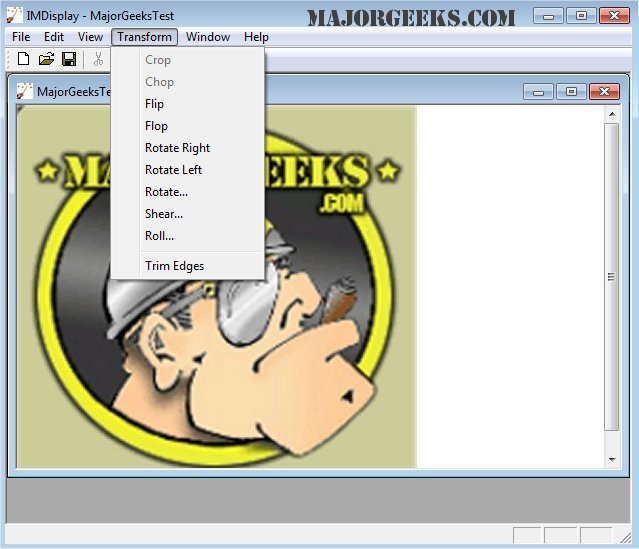
ImageMagick has released version 7.1.2-11 of its versatile graphics software suite, which is available for free and compatible with Windows, Linux, and Mac operating systems. This powerful tool is designed for a wide range of image-related tasks, including creating, editing, composing, or converting images across more than 100 formats such as GIF, JPEG, PNG, and TIFF.
Users can leverage ImageMagick's extensive features to manipulate images in various ways, including resizing, rotating, and applying special effects. It also allows for comprehensive tasks like adding text, shapes, and frames to images, creating GIF animations, and even performing advanced operations like image distortion correction and color management.
ImageMagick supports command-line usage, making it suitable for both casual users and developers who can integrate its functionalities into their own applications. Key features include:
- Format conversion (e.g., PNG to JPEG)
- Image transformation (resize, rotate, crop)
- Transparency rendering
- Special effects application (blur, sharpen)
- Image identification and property descriptions
- Composite and montage creation
- Motion picture format support
- High dynamic-range image handling
- Image calculation and Fourier transforms
- Thread-safe operations for enhanced performance on multicore processors
Moreover, ImageMagick also offers features for distributed computing and heterogeneous processing, allowing for efficient handling of large images and processing across different platforms.
In addition to desktop versions, ImageMagick extends its capabilities to iOS devices, enabling users to edit and compose images on their iPhones and iPads.
Overall, ImageMagick remains a comprehensive and powerful choice for anyone looking to manage and manipulate images effectively, whether through its command line or integrated into software applications.
Users can leverage ImageMagick's extensive features to manipulate images in various ways, including resizing, rotating, and applying special effects. It also allows for comprehensive tasks like adding text, shapes, and frames to images, creating GIF animations, and even performing advanced operations like image distortion correction and color management.
ImageMagick supports command-line usage, making it suitable for both casual users and developers who can integrate its functionalities into their own applications. Key features include:
- Format conversion (e.g., PNG to JPEG)
- Image transformation (resize, rotate, crop)
- Transparency rendering
- Special effects application (blur, sharpen)
- Image identification and property descriptions
- Composite and montage creation
- Motion picture format support
- High dynamic-range image handling
- Image calculation and Fourier transforms
- Thread-safe operations for enhanced performance on multicore processors
Moreover, ImageMagick also offers features for distributed computing and heterogeneous processing, allowing for efficient handling of large images and processing across different platforms.
In addition to desktop versions, ImageMagick extends its capabilities to iOS devices, enabling users to edit and compose images on their iPhones and iPads.
Overall, ImageMagick remains a comprehensive and powerful choice for anyone looking to manage and manipulate images effectively, whether through its command line or integrated into software applications.
Extension
With the increasing demand for image manipulation software in various industries, ImageMagick continues to evolve, catering to both amateur photographers and professional graphic designers. The latest version introduces enhanced performance optimizations, making it faster and more efficient for processing high-resolution images. Future updates may focus on integrating machine learning capabilities for automated image enhancements and advanced pattern recognition. Additionally, the community around ImageMagick is vibrant and active, contributing to its continuous development, user support, and the introduction of plugins that expand its functionalities even further. As digital content creation becomes ever more prominent, tools like ImageMagick will likely play a crucial role in streamlining workflows and improving the quality of visual mediaImageMagick 7.1.2-11 released
ImageMagick is an all-in-one freeware graphics software suite for creating, editing, composing, or converting images in Windows, Linux, and Mac.