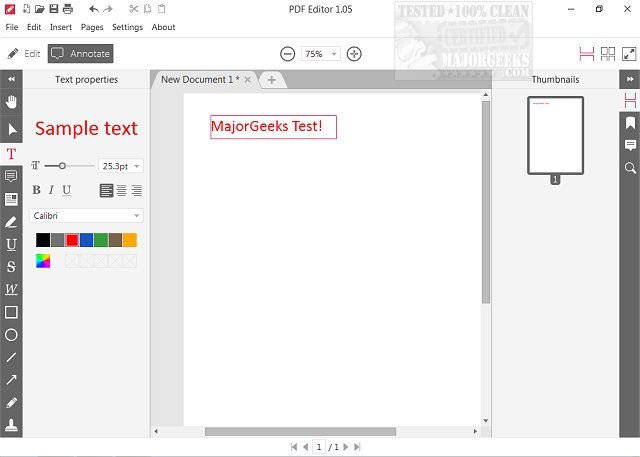
Icecream PDF Editor has recently released version 3.30, enhancing its capabilities for users who need to work with PDF documents. This software allows users to view, edit text, annotate, and manipulate various objects within PDFs, such as images, lines, and arrows. It also offers page management features, making it a versatile tool for both novice and experienced users.
The user-friendly interface is designed to provide easy access to all necessary tools through a smart tools panel, ensuring that even those new to PDF editing can navigate the application with ease. Key features of Icecream PDF Editor include text editing, note addition, redaction, file protection, page management, image insertion, and watermarking. The software is particularly appealing for its simplicity, which stands in contrast to more complicated PDF editors available in the market, and it is available for free.
This makes Icecream PDF Editor an excellent choice for anyone looking to manage PDF editing without the steep learning curve often associated with more feature-rich applications. In addition to its core features, users can also benefit from helpful resources on creating PDFs and optimizing their viewing experience, such as enabling two-page view in Google Chrome or preventing Microsoft Edge from opening PDF files.
In conclusion, Icecream PDF Editor 3.30 stands out as a practical and accessible tool for PDF management, catering to both beginners and seasoned users, while maintaining a focus on user experience and efficiency. As it continues to evolve, it may incorporate even more advanced features to meet the growing demands of its user base, ensuring it remains a competitive option in the PDF editing software landscape
The user-friendly interface is designed to provide easy access to all necessary tools through a smart tools panel, ensuring that even those new to PDF editing can navigate the application with ease. Key features of Icecream PDF Editor include text editing, note addition, redaction, file protection, page management, image insertion, and watermarking. The software is particularly appealing for its simplicity, which stands in contrast to more complicated PDF editors available in the market, and it is available for free.
This makes Icecream PDF Editor an excellent choice for anyone looking to manage PDF editing without the steep learning curve often associated with more feature-rich applications. In addition to its core features, users can also benefit from helpful resources on creating PDFs and optimizing their viewing experience, such as enabling two-page view in Google Chrome or preventing Microsoft Edge from opening PDF files.
In conclusion, Icecream PDF Editor 3.30 stands out as a practical and accessible tool for PDF management, catering to both beginners and seasoned users, while maintaining a focus on user experience and efficiency. As it continues to evolve, it may incorporate even more advanced features to meet the growing demands of its user base, ensuring it remains a competitive option in the PDF editing software landscape
Icecream PDF Editor 3.30 released
Icecream PDF Editor allows you to view PDFs, edit text, annotate, add and edit objects (such as images, lines, arrows, etc.), manage pages, and much more for free.