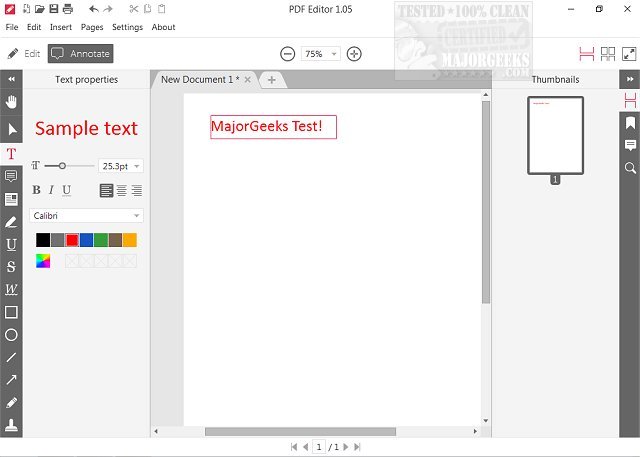
Icecream PDF Editor has launched its latest version, 3.29, which offers users a comprehensive and user-friendly platform to handle various PDF tasks at no cost. This software enables users to view PDFs, edit text, annotate documents, and manipulate objects such as images, lines, and arrows. Additionally, it allows for page management and other essential functions, all accessible through a straightforward graphical user interface (GUI) that simplifies the editing process.
The smart tools panel provides easy access to all editing modes, making it suitable for both beginners and advanced users. New users will appreciate the simplicity of the editor, which serves as a gentle introduction to PDF editing, while seasoned editors will find a refreshing alternative to more complicated software currently available. Key features include text editing, note addition, redaction, file protection, page management, and the ability to add images and watermarks.
Overall, Icecream PDF Editor stands out as an efficient and hassle-free solution for managing PDF documents, allowing users with varying levels of experience to edit and annotate files effortlessly. Users can also explore related topics such as creating PDFs on Windows, enabling two-page views in Google Chrome, and preventing Microsoft Edge from opening PDF and HTML files.
In addition to these features, the new version may include performance improvements, bug fixes, and enhancements for a smoother user experience. The ongoing development of Icecream PDF Editor reflects the growing demand for accessible and effective PDF editing tools in both personal and professional settings. As the software continues to evolve, users can expect further refinements and features that cater to their editing needs
The smart tools panel provides easy access to all editing modes, making it suitable for both beginners and advanced users. New users will appreciate the simplicity of the editor, which serves as a gentle introduction to PDF editing, while seasoned editors will find a refreshing alternative to more complicated software currently available. Key features include text editing, note addition, redaction, file protection, page management, and the ability to add images and watermarks.
Overall, Icecream PDF Editor stands out as an efficient and hassle-free solution for managing PDF documents, allowing users with varying levels of experience to edit and annotate files effortlessly. Users can also explore related topics such as creating PDFs on Windows, enabling two-page views in Google Chrome, and preventing Microsoft Edge from opening PDF and HTML files.
In addition to these features, the new version may include performance improvements, bug fixes, and enhancements for a smoother user experience. The ongoing development of Icecream PDF Editor reflects the growing demand for accessible and effective PDF editing tools in both personal and professional settings. As the software continues to evolve, users can expect further refinements and features that cater to their editing needs
Icecream PDF Editor 3.29 released
Icecream PDF Editor allows you to view PDFs, edit text, annotate, add and edit objects (such as images, lines, arrows, etc.), manage pages, and much more for free.