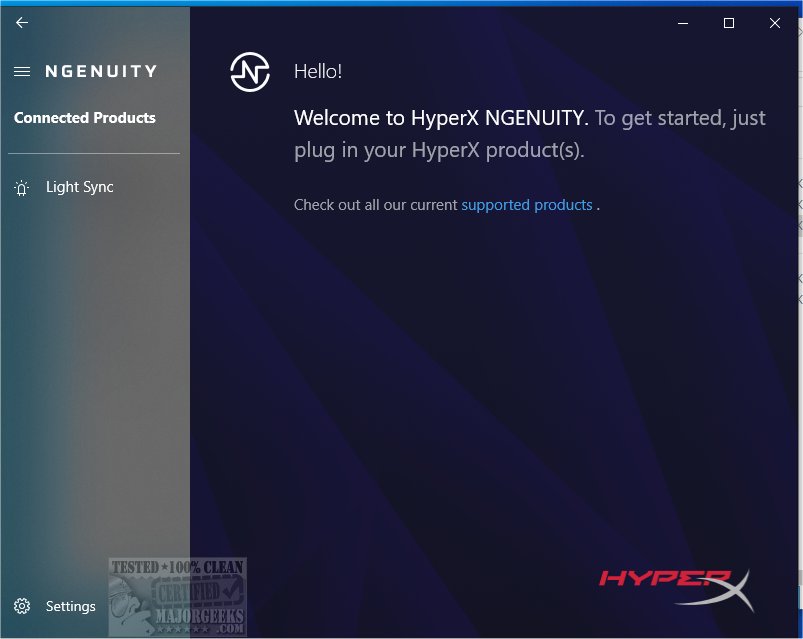
HyperX NGENUITY is a sophisticated software application designed to optimize the user experience with various HyperX products. The latest version, 5.36.0.0 / 2.35.0.0, offers enhanced features for customization and performance tuning across compatible devices, including keyboards, mice, headsets, and more.
Customization Features
The software provides users with a versatile platform for tailoring their HyperX gear to meet individual preferences. Users can easily adjust settings, configure RGB lighting effects, and optimize performance parameters through an intuitive user interface. This includes managing profiles, adjusting key assignments, fine-tuning audio settings, and programming/store macros. Additionally, a preset library allows for quick access to pre-configured settings, streamlining the experience for immediate use.
Setup Process
Setting up HyperX NGENUITY is straightforward. Users can download the installer from MajorGeeks or the Microsoft Store. Upon launching the application, a diagnostic scan automatically detects connected HyperX products. Detected devices are displayed in a list, allowing for easy navigation to specific settings for each accessory. This process ensures that users can customize their experience seamlessly.
Configuration Options
Configuration options vary based on the device model. Keyboards offer a comprehensive set of RGB customization tools, including adjustable effects, target settings, color choices, and speed control. Conversely, mice provide an even broader range of settings, including tabs for lights, buttons (for custom functions), and sensor settings to optimize performance for different gaming styles.
While accessories like headphones and memory sticks may have limited configuration options compared to keyboards and mice, they still allow for visual customization to enhance the user experience. HyperX NGENUITY strikes a balance between functionality and personalization, catering to diverse user needs.
User-Friendly and Efficient
Designed for efficiency, HyperX NGENUITY is lightweight and runs smoothly in the background of the Windows operating system. Its powerful tools enable users to fully customize their gaming gear, enhancing the gaming experience for casual gamers and competitive players alike.
Supported Devices
HyperX NGENUITY supports a wide range of devices, including:
- Keyboards: Alloy Elite RGB, Alloy FPS RGB, Alloy Origins series, Alloy Elite 2, and more.
- Mice: Pulsefire series including Surge, Raid, Core, FPS Pro, Dart, Haste, and their wireless counterparts.
- Headsets: Cloud series including Flight S, Alpha S, Stinger S, and various wireless models.
- Microphones: QuadCast S, SoloCast, DuoCast.
- Monitors: Armada 25 and 27.
- Mousepads: FURY Ultra, Pulsefire Mat.
- Webcam: Vision S.
- HyperX Cloud MIX Buds: Battery levels and ear-detection features.
Conclusion
With the latest updates in HyperX NGENUITY, users have access to a powerful suite of tools for customizing and optimizing their HyperX products. The software's user-friendly design, combined with extensive device support, ensures that gamers and productivity enthusiasts can enhance their experiences effectively. Whether you're looking to personalize your gaming setup or optimize your workflow, HyperX NGENUITY provides the flexibility and control you need to perform at your best
Customization Features
The software provides users with a versatile platform for tailoring their HyperX gear to meet individual preferences. Users can easily adjust settings, configure RGB lighting effects, and optimize performance parameters through an intuitive user interface. This includes managing profiles, adjusting key assignments, fine-tuning audio settings, and programming/store macros. Additionally, a preset library allows for quick access to pre-configured settings, streamlining the experience for immediate use.
Setup Process
Setting up HyperX NGENUITY is straightforward. Users can download the installer from MajorGeeks or the Microsoft Store. Upon launching the application, a diagnostic scan automatically detects connected HyperX products. Detected devices are displayed in a list, allowing for easy navigation to specific settings for each accessory. This process ensures that users can customize their experience seamlessly.
Configuration Options
Configuration options vary based on the device model. Keyboards offer a comprehensive set of RGB customization tools, including adjustable effects, target settings, color choices, and speed control. Conversely, mice provide an even broader range of settings, including tabs for lights, buttons (for custom functions), and sensor settings to optimize performance for different gaming styles.
While accessories like headphones and memory sticks may have limited configuration options compared to keyboards and mice, they still allow for visual customization to enhance the user experience. HyperX NGENUITY strikes a balance between functionality and personalization, catering to diverse user needs.
User-Friendly and Efficient
Designed for efficiency, HyperX NGENUITY is lightweight and runs smoothly in the background of the Windows operating system. Its powerful tools enable users to fully customize their gaming gear, enhancing the gaming experience for casual gamers and competitive players alike.
Supported Devices
HyperX NGENUITY supports a wide range of devices, including:
- Keyboards: Alloy Elite RGB, Alloy FPS RGB, Alloy Origins series, Alloy Elite 2, and more.
- Mice: Pulsefire series including Surge, Raid, Core, FPS Pro, Dart, Haste, and their wireless counterparts.
- Headsets: Cloud series including Flight S, Alpha S, Stinger S, and various wireless models.
- Microphones: QuadCast S, SoloCast, DuoCast.
- Monitors: Armada 25 and 27.
- Mousepads: FURY Ultra, Pulsefire Mat.
- Webcam: Vision S.
- HyperX Cloud MIX Buds: Battery levels and ear-detection features.
Conclusion
With the latest updates in HyperX NGENUITY, users have access to a powerful suite of tools for customizing and optimizing their HyperX products. The software's user-friendly design, combined with extensive device support, ensures that gamers and productivity enthusiasts can enhance their experiences effectively. Whether you're looking to personalize your gaming setup or optimize your workflow, HyperX NGENUITY provides the flexibility and control you need to perform at your best
HyperX NGENUITY 5.36.0.0 / 2.35.0.0 released
HyperX NGENUITY is a robust and intuitive software application designed to enhance your experience with compatible HyperX products.