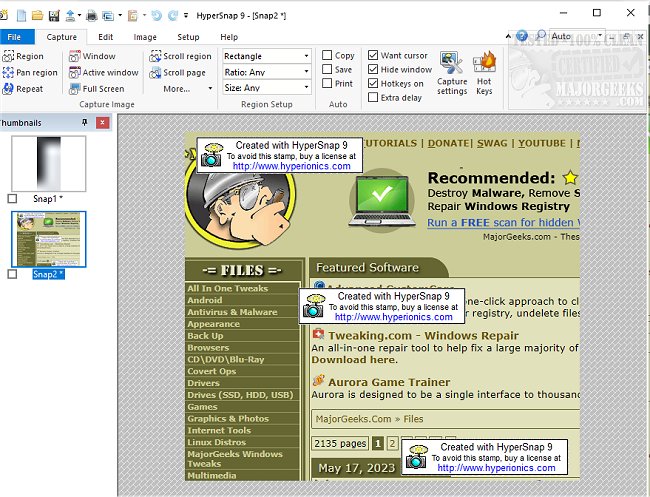
HyperSnap 9.7.4 has been released, enhancing the user experience for screen capture and image editing. This versatile tool allows users to quickly capture screens from their main display as well as from full-screen games, providing a unique TextSnap feature that enables text capture even where traditional copying methods fail. The application integrates advanced image editing capabilities with a user-friendly interface, making it easy to capture images from any screen, including setups with multiple monitors.
Key features of HyperSnap include:
- Unlimited undo and redo options to facilitate editing.
- The TextSnap feature, which allows users to capture editable text and tab-delimited data for seamless integration with applications like MS Excel.
- The ability to capture challenging screens from DirectX and Glide games.
- Various editing tools such as image stamps, frames, drop shadows, and free-hand capture.
- Automatic color substitution and non-rectangular window capture capabilities.
- A Button Capture feature that is advantageous for technical writers needing to document numerous interface buttons.
- Auto-scrolling functionality to capture long web pages or documents beyond what is currently visible on the screen.
- Tight integration with the MS Windows clipboard for automating repetitive tasks, including automatic pasting of captures.
- The option to save captures directly to graphics files and act as an image viewer and format converter, supporting over 20 image formats.
- A fully customizable user interface, allowing users to rearrange menus, assign keyboard shortcuts, create instant toolbars, and even utilize voice commands for control.
- An extended window capture function for Windows XP users, enabling captures of windows larger than the screen without the need for auto-scrolling.
In summary, HyperSnap 9.7.4 is an all-in-one solution for screen capturing and image editing, catering to a wide range of needs from casual users to professionals. Its unique features make it an indispensable tool for anyone requiring quick and efficient screen captures and image manipulation. Future updates could potentially include enhancements in AI-assisted editing tools, improved cloud integration for file storage and sharing, and expanded compatibility with emerging operating systems
Key features of HyperSnap include:
- Unlimited undo and redo options to facilitate editing.
- The TextSnap feature, which allows users to capture editable text and tab-delimited data for seamless integration with applications like MS Excel.
- The ability to capture challenging screens from DirectX and Glide games.
- Various editing tools such as image stamps, frames, drop shadows, and free-hand capture.
- Automatic color substitution and non-rectangular window capture capabilities.
- A Button Capture feature that is advantageous for technical writers needing to document numerous interface buttons.
- Auto-scrolling functionality to capture long web pages or documents beyond what is currently visible on the screen.
- Tight integration with the MS Windows clipboard for automating repetitive tasks, including automatic pasting of captures.
- The option to save captures directly to graphics files and act as an image viewer and format converter, supporting over 20 image formats.
- A fully customizable user interface, allowing users to rearrange menus, assign keyboard shortcuts, create instant toolbars, and even utilize voice commands for control.
- An extended window capture function for Windows XP users, enabling captures of windows larger than the screen without the need for auto-scrolling.
In summary, HyperSnap 9.7.4 is an all-in-one solution for screen capturing and image editing, catering to a wide range of needs from casual users to professionals. Its unique features make it an indispensable tool for anyone requiring quick and efficient screen captures and image manipulation. Future updates could potentially include enhancements in AI-assisted editing tools, improved cloud integration for file storage and sharing, and expanded compatibility with emerging operating systems
HyperSnap 9.7.4 released
HyperSnap allows you to take quick and easy screen captures from your main screen and full-screen games and text capture (TextSnap) where normal text copy is not possible.