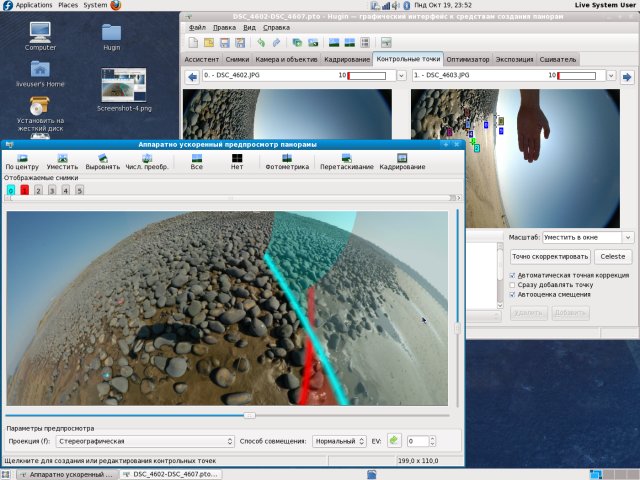
Hugin version 2025.0.1 has been released, enhancing its reputation as an accessible, cross-platform tool for creating panoramic images. Built on the Panorama Tools framework, Hugin allows users to seamlessly stitch together a series of overlapping photographs into a cohesive and immersive panorama, making it a versatile choice for both amateur and professional photographers.
In addition to its core functionality, Hugin offers various features that improve the user experience and capabilities for photo manipulation, such as advanced control over image alignment and blending.
For users looking to optimize their experience with photographic tools on Windows 10 and 11, there are also guides available on restoring the Windows Photo Viewer, creating screen snip shortcuts, and troubleshooting issues with opening JPG or JPEG files.
Moving forward, it would be beneficial for users of Hugin to explore community forums and tutorials that can provide tips on maximizing the software's potential, as well as keeping an eye on future updates that may introduce new features and improvements
In addition to its core functionality, Hugin offers various features that improve the user experience and capabilities for photo manipulation, such as advanced control over image alignment and blending.
For users looking to optimize their experience with photographic tools on Windows 10 and 11, there are also guides available on restoring the Windows Photo Viewer, creating screen snip shortcuts, and troubleshooting issues with opening JPG or JPEG files.
Moving forward, it would be beneficial for users of Hugin to explore community forums and tutorials that can provide tips on maximizing the software's potential, as well as keeping an eye on future updates that may introduce new features and improvements
Hugin 2025.0.1 released
Hugin is an easy-to-use cross-platform panoramic imaging toolchain based on Panorama Tools.