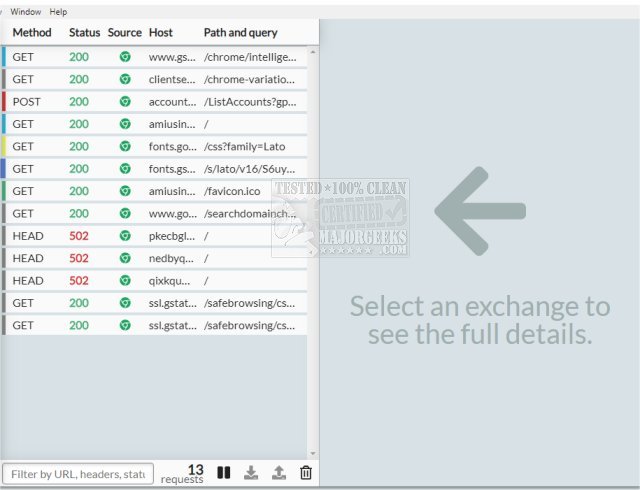
HTTP Toolkit has released version 1.24.0, a powerful tool designed for automatic interception of HTTP and HTTPS traffic across a variety of clients, including popular web browsers such as Chrome and Firefox, a wide range of command-line interface (CLI) tools, and backend programming languages like Node.js, Python, and Ruby. This toolkit acts as an HTTP(S) proxy, making it compatible with standard HTTP requests from virtually any tool or language that lacks automatic integrations.
One of the standout features of HTTP Toolkit is its ability to simplify traffic analysis by highlighting key attributes such as content type, status, and source. Users can search through the intercepted traffic based on URL, status, or headers to focus on the specific messages they need. Each request or response can be examined in detail, showcasing the URL, status, headers, and body, complete with inline explanations and documentation sourced from MDN (Mozilla Developer Network).
Furthermore, HTTP Toolkit provides advanced functionalities for inspecting message bodies, utilizing Monaco, the powerful editor from Visual Studio Code, to offer highlighting and autoformatting for various formats like JSON, HTML, JavaScript, and hexadecimal. Users can also pause and edit live HTTP traffic, allowing for precise modifications of requests as they arrive. This includes changing the target URL, method, headers, or body. Additionally, users can respond manually to requests in real time or modify the actual response before it reaches its destination.
HTTP Toolkit also supports manual HTTP mocking and rewriting, enabling users to create mock endpoints or simulate errors for testing purposes. The toolkit is cross-platform, compatible with Linux, Mac, and Windows, and includes essential features for HTTP debugging.
In summary, HTTP Toolkit 1.24.0 is a versatile tool for developers and testers, offering comprehensive traffic interception and debugging capabilities. It allows users to efficiently analyze and manipulate HTTP requests and responses, making it an invaluable resource for web development and testing.
As technology evolves, the importance of robust debugging tools like HTTP Toolkit will only increase, especially with the growing complexity of web applications. Future updates may include enhanced integrations with more tools and languages, improved user interfaces, and additional debugging features, further solidifying its position in the developer toolkit
One of the standout features of HTTP Toolkit is its ability to simplify traffic analysis by highlighting key attributes such as content type, status, and source. Users can search through the intercepted traffic based on URL, status, or headers to focus on the specific messages they need. Each request or response can be examined in detail, showcasing the URL, status, headers, and body, complete with inline explanations and documentation sourced from MDN (Mozilla Developer Network).
Furthermore, HTTP Toolkit provides advanced functionalities for inspecting message bodies, utilizing Monaco, the powerful editor from Visual Studio Code, to offer highlighting and autoformatting for various formats like JSON, HTML, JavaScript, and hexadecimal. Users can also pause and edit live HTTP traffic, allowing for precise modifications of requests as they arrive. This includes changing the target URL, method, headers, or body. Additionally, users can respond manually to requests in real time or modify the actual response before it reaches its destination.
HTTP Toolkit also supports manual HTTP mocking and rewriting, enabling users to create mock endpoints or simulate errors for testing purposes. The toolkit is cross-platform, compatible with Linux, Mac, and Windows, and includes essential features for HTTP debugging.
In summary, HTTP Toolkit 1.24.0 is a versatile tool for developers and testers, offering comprehensive traffic interception and debugging capabilities. It allows users to efficiently analyze and manipulate HTTP requests and responses, making it an invaluable resource for web development and testing.
As technology evolves, the importance of robust debugging tools like HTTP Toolkit will only increase, especially with the growing complexity of web applications. Future updates may include enhanced integrations with more tools and languages, improved user interfaces, and additional debugging features, further solidifying its position in the developer toolkit
HTTP Toolkit 1.24.0 released
HTTP Toolkit offers automatic interception of HTTP and HTTPS traffic from most clients, including web browsers like Chrome and Firefox, almost all CLI tools, and back-end languages (Node.js, Python, Ruby, and more).