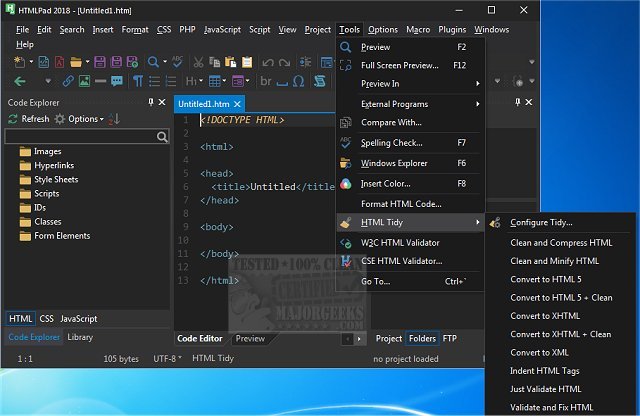
HTMLPad 18.5 has been released as a versatile coding tool designed for CSS, HTML, and JavaScript, characterized by its user-friendly interface. This software is tailored to be accessible for beginners while still offering robust features that appeal to advanced users. HTMLPad functions similarly to a basic text editor but is enhanced with numerous features, including HTML and CSS wizards, instant code snippets, and a browser preview option. These functionalities make it an ideal choice for learning web coding and minimizing errors during the development process.
Upon launching HTMLPad, users are greeted by a setup wizard that assists in configuring the app's appearance and overall settings. Users can select from a variety of layout types, such as "All But Kitchen Sink," "File Explorer Only," "Full IDE," "Normal," and "Notepad." Additionally, users have the flexibility to create and save their own custom layouts. Once the initial setup is complete, users can take advantage of features like syntax and line highlighting, an advanced text editor, code folding, macro recording, and a search-and-replace function. Other useful tools include a file explorer, FTP interface, and a code beautifier. Users can also customize the text editor, menus, toolbars, and shortcut keys to fit their personal preferences.
For those interested in exploring the extensive features of HTMLPad, the author's website provides a comprehensive overview, as the tool is packed with more functionalities than can be listed here.
In summary, HTMLPad 18.5 stands out as a powerful yet easy-to-use coding tool that caters to a wide range of users, from beginners to experienced developers. With its customizable interface and rich set of features, it streamlines the coding process and enhances productivity. As web development continues to evolve, tools like HTMLPad will remain essential for anyone looking to create quality web applications efficiently
Upon launching HTMLPad, users are greeted by a setup wizard that assists in configuring the app's appearance and overall settings. Users can select from a variety of layout types, such as "All But Kitchen Sink," "File Explorer Only," "Full IDE," "Normal," and "Notepad." Additionally, users have the flexibility to create and save their own custom layouts. Once the initial setup is complete, users can take advantage of features like syntax and line highlighting, an advanced text editor, code folding, macro recording, and a search-and-replace function. Other useful tools include a file explorer, FTP interface, and a code beautifier. Users can also customize the text editor, menus, toolbars, and shortcut keys to fit their personal preferences.
For those interested in exploring the extensive features of HTMLPad, the author's website provides a comprehensive overview, as the tool is packed with more functionalities than can be listed here.
In summary, HTMLPad 18.5 stands out as a powerful yet easy-to-use coding tool that caters to a wide range of users, from beginners to experienced developers. With its customizable interface and rich set of features, it streamlines the coding process and enhances productivity. As web development continues to evolve, tools like HTMLPad will remain essential for anyone looking to create quality web applications efficiently
HTMLPad 18.5 released
HTMLPad is a comprehensive coding tool for CSS, HTML, and Javascript through an extremely user-friendly interface.