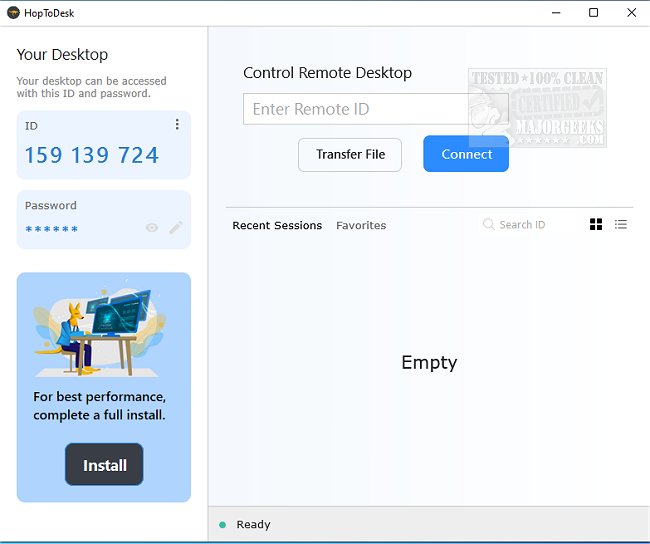
HopToDesk version 1.45.6 has been released, enhancing its capabilities as a versatile multiplatform application that facilitates remote desktop sharing and access to your machine. This tool is distinguished from other remote access software by a few key features: it is completely free for both personal and commercial use, employs end-to-end encryption for all peer communications, and is open-source, allowing users to inspect and modify the code.
One of HopToDesk's core commitments is to user security and privacy, as it ensures that all communications—including chats and file transfers—remain confidential and are only accessible to the intended users. The application is designed for ease of use; it requires no complex router or firewall configurations for setup, enabling users to access it from virtually anywhere at any time. Those familiar with other remote access tools will find the user interface intuitive and straightforward, allowing for a quick transition to using HopToDesk.
In our testing, we observed that HopToDesk provided a fast and reliable connection, making it a robust alternative to other established remote access applications. Some of its notable features include:
- Screen sharing
- Remote control
- File transfer
- Live chat
- Direct IP access
- IP whitelisting
- SOCKS5 proxy connections
As the demand for remote access solutions continues to grow, HopToDesk positions itself as a strong competitor in the market, combining functionality, security, and user-friendliness. Future updates may further enhance its capabilities and user experience, making it an even more appealing choice for individuals and businesses alike
One of HopToDesk's core commitments is to user security and privacy, as it ensures that all communications—including chats and file transfers—remain confidential and are only accessible to the intended users. The application is designed for ease of use; it requires no complex router or firewall configurations for setup, enabling users to access it from virtually anywhere at any time. Those familiar with other remote access tools will find the user interface intuitive and straightforward, allowing for a quick transition to using HopToDesk.
In our testing, we observed that HopToDesk provided a fast and reliable connection, making it a robust alternative to other established remote access applications. Some of its notable features include:
- Screen sharing
- Remote control
- File transfer
- Live chat
- Direct IP access
- IP whitelisting
- SOCKS5 proxy connections
As the demand for remote access solutions continues to grow, HopToDesk positions itself as a strong competitor in the market, combining functionality, security, and user-friendliness. Future updates may further enhance its capabilities and user experience, making it an even more appealing choice for individuals and businesses alike
HopToDesk 1.45.6 released
HopToDesk is a multiplatform app that enables remote desktop sharing of screens and remote access to your machine.