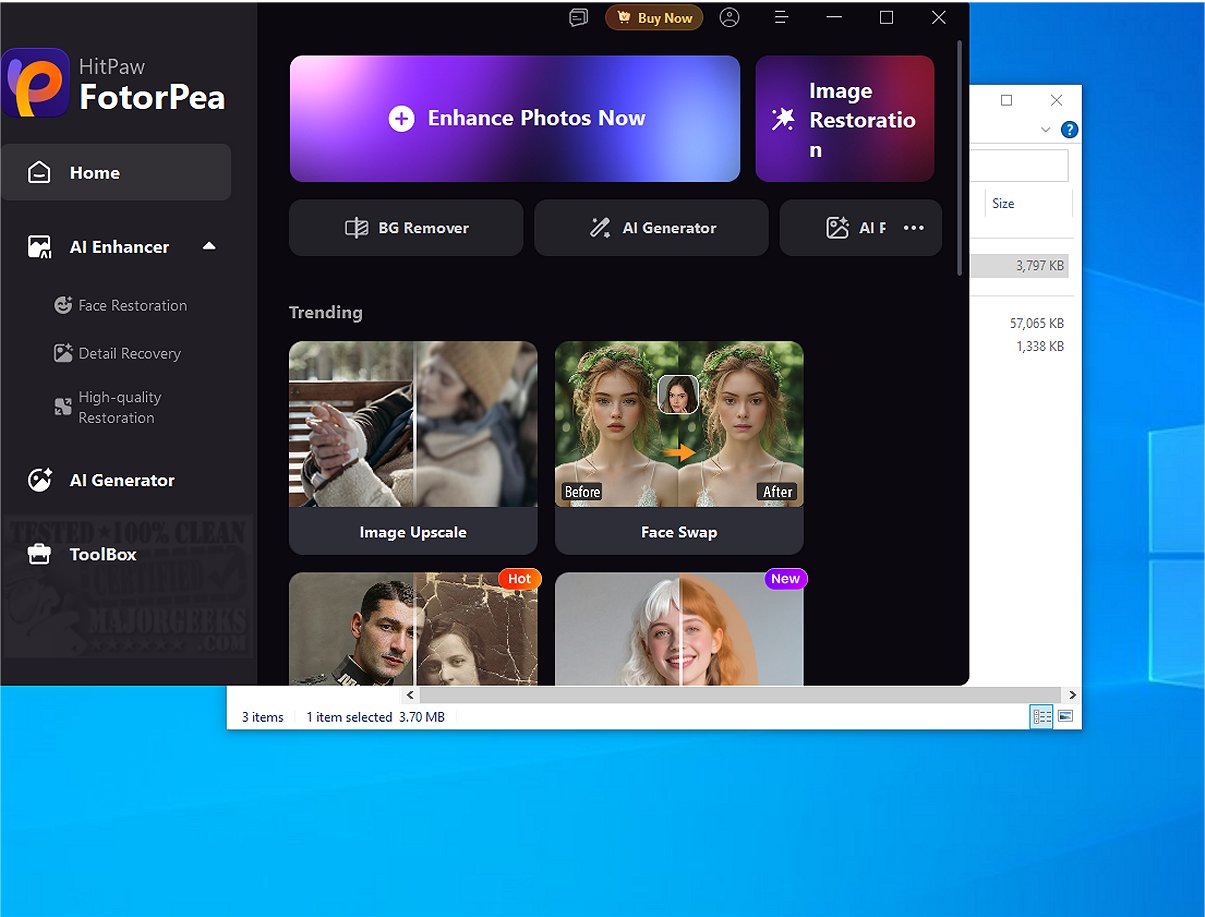
HitPaw FotorPea has recently released version 5.2.1, enhancing its position as a leading image editing software that caters to users of all skill levels. This software is designed to provide a seamless and enjoyable photo editing experience through its intuitive user interface, which makes it easy for users to navigate and find the tools they need.
One of the standout features of HitPaw FotorPea is its robust selection of editing tools, including image quality optimization that enhances photo clarity and vibrancy. The software includes a background removal tool that allows for precise isolation of subjects, as well as an object removal feature that enables users to eliminate unwanted elements from their images effectively. The smart keying function offers additional convenience by simplifying the selection and editing of specific areas within photos.
In addition to these features, users can further personalize their images by incorporating text and graphics, adding an artistic touch to their edits. The batch processing function is a significant time-saver, allowing users to edit multiple images at once, which is particularly beneficial for photographers and content creators with large volumes of work. HitPaw FotorPea also supports various file formats for exporting and sharing enhanced images on social media, ensuring flexibility in how users showcase their creations.
The software is continuously updated and includes multilingual support, catering to a diverse global audience and ensuring that users always have access to the latest features and improvements.
Overall, HitPaw FotorPea stands out as an exceptional tool for anyone looking to enhance their photo quality and unleash their creative potential. With its extensive features, it proves to be an invaluable resource for both casual users and experienced photographers. Whether you're looking to make simple edits or explore advanced techniques, HitPaw FotorPea opens up a world of possibilities to elevate your photographic artistry.
As the software evolves, users can expect even more innovative features and improvements in upcoming releases, making it a compelling choice for anyone interested in photo editing
One of the standout features of HitPaw FotorPea is its robust selection of editing tools, including image quality optimization that enhances photo clarity and vibrancy. The software includes a background removal tool that allows for precise isolation of subjects, as well as an object removal feature that enables users to eliminate unwanted elements from their images effectively. The smart keying function offers additional convenience by simplifying the selection and editing of specific areas within photos.
In addition to these features, users can further personalize their images by incorporating text and graphics, adding an artistic touch to their edits. The batch processing function is a significant time-saver, allowing users to edit multiple images at once, which is particularly beneficial for photographers and content creators with large volumes of work. HitPaw FotorPea also supports various file formats for exporting and sharing enhanced images on social media, ensuring flexibility in how users showcase their creations.
The software is continuously updated and includes multilingual support, catering to a diverse global audience and ensuring that users always have access to the latest features and improvements.
Overall, HitPaw FotorPea stands out as an exceptional tool for anyone looking to enhance their photo quality and unleash their creative potential. With its extensive features, it proves to be an invaluable resource for both casual users and experienced photographers. Whether you're looking to make simple edits or explore advanced techniques, HitPaw FotorPea opens up a world of possibilities to elevate your photographic artistry.
As the software evolves, users can expect even more innovative features and improvements in upcoming releases, making it a compelling choice for anyone interested in photo editing
HitPaw FotorPea 5.2.1 released
HitPaw FotorPea offers advanced image editing software designed to deliver a comprehensive and enjoyable photo editing experience for users of all skill levels.