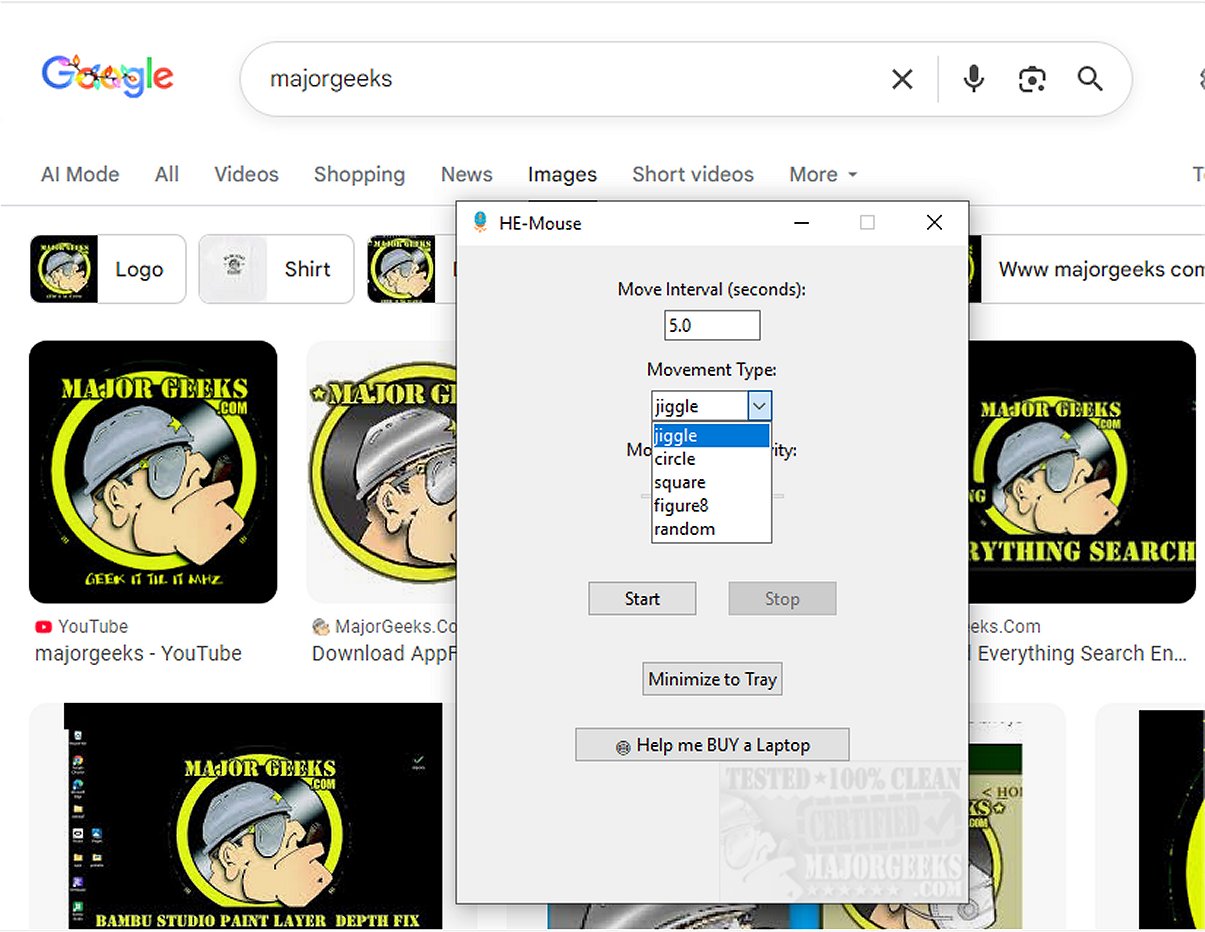
HE-Mouse is an innovative application designed to prevent your computer from entering sleep mode by generating automated mouse movements at set intervals. This feature is particularly useful for users who may not have the option to adjust sleep settings on work computers due to IT restrictions or for those who wish to keep their screens active during brief tasks, such as watching videos.
User-Friendly Interface and Customization Options
The application boasts an uncluttered interface that simplifies the configuration process. Users can easily specify the frequency of mouse movements by entering their preferred interval in seconds in the Move interval box. A common setting is to move the mouse every 60 seconds, but users can opt for shorter intervals if their systems are more sensitive to inactivity.
HE-Mouse also allows for customization in terms of movement types and sensitivity, catering to various user needs. Movement options include jiggle, circle, square, figure 8, and random patterns. Once activated, the application can be minimized to the System Tray for convenient access, making it simple to stop or adjust its operation as needed.
Ideal for Diverse Use Cases
HE-Mouse is touted as the ultimate solution for maintaining computer activity without constant user interaction. It is particularly beneficial during lengthy video presentations, large file downloads, or critical simulations. Additionally, it supports active remote desktop sessions, thereby reducing interruptions and enhancing productivity.
Security Considerations
Despite its utility, it's worth noting that mouse jiggler applications like HE-Mouse may trigger security alerts on platforms like VirusTotal, as their method of simulating mouse movements can resemble the behavior of keyloggers or remote access tools. This is due to their operation in the background, which can raise flags from generic or heuristic detection engines.
Conclusion and Further Benefits
HE-Mouse 1.0.0 stands out as a lightweight and effective tool for users looking to keep their computers awake without constant interaction. By using this application, users can enjoy seamless productivity and uninterrupted workflows, especially in scenarios where continuous engagement is not feasible.
In addition to its core features, future updates may include enhanced movement options, additional customization settings, and improved security measures to mitigate detection issues. With HE-Mouse, users can focus on their tasks without the worry of their computer prematurely going to sleep
User-Friendly Interface and Customization Options
The application boasts an uncluttered interface that simplifies the configuration process. Users can easily specify the frequency of mouse movements by entering their preferred interval in seconds in the Move interval box. A common setting is to move the mouse every 60 seconds, but users can opt for shorter intervals if their systems are more sensitive to inactivity.
HE-Mouse also allows for customization in terms of movement types and sensitivity, catering to various user needs. Movement options include jiggle, circle, square, figure 8, and random patterns. Once activated, the application can be minimized to the System Tray for convenient access, making it simple to stop or adjust its operation as needed.
Ideal for Diverse Use Cases
HE-Mouse is touted as the ultimate solution for maintaining computer activity without constant user interaction. It is particularly beneficial during lengthy video presentations, large file downloads, or critical simulations. Additionally, it supports active remote desktop sessions, thereby reducing interruptions and enhancing productivity.
Security Considerations
Despite its utility, it's worth noting that mouse jiggler applications like HE-Mouse may trigger security alerts on platforms like VirusTotal, as their method of simulating mouse movements can resemble the behavior of keyloggers or remote access tools. This is due to their operation in the background, which can raise flags from generic or heuristic detection engines.
Conclusion and Further Benefits
HE-Mouse 1.0.0 stands out as a lightweight and effective tool for users looking to keep their computers awake without constant interaction. By using this application, users can enjoy seamless productivity and uninterrupted workflows, especially in scenarios where continuous engagement is not feasible.
In addition to its core features, future updates may include enhanced movement options, additional customization settings, and improved security measures to mitigate detection issues. With HE-Mouse, users can focus on their tasks without the worry of their computer prematurely going to sleep
HE-Mouse 1.0.0 released
HE-Mouse is designed to keep your computer awake by creating various automated mouse movements at regular intervals.