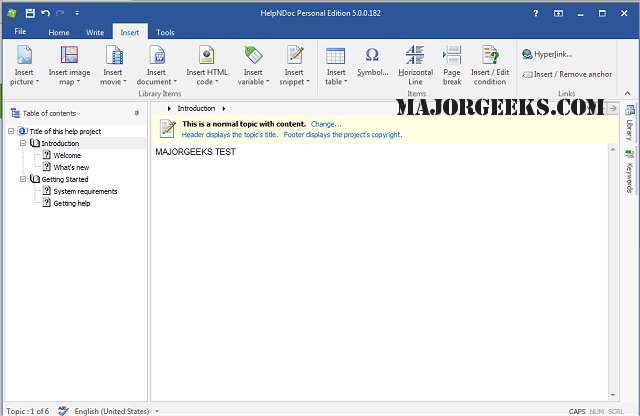
HelpNDoc version 10.4.0.281 has been released, offering an intuitive and efficient platform for creating CHM help files, web-based documentation, as well as PDF and Word documents from a single source. This software simplifies the process of documentation generation, allowing users to input or import their text into a built-in word processor and compile it with just a click of the "Compile" button.
HelpNDoc is designed with user-friendliness in mind, eliminating the complexities often associated with help file generation. Users familiar with word processing software will find HelpNDoc easy to navigate. The interface is clean, avoiding unnecessary clutter, and focuses on delivering advanced functionalities in a straightforward manner. With features like live spell checking and a fully WYSIWYG (What You See Is What You Get) environment, users can create professional-looking help files quickly and easily.
In addition to these features, HelpNDoc continuously evolves to meet user needs, potentially incorporating more integrations, templates, and support for various file formats in future updates. With its robust capabilities and ease of use, HelpNDoc remains an excellent choice for anyone looking to streamline their documentation process.
For users seeking to enhance their documentation skills, resources on related topics, such as how to install or uninstall Microsoft WordPad, or how to run and reset WordPad in Windows 10 & 11, can provide valuable insights
HelpNDoc is designed with user-friendliness in mind, eliminating the complexities often associated with help file generation. Users familiar with word processing software will find HelpNDoc easy to navigate. The interface is clean, avoiding unnecessary clutter, and focuses on delivering advanced functionalities in a straightforward manner. With features like live spell checking and a fully WYSIWYG (What You See Is What You Get) environment, users can create professional-looking help files quickly and easily.
In addition to these features, HelpNDoc continuously evolves to meet user needs, potentially incorporating more integrations, templates, and support for various file formats in future updates. With its robust capabilities and ease of use, HelpNDoc remains an excellent choice for anyone looking to streamline their documentation process.
For users seeking to enhance their documentation skills, resources on related topics, such as how to install or uninstall Microsoft WordPad, or how to run and reset WordPad in Windows 10 & 11, can provide valuable insights
HelpNDoc 10.4.0.281 released
HeHelpNDoc provides you with a clear and efficient interface for building CHM help files, WEB-based documentation, PDF, and Word documents from a single free source.