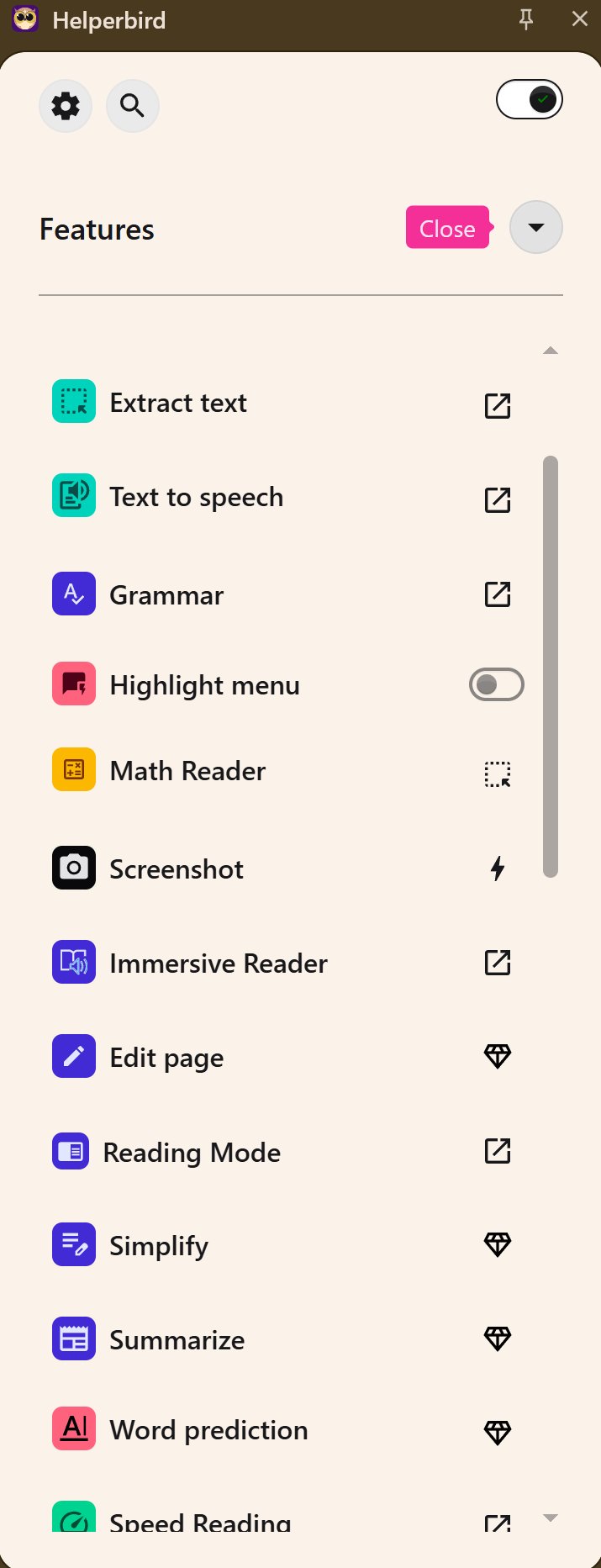
Helperbird 2026.2.27 has recently been released, enhancing its reputation as a browser-based accessibility and productivity extension designed to improve the online experience for users, particularly those with dyslexia, visual stress, ADHD, and others seeking a more comfortable browsing environment.
Helperbird addresses common challenges faced by users when reading long web pages, such as eye fatigue and loss of focus. Unlike typical extensions that merely increase font size, Helperbird provides comprehensive tools that allow users to customize how websites, PDFs, and documents are displayed. This customization includes adjustments to fonts, spacing, colors, and reading modes, as well as text-to-speech functionality. The changes are persistent across different websites, which is a significant time-saver for users.
Key features of Helperbird include an immersive reading mode that eliminates distractions, dyslexia-friendly fonts, and focus tools like the Dyslexia ruler and Focus ruler, which help users maintain concentration by highlighting specific sections of text. The extension is compatible with major browsers such as Chrome, Firefox, Edge, and Safari, as well as iPad and iPhone.
Helperbird also offers useful writing and studying tools, including voice typing, word prediction, and text extraction from images. Its customizable features extend to cursor size, auto-scroll options, and keyboard shortcuts for smoother navigation.
The extension is available in both free and Pro versions. The free version includes essential features, while the Pro version offers advanced customization options for a subscription fee starting at $30 per year, with discounts available for students and schools.
In summary, Helperbird is a powerful accessibility suite filled with practical tools that effectively address various accessibility challenges. Its deep customization, excellent reading tools, and compatibility across devices make it a valuable addition for anyone who spends considerable time online. Users are encouraged to try the free version to experience a more enjoyable and less tiring web browsing experience
Helperbird addresses common challenges faced by users when reading long web pages, such as eye fatigue and loss of focus. Unlike typical extensions that merely increase font size, Helperbird provides comprehensive tools that allow users to customize how websites, PDFs, and documents are displayed. This customization includes adjustments to fonts, spacing, colors, and reading modes, as well as text-to-speech functionality. The changes are persistent across different websites, which is a significant time-saver for users.
Key features of Helperbird include an immersive reading mode that eliminates distractions, dyslexia-friendly fonts, and focus tools like the Dyslexia ruler and Focus ruler, which help users maintain concentration by highlighting specific sections of text. The extension is compatible with major browsers such as Chrome, Firefox, Edge, and Safari, as well as iPad and iPhone.
Helperbird also offers useful writing and studying tools, including voice typing, word prediction, and text extraction from images. Its customizable features extend to cursor size, auto-scroll options, and keyboard shortcuts for smoother navigation.
The extension is available in both free and Pro versions. The free version includes essential features, while the Pro version offers advanced customization options for a subscription fee starting at $30 per year, with discounts available for students and schools.
In summary, Helperbird is a powerful accessibility suite filled with practical tools that effectively address various accessibility challenges. Its deep customization, excellent reading tools, and compatibility across devices make it a valuable addition for anyone who spends considerable time online. Users are encouraged to try the free version to experience a more enjoyable and less tiring web browsing experience
Helperbird 2026.2.27 released
Helperbird is a browser-based accessibility and productivity extension that makes reading, writing, and browsing the web easier for everyone, especially folks with dyslexia, visual stress, ADHD, or anyone who wants a more comfortable online experience.