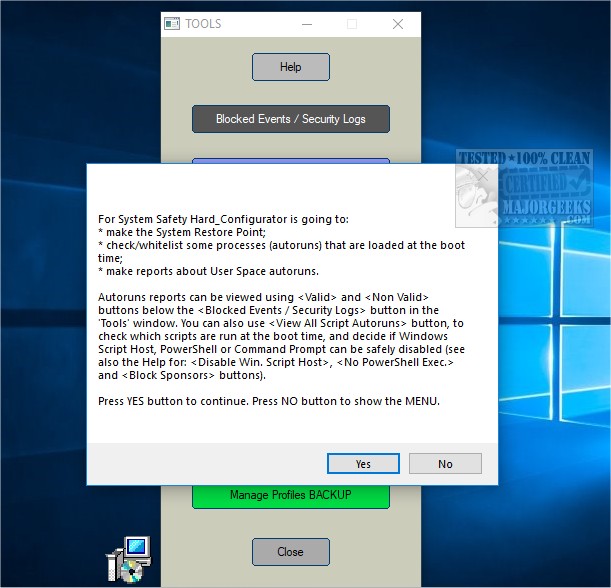
The release of Hard_Configurator version 7.0.1.0 introduces an enhanced graphical user interface designed for advanced users to effectively manage Software Restriction Policies (SRP) and reinforce security on Windows Home editions from Vista onwards. This tool allows users to customize built-in Windows security features, ensuring a more robust operating system environment.
Upon closing Hard_Configurator, all processes initiated by the program cease, while its protective features remain active through modified Windows settings. The application implements a Medium Integrity Level smart default-deny strategy, utilizing SRP, the Application Reputation Service, and various Windows hardening techniques that limit access to vulnerable features.
Key functionalities of Hard_Configurator include enabling SRP in Windows Home editions, modifying security levels and enforcement options, and whitelisting files based on paths or hashes. Additionally, it can block insecure executables, protect specific directories, and adjust settings for Windows Defender to enhance threat protection. Other features include restricting PowerShell script execution, disabling Remote Desktop services, and applying advanced logging for SRP activities.
While many of Hard_Configurator's tasks can be performed through registry modifications, the program simplifies the process for advanced users. It also provides options for restoring Windows defaults, creating system restore points, and managing profiles for settings and whitelists.
Ultimately, Hard_Configurator serves as a comprehensive solution for users seeking to harden their Windows installations against potential threats. It is important to note that the application is intended for those who possess a solid understanding of system management and security practices.
To further enhance the user experience, future versions could potentially include features such as automated security audits, integration with third-party security tools, or a simplified mode for less experienced users. This would broaden its accessibility while maintaining its advanced capabilities
Upon closing Hard_Configurator, all processes initiated by the program cease, while its protective features remain active through modified Windows settings. The application implements a Medium Integrity Level smart default-deny strategy, utilizing SRP, the Application Reputation Service, and various Windows hardening techniques that limit access to vulnerable features.
Key functionalities of Hard_Configurator include enabling SRP in Windows Home editions, modifying security levels and enforcement options, and whitelisting files based on paths or hashes. Additionally, it can block insecure executables, protect specific directories, and adjust settings for Windows Defender to enhance threat protection. Other features include restricting PowerShell script execution, disabling Remote Desktop services, and applying advanced logging for SRP activities.
While many of Hard_Configurator's tasks can be performed through registry modifications, the program simplifies the process for advanced users. It also provides options for restoring Windows defaults, creating system restore points, and managing profiles for settings and whitelists.
Ultimately, Hard_Configurator serves as a comprehensive solution for users seeking to harden their Windows installations against potential threats. It is important to note that the application is intended for those who possess a solid understanding of system management and security practices.
To further enhance the user experience, future versions could potentially include features such as automated security audits, integration with third-party security tools, or a simplified mode for less experienced users. This would broaden its accessibility while maintaining its advanced capabilities
Hard_Configurator 7.0.1.0 released
Hard_Configurator is a graphical user interface for advanced users to manage Software Restriction Policies (SRP) and harden Windows Home editions from Vista up. The latest beta can be downloaded when available.