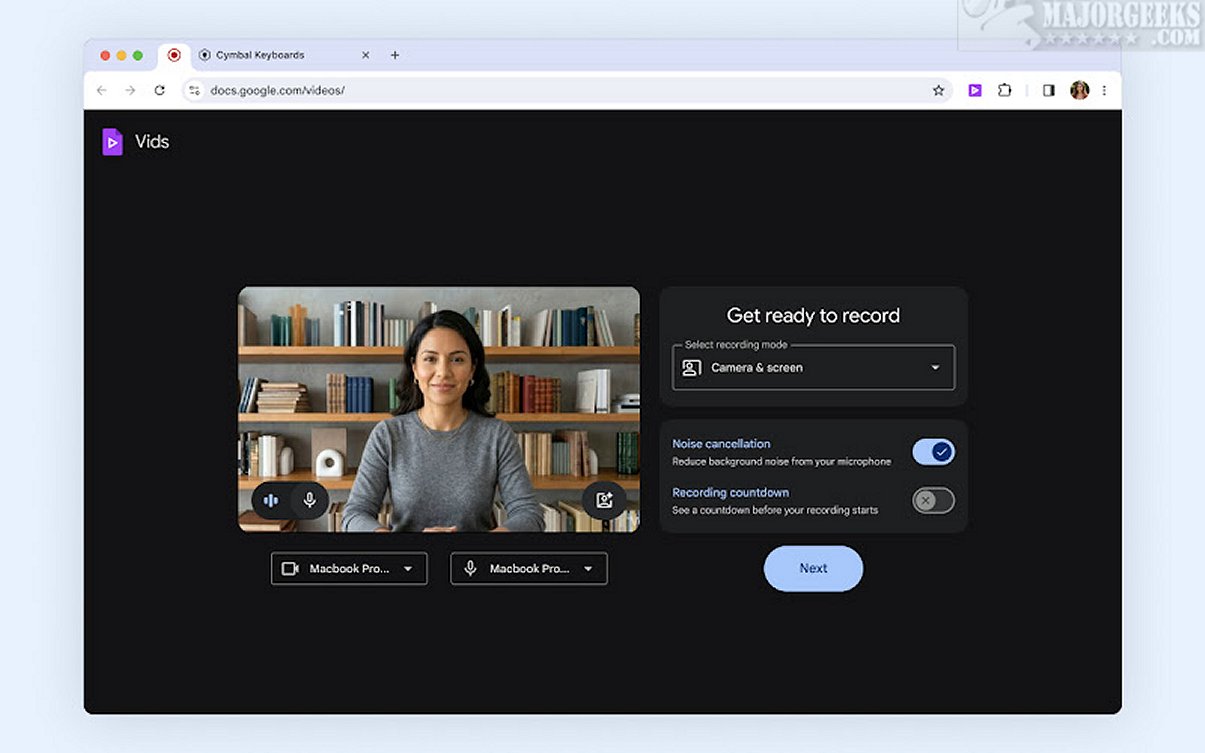
The Google Vids Screen Recorder has recently been updated to version 1.39.4, providing users with a powerful tool for capturing screen activity directly from their Chrome browser. This intuitive extension is perfect for recording a variety of content, including presentations, tutorials, gaming sessions, and webinars, making it an excellent choice for educators, content creators, and professionals looking to share their insights with a wider audience.
As part of the Google Workspace suite, Google Vids Screen Recorder has embraced advanced technologies like Gemini AI for intelligent enhancements, Veo for video generation, and Lyria for music creation. These features are designed to streamline the video creation process, making it easier for users to produce high-quality recordings without requiring extensive editing skills.
The extension boasts a user-friendly interface that allows for quick recording initiation, voiceover additions, and real-time annotations, enhancing message clarity and viewer engagement. Users can easily customize their recording area, choosing to capture specific sections of their screen or include their webcam feed for a more personal touch.
Key features of the Google Vids Screen Recorder include:
- Record Anywhere: Capture high-quality videos directly from the Chrome browser without any interruptions.
- Generous Limits: Users can record presentations or tutorials for up to 30 minutes at a time, with no restrictions on the number of recordings.
- Cost-Effective: The tool is available at no extra cost for Google account holders or Google Workspace subscribers, providing professional-grade recording capabilities.
- Seamless Sharing and Editing: After recording, users can easily preview and edit their videos within Google Vids before sharing them with their teams.
In summary, Google Vids Screen Recorder is a cutting-edge, AI-driven tool aimed at enhancing workplace communication. Its intuitive and collaborative design allows users to create engaging training videos, dynamic pitches, and presentations effortlessly. By integrating seamlessly into Google Workspace, it empowers users to communicate effectively through high-quality video content.
In addition to the features mentioned, future updates could potentially include enhanced editing tools, improved collaboration features, and support for additional platforms beyond Chrome. This would further expand the tool's usability and effectiveness in various professional and educational settings
As part of the Google Workspace suite, Google Vids Screen Recorder has embraced advanced technologies like Gemini AI for intelligent enhancements, Veo for video generation, and Lyria for music creation. These features are designed to streamline the video creation process, making it easier for users to produce high-quality recordings without requiring extensive editing skills.
The extension boasts a user-friendly interface that allows for quick recording initiation, voiceover additions, and real-time annotations, enhancing message clarity and viewer engagement. Users can easily customize their recording area, choosing to capture specific sections of their screen or include their webcam feed for a more personal touch.
Key features of the Google Vids Screen Recorder include:
- Record Anywhere: Capture high-quality videos directly from the Chrome browser without any interruptions.
- Generous Limits: Users can record presentations or tutorials for up to 30 minutes at a time, with no restrictions on the number of recordings.
- Cost-Effective: The tool is available at no extra cost for Google account holders or Google Workspace subscribers, providing professional-grade recording capabilities.
- Seamless Sharing and Editing: After recording, users can easily preview and edit their videos within Google Vids before sharing them with their teams.
In summary, Google Vids Screen Recorder is a cutting-edge, AI-driven tool aimed at enhancing workplace communication. Its intuitive and collaborative design allows users to create engaging training videos, dynamic pitches, and presentations effortlessly. By integrating seamlessly into Google Workspace, it empowers users to communicate effectively through high-quality video content.
In addition to the features mentioned, future updates could potentially include enhanced editing tools, improved collaboration features, and support for additional platforms beyond Chrome. This would further expand the tool's usability and effectiveness in various professional and educational settings
Google Vids Screen Recorder 1.39.4 released
Google Vids Screen Recorder Chrome extension provides an intuitive, user-friendly platform for capturing your screen activity with ease. This versatile tool lets you record presentations, tutorials, gameplay, and webinars, making it perfect for sharing your ideas and insights with a broader audience.