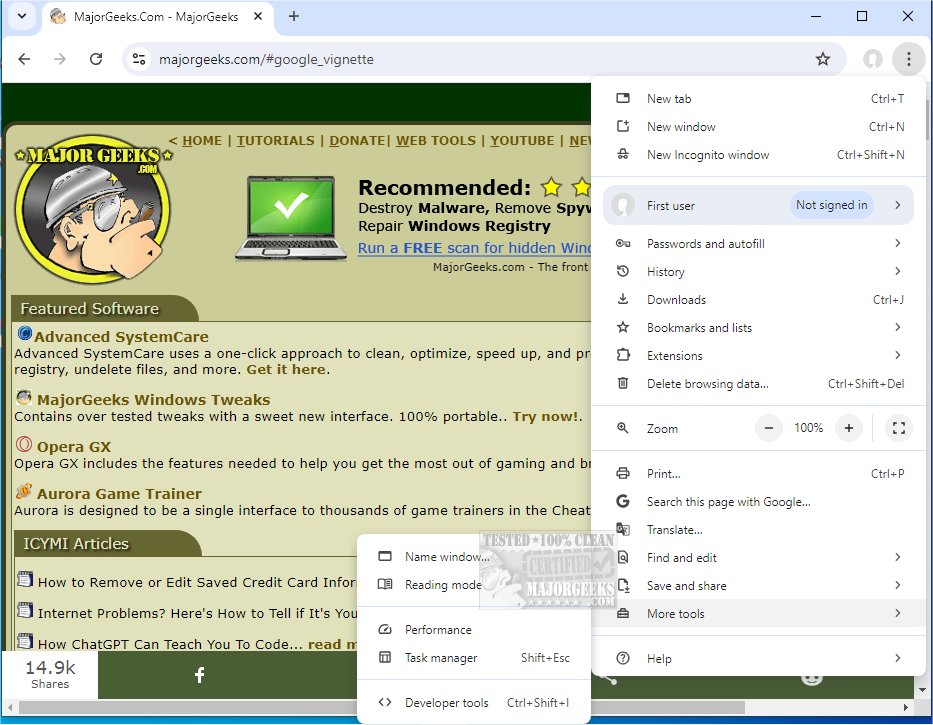
Google Chrome, a widely-used web browser, merges a sleek design with advanced technology to enhance your web experience, making it faster, safer, and more user-friendly. The latest version, Chrome 143.0.7499.147, continues this tradition and is available in a portable format for those who prefer a mobile browsing solution.
Why Google Chrome Stands Out
Chrome is more than just a web browser; it serves as an essential tool for navigating the internet efficiently. Its lightweight yet powerful interface appeals to both tech-savvy users and casual web surfers, making it versatile for various online activities.
Key Features of Google Chrome
1. Supercharged Speed: Experience lightning-fast page loads and quick startup times, allowing users to spend more time engaging with content rather than waiting for it to load.
2. Minimalist Design: The clutter-free user interface prioritizes content over distracting menus, providing a seamless browsing experience. Fullscreen mode offers an immersive web experience.
3. Effortless Tab Management: Users can easily manage multiple tabs, reopen closed ones, and enjoy independent tab performance to prevent crashes.
4. Strong Privacy & Security: Features like Incognito Mode ensures anonymity, while built-in malware protection and regular updates guard against online threats.
5. Endless Extensions: The Chrome Web Store offers a vast array of extensions, enhancing functionality with tools like ad blockers and productivity enhancers.
6. Smart Search Bar (Omnibox): The omnibox simplifies searches and calculations, streamlining the user experience.
7. Cross-Device Sync: Chrome keeps bookmarks, tabs, and browsing history synchronized across all devices for seamless access.
8. Custom Profiles: Users can create distinct profiles for different purposes, keeping settings and history organized.
Everyday Use Benefits
Google Chrome excels in delivering not just speed and efficiency but also a personalized browsing experience. It handles high-definition streaming smoothly and simplifies online shopping with autofill features. The robust privacy controls and aesthetic customization options further enhance user satisfaction.
Pros & Cons of Chrome
- Pros:
- Exceptional speed and performance.
- Easy synchronization with Google accounts.
- Strong privacy features, including malware detection.
- An extensive library of customizable extensions.
- Cons:
- Higher resource consumption, utilizing more RAM compared to some competitors.
- Close integration with Google services may raise privacy concerns for some users.
Final Thoughts
Google Chrome has earned its popularity not just due to its association with Google, but because it delivers a fast, reliable, and customizable browsing experience. While it may occasionally consume more system resources, its impressive balance of speed and functionality makes it a top choice for diverse users. For anyone who spends significant time online, downloading Google Chrome is a smart move.
Additional Resources:
- Explore guides on optimizing Chrome settings and improving overall browsing experience.
- Discover tips on resetting or repairing Chrome and other major browsers like Mozilla Firefox and Microsoft Edge.
- Learn how to utilize Chrome's built-in malware scanner and cleanup tool for enhanced security.
With its latest update, Google Chrome continues to set the standard for web browsers, solidifying its place as an indispensable tool for modern internet users
Why Google Chrome Stands Out
Chrome is more than just a web browser; it serves as an essential tool for navigating the internet efficiently. Its lightweight yet powerful interface appeals to both tech-savvy users and casual web surfers, making it versatile for various online activities.
Key Features of Google Chrome
1. Supercharged Speed: Experience lightning-fast page loads and quick startup times, allowing users to spend more time engaging with content rather than waiting for it to load.
2. Minimalist Design: The clutter-free user interface prioritizes content over distracting menus, providing a seamless browsing experience. Fullscreen mode offers an immersive web experience.
3. Effortless Tab Management: Users can easily manage multiple tabs, reopen closed ones, and enjoy independent tab performance to prevent crashes.
4. Strong Privacy & Security: Features like Incognito Mode ensures anonymity, while built-in malware protection and regular updates guard against online threats.
5. Endless Extensions: The Chrome Web Store offers a vast array of extensions, enhancing functionality with tools like ad blockers and productivity enhancers.
6. Smart Search Bar (Omnibox): The omnibox simplifies searches and calculations, streamlining the user experience.
7. Cross-Device Sync: Chrome keeps bookmarks, tabs, and browsing history synchronized across all devices for seamless access.
8. Custom Profiles: Users can create distinct profiles for different purposes, keeping settings and history organized.
Everyday Use Benefits
Google Chrome excels in delivering not just speed and efficiency but also a personalized browsing experience. It handles high-definition streaming smoothly and simplifies online shopping with autofill features. The robust privacy controls and aesthetic customization options further enhance user satisfaction.
Pros & Cons of Chrome
- Pros:
- Exceptional speed and performance.
- Easy synchronization with Google accounts.
- Strong privacy features, including malware detection.
- An extensive library of customizable extensions.
- Cons:
- Higher resource consumption, utilizing more RAM compared to some competitors.
- Close integration with Google services may raise privacy concerns for some users.
Final Thoughts
Google Chrome has earned its popularity not just due to its association with Google, but because it delivers a fast, reliable, and customizable browsing experience. While it may occasionally consume more system resources, its impressive balance of speed and functionality makes it a top choice for diverse users. For anyone who spends significant time online, downloading Google Chrome is a smart move.
Additional Resources:
- Explore guides on optimizing Chrome settings and improving overall browsing experience.
- Discover tips on resetting or repairing Chrome and other major browsers like Mozilla Firefox and Microsoft Edge.
- Learn how to utilize Chrome's built-in malware scanner and cleanup tool for enhanced security.
With its latest update, Google Chrome continues to set the standard for web browsers, solidifying its place as an indispensable tool for modern internet users
Google Chrome 143.0.7499.147 released
Google Chrome is a web browser that combines a minimal design with sophisticated technology to make the web faster, safer, and easier. Chrome Portable is also available.