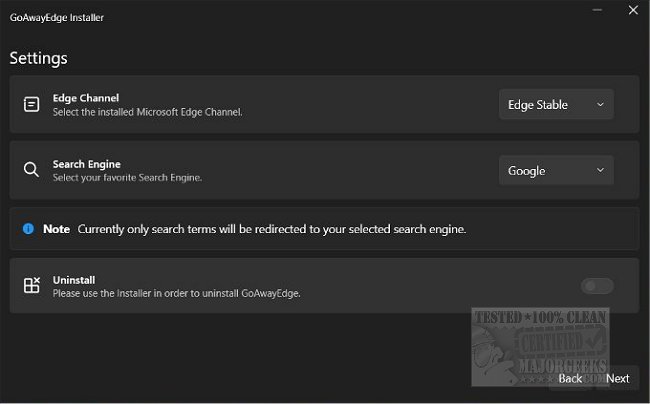
The latest release of GoAwayEdge, version 2.0.2, offers a solution for users who prefer to utilize their preferred web browser over Microsoft Edge. This application seamlessly redirects any calls to Edge, such as those initiated by Windows Search, ensuring that links open in the user’s chosen browser instead. This eliminates the frustration of being redirected to Edge for searches that you intended to conduct in a different browser.
Since GoAwayEdge modifies system settings, it is highly recommended that users create a restore point prior to installation to safeguard against potential issues.
In addition to GoAwayEdge, there are several related guides available for users looking to customize their experience with Microsoft Edge. These include instructions on disabling Edge from running in the background, uninstalling Edge when the option is grayed out, changing Edge's behavior to download PDFs instead of opening them, and enabling or disabling the About:Flags page in Edge.
Overall, GoAwayEdge 2.0.2 enhances user control over web browsing preferences and minimizes the involuntary use of Microsoft Edge
Since GoAwayEdge modifies system settings, it is highly recommended that users create a restore point prior to installation to safeguard against potential issues.
In addition to GoAwayEdge, there are several related guides available for users looking to customize their experience with Microsoft Edge. These include instructions on disabling Edge from running in the background, uninstalling Edge when the option is grayed out, changing Edge's behavior to download PDFs instead of opening them, and enabling or disabling the About:Flags page in Edge.
Overall, GoAwayEdge 2.0.2 enhances user control over web browsing preferences and minimizes the involuntary use of Microsoft Edge
GoAwayEdge 2.0.2 released
GoAwayEdge redirects any Edge calls, like Windows Search, and routes them to your browser of choice.