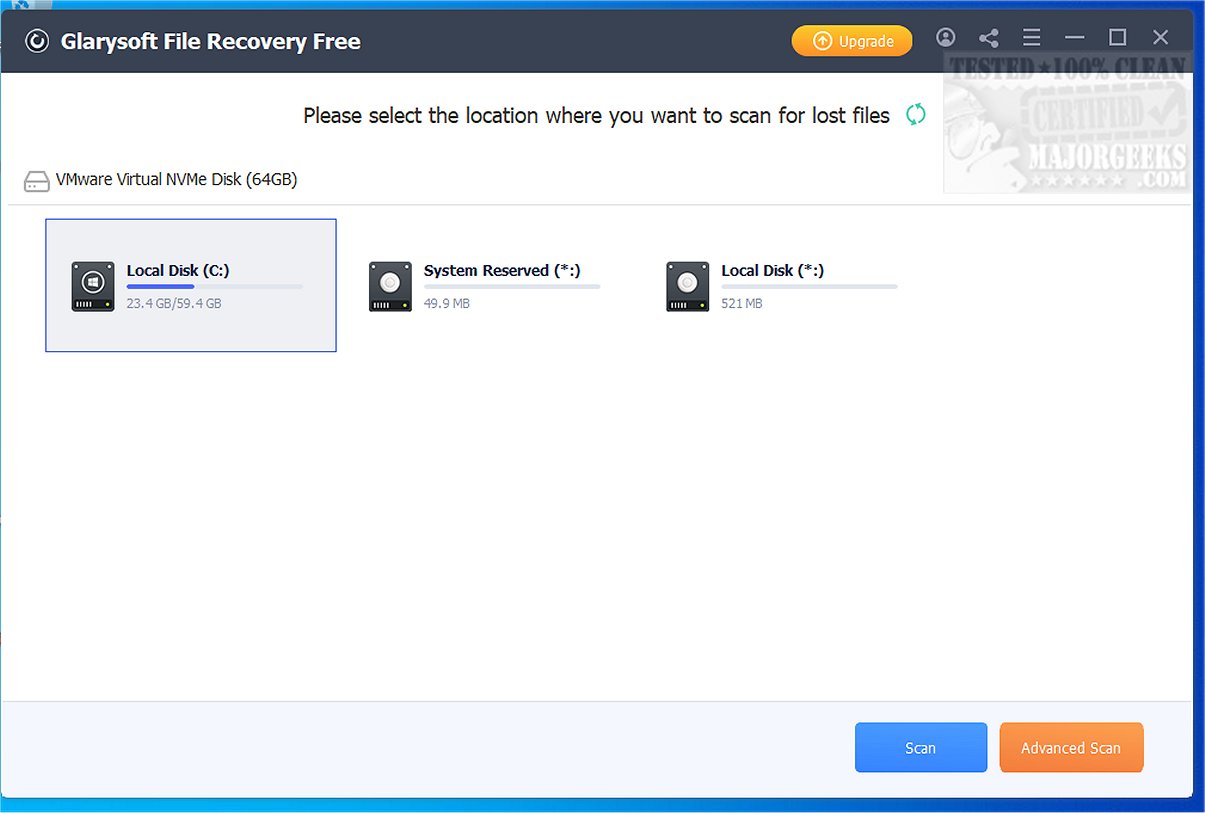
Glarysoft has recently released version 1.30.0.30 of its software, Glarysoft File Recovery Free, which serves as a simple and effective tool for recovering deleted files from various storage devices. The user-friendly interface allows users to restore lost data effortlessly by scanning their hard drives and organizing the results into easily navigable folders.
The recovery process begins with a straightforward installation, followed by a scan that identifies recoverable files. Users can enhance their search with filters based on size, creation date, or name, making it easier to locate specific items. The software is compatible with a wide range of storage media, including internal and external hard drives, memory cards, and USB drives, and it supports multiple file systems like NTFS and FAT.
However, users should be cautious not to install the software on the drive from which they wish to recover data to avoid potential data loss. While the recovery process is generally efficient, it can be slow depending on various factors, such as the time elapsed since deletion and subsequent computer activity.
It's important to note that the free version has limitations, allowing only three files to be recovered at a time. This constraint may hinder users facing significant data loss, leading many to consider upgrading to the Pro version for more extensive recovery options.
Extension:
For users seeking a reliable data recovery solution, Glarysoft File Recovery Free can be a practical starting point, especially for minor issues. However, for those who frequently deal with data loss or require more comprehensive recovery capabilities, exploring alternative solutions or considering the Pro version is advisable. Additionally, users should regularly back up important files and familiarize themselves with secure deletion methods to prevent future data loss. By integrating proactive data management practices alongside tools like Glarysoft File Recovery, users can enhance their data safety and recovery strategies
The recovery process begins with a straightforward installation, followed by a scan that identifies recoverable files. Users can enhance their search with filters based on size, creation date, or name, making it easier to locate specific items. The software is compatible with a wide range of storage media, including internal and external hard drives, memory cards, and USB drives, and it supports multiple file systems like NTFS and FAT.
However, users should be cautious not to install the software on the drive from which they wish to recover data to avoid potential data loss. While the recovery process is generally efficient, it can be slow depending on various factors, such as the time elapsed since deletion and subsequent computer activity.
It's important to note that the free version has limitations, allowing only three files to be recovered at a time. This constraint may hinder users facing significant data loss, leading many to consider upgrading to the Pro version for more extensive recovery options.
Extension:
For users seeking a reliable data recovery solution, Glarysoft File Recovery Free can be a practical starting point, especially for minor issues. However, for those who frequently deal with data loss or require more comprehensive recovery capabilities, exploring alternative solutions or considering the Pro version is advisable. Additionally, users should regularly back up important files and familiarize themselves with secure deletion methods to prevent future data loss. By integrating proactive data management practices alongside tools like Glarysoft File Recovery, users can enhance their data safety and recovery strategies
Glarysoft File Recovery Free 1.30.0.30 released
Glarysoft File Recovery Free provides you with a user-friendly tool designed for recovering deleted files from your hard drive. It offers a straightforward process, making it easy for users to restore lost data without complicated steps.
Glarysoft File Recovery Free 1.30.0.30 released @ MajorGeeks