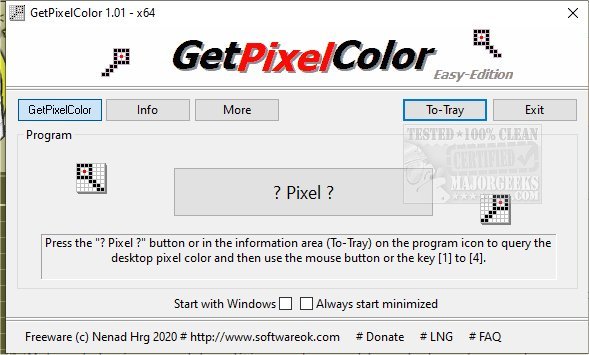
GetPixelColor 3.49 has been released as a useful tool for identifying pixel color values, appealing to graphic designers, web administrators, and anyone curious about color specifications. This tool simplifies the understanding of the RGB color space through an engaging interface. Users can easily identify the color of a specific pixel on their desktop at coordinates X: 235 Y: 133, which is particularly beneficial as this functionality is not standard in Windows.
Originally part of DesktopOK, GetPixelColor is designed to cater to both novice and experienced users. Utilizing the tool is straightforward: users simply click the '? Pixel ?' button, drag the box to the desired area on the screen, and click to reveal the color palette. Additionally, colors can be copied to the clipboard using keyboard shortcuts.
Key features of GetPixelColor include the ability to query various color formats such as RGB, RGBA, and HLS, access color information via the taskbar, and adjust pixel colors through a dedicated color palette. Users can also opt to have the application start automatically with Windows.
To further enhance its utility, future updates could include features such as a color history log, the ability to save and organize favorite colors, or integration with design software for a more seamless experience. There could also be potential for mobile compatibility, allowing users to identify colors on their devices or through camera input. Overall, GetPixelColor continues to be an essential tool for anyone working with colors in digital environments
Originally part of DesktopOK, GetPixelColor is designed to cater to both novice and experienced users. Utilizing the tool is straightforward: users simply click the '? Pixel ?' button, drag the box to the desired area on the screen, and click to reveal the color palette. Additionally, colors can be copied to the clipboard using keyboard shortcuts.
Key features of GetPixelColor include the ability to query various color formats such as RGB, RGBA, and HLS, access color information via the taskbar, and adjust pixel colors through a dedicated color palette. Users can also opt to have the application start automatically with Windows.
To further enhance its utility, future updates could include features such as a color history log, the ability to save and organize favorite colors, or integration with design software for a more seamless experience. There could also be potential for mobile compatibility, allowing users to identify colors on their devices or through camera input. Overall, GetPixelColor continues to be an essential tool for anyone working with colors in digital environments
GetPixelColor 3.49 released
GetPixelColor is a handy tool for determining pixel color values.