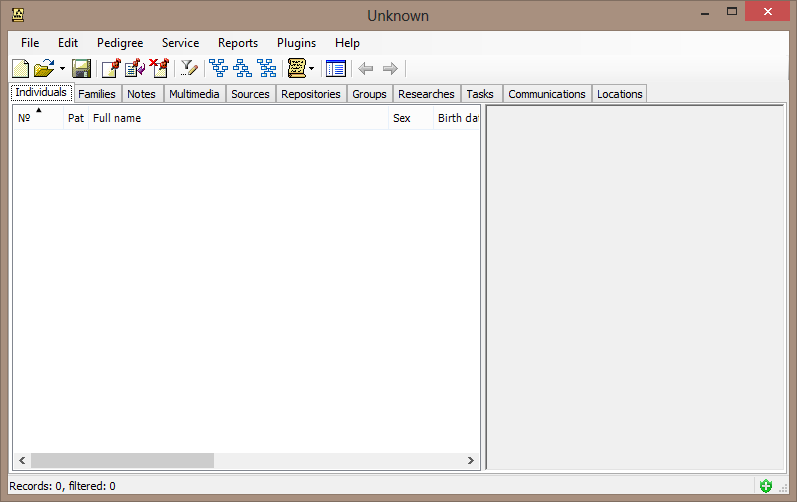
GEDKeeper is a dedicated software designed to assist users in managing their personal genealogical databases. The recently released version 3.14.0 enhances the experience of building a family tree, making what can often be a tedious task much more manageable and enjoyable. Users can easily import data, make real-time adjustments, and visualize their ancestry on a map without navigating complex menus or waiting for unresponsive wizards.
Getting Started with GEDKeeper
To begin using GEDKeeper, users simply need to download the installer compatible with their operating system. The installation process takes under two minutes, after which users are greeted with a user-friendly interface featuring a limited number of options. This focus on simplicity allows users to start adding family members within minutes, eliminating the need for extensive training.
GEDKeeper strictly follows the GEDCOM 5.5.1 standard, ensuring that all entered information—such as names, birth dates, and relationships—can be seamlessly shared with other genealogy software. Additionally, there are no restrictions on the number of individuals or generations that can be managed, making it suitable for users with extensive family histories.
Cross-Platform Accessibility
GEDKeeper 3 runs natively on Windows 10/11, Linux, and macOS, leveraging .NET 8 and Eto.Forms for cross-platform compatibility. For mobile users, GEDKeeperX, developed with Xamarin, offers similar functionality on Android devices. This cross-platform capability allows users to maintain a consistent family tree across various devices without being confined to a single operating system.
Multimedia Integration and Mapping
The software also supports the addition of multimedia elements, enabling users to enhance their records with photos, documents, and audio clips simply by dragging and dropping files onto individual profiles. Furthermore, GEDKeeper can extract geographic data from records and visualize them on Google Maps or OpenStreetMap, allowing users to uncover migration patterns hidden within mere dates.
One of GEDKeeper's noteworthy features is its extensibility. Users can create Lua scripts or install community-developed plugins to add missing features or tailor the software to their specific needs. This flexibility empowers advanced users while maintaining a clean interface for casual users.
Conclusion: A User-Friendly Genealogy Tool
Overall, GEDKeeper provides a straightforward solution for those looking to construct their genealogical database without the usual technical challenges. It offers a powerful suite of tools, free from hidden fees, ensuring that users can focus on tracing their family histories effectively. With its recent updates and ongoing support, GEDKeeper remains a strong choice for genealogists of all experience levels. Happy tracing!
Future Directions and Enhancements
Looking ahead, GEDKeeper developers may consider integrating additional features such as collaborative tree-building, allowing multiple users to contribute to shared family trees in real-time. Enhanced data visualization options, including interactive timelines and relationship graphs, could further enrich the user experience. Additionally, incorporating AI-driven suggestions for potential ancestors based on existing data could provide users with valuable insights as they explore their heritage
Getting Started with GEDKeeper
To begin using GEDKeeper, users simply need to download the installer compatible with their operating system. The installation process takes under two minutes, after which users are greeted with a user-friendly interface featuring a limited number of options. This focus on simplicity allows users to start adding family members within minutes, eliminating the need for extensive training.
GEDKeeper strictly follows the GEDCOM 5.5.1 standard, ensuring that all entered information—such as names, birth dates, and relationships—can be seamlessly shared with other genealogy software. Additionally, there are no restrictions on the number of individuals or generations that can be managed, making it suitable for users with extensive family histories.
Cross-Platform Accessibility
GEDKeeper 3 runs natively on Windows 10/11, Linux, and macOS, leveraging .NET 8 and Eto.Forms for cross-platform compatibility. For mobile users, GEDKeeperX, developed with Xamarin, offers similar functionality on Android devices. This cross-platform capability allows users to maintain a consistent family tree across various devices without being confined to a single operating system.
Multimedia Integration and Mapping
The software also supports the addition of multimedia elements, enabling users to enhance their records with photos, documents, and audio clips simply by dragging and dropping files onto individual profiles. Furthermore, GEDKeeper can extract geographic data from records and visualize them on Google Maps or OpenStreetMap, allowing users to uncover migration patterns hidden within mere dates.
One of GEDKeeper's noteworthy features is its extensibility. Users can create Lua scripts or install community-developed plugins to add missing features or tailor the software to their specific needs. This flexibility empowers advanced users while maintaining a clean interface for casual users.
Conclusion: A User-Friendly Genealogy Tool
Overall, GEDKeeper provides a straightforward solution for those looking to construct their genealogical database without the usual technical challenges. It offers a powerful suite of tools, free from hidden fees, ensuring that users can focus on tracing their family histories effectively. With its recent updates and ongoing support, GEDKeeper remains a strong choice for genealogists of all experience levels. Happy tracing!
Future Directions and Enhancements
Looking ahead, GEDKeeper developers may consider integrating additional features such as collaborative tree-building, allowing multiple users to contribute to shared family trees in real-time. Enhanced data visualization options, including interactive timelines and relationship graphs, could further enrich the user experience. Additionally, incorporating AI-driven suggestions for potential ancestors based on existing data could provide users with valuable insights as they explore their heritage
GEDKeeper 3.14.0 released
The GEDKeeper program is developed for work with a personal genealogical database.