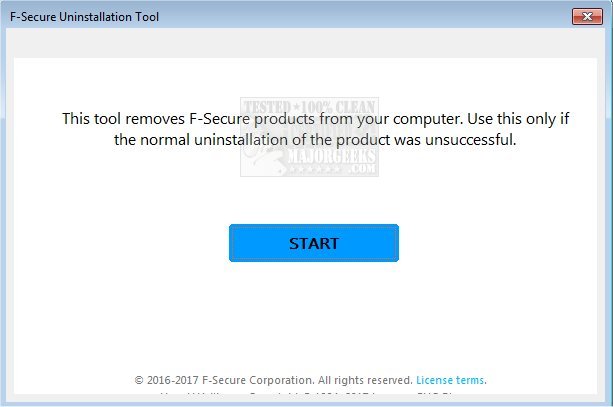
F-Secure has released version 19.2.89 of its Uninstallation Tool, a free software utility that assists users in completely removing F-Secure products from their computers. This tool is particularly useful as a last resort when traditional uninstallation methods, such as using the Windows Control Panel or Settings, have proven ineffective.
When executed, the F-Secure Uninstallation Tool will terminate any active services related to the software, clean the system registry, and delete all files and directories associated with F-Secure products. After the process is complete, the tool will prompt users to restart their computers to finalize the uninstallation.
Users should be aware that once F-Secure products are removed, their computer will no longer have protection against threats, so it is recommended to have an alternative antivirus solution ready before proceeding with the uninstallation.
Additionally, users may find it helpful to explore related topics, such as the effectiveness of various antivirus programs, the performance health of their Windows devices, and the compatibility of different anti-malware applications with existing antivirus software.
To further extend the information, users could also be advised on the importance of regularly updating their antivirus solutions, considering the latest cyber threats, and exploring user reviews or recommendations for alternative security software that may meet their needs after uninstalling F-Secure products
When executed, the F-Secure Uninstallation Tool will terminate any active services related to the software, clean the system registry, and delete all files and directories associated with F-Secure products. After the process is complete, the tool will prompt users to restart their computers to finalize the uninstallation.
Users should be aware that once F-Secure products are removed, their computer will no longer have protection against threats, so it is recommended to have an alternative antivirus solution ready before proceeding with the uninstallation.
Additionally, users may find it helpful to explore related topics, such as the effectiveness of various antivirus programs, the performance health of their Windows devices, and the compatibility of different anti-malware applications with existing antivirus software.
To further extend the information, users could also be advised on the importance of regularly updating their antivirus solutions, considering the latest cyber threats, and exploring user reviews or recommendations for alternative security software that may meet their needs after uninstalling F-Secure products
F-Secure Uninstallation Tool 19.2.89 released
F-Secure Uninstallation Tool is freeware designed to scan for and then delete F-Secure products from your computer.