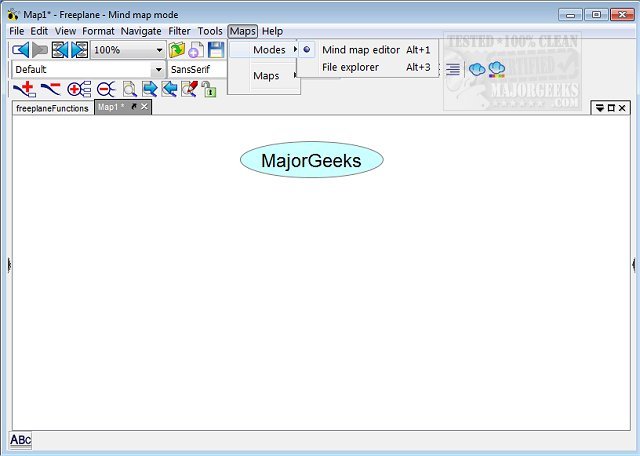
Freeplane 1.13.2 has been released, offering an advanced platform for mind mapping that helps users organize and save their brainstorming ideas effectively. This versatile application is compatible with any operating system that has an up-to-date Java version, making it accessible to a wide audience.
The user-friendly interface allows for the seamless integration of various elements into mind maps, including symbols such as question marks, stars, and exclamation points. Freeplane also comes equipped with numerous templates to facilitate the creation of mind maps and supports multi-tab functionality for working on various projects concurrently.
Key features of Freeplane include:
- Note-taking with unconnected, freely positionable nodes akin to post-its.
- Hierarchical organization of ideas through connected nodes (edges).
- Node classification using metadata and style types for enhanced visual distinction.
- Visual grouping of nodes with containers and summary nodes.
- Dynamic linking of nodes via connectors and labels for complex relationships.
- Automated styling based on content and hierarchical levels.
- Content structuring with various formats, including text and multimedia.
- View customization options, including folding and filtering for easier navigation.
- Task management capabilities like calendars and reminders.
- Security features such as password protection and DES encryption for sensitive information.
- User-friendly tools like inline editors, spell checkers, and drag-and-drop functionality.
- Approximate search functionality that recognizes similar terms even with slight variations.
- Support for LaTeX formulas within nodes.
- Extensibility through add-ons and custom scripts.
- Integration with the Docear academic literature suite for enhanced research capabilities.
- Comprehensive support via a Wiki, Forum, and mind map-style documentation.
In addition to these features, Freeplane encourages creative expression and structured thinking, making it an invaluable tool for students, professionals, and anyone looking to organize their thoughts systematically. The recent update signifies ongoing development and commitment to enhancing user experience, ensuring Freeplane remains a top choice in the realm of mind-mapping applications. As users continue to explore its capabilities, they can look forward to further improvements and features that will enhance the way they manage information and ideas
The user-friendly interface allows for the seamless integration of various elements into mind maps, including symbols such as question marks, stars, and exclamation points. Freeplane also comes equipped with numerous templates to facilitate the creation of mind maps and supports multi-tab functionality for working on various projects concurrently.
Key features of Freeplane include:
- Note-taking with unconnected, freely positionable nodes akin to post-its.
- Hierarchical organization of ideas through connected nodes (edges).
- Node classification using metadata and style types for enhanced visual distinction.
- Visual grouping of nodes with containers and summary nodes.
- Dynamic linking of nodes via connectors and labels for complex relationships.
- Automated styling based on content and hierarchical levels.
- Content structuring with various formats, including text and multimedia.
- View customization options, including folding and filtering for easier navigation.
- Task management capabilities like calendars and reminders.
- Security features such as password protection and DES encryption for sensitive information.
- User-friendly tools like inline editors, spell checkers, and drag-and-drop functionality.
- Approximate search functionality that recognizes similar terms even with slight variations.
- Support for LaTeX formulas within nodes.
- Extensibility through add-ons and custom scripts.
- Integration with the Docear academic literature suite for enhanced research capabilities.
- Comprehensive support via a Wiki, Forum, and mind map-style documentation.
In addition to these features, Freeplane encourages creative expression and structured thinking, making it an invaluable tool for students, professionals, and anyone looking to organize their thoughts systematically. The recent update signifies ongoing development and commitment to enhancing user experience, ensuring Freeplane remains a top choice in the realm of mind-mapping applications. As users continue to explore its capabilities, they can look forward to further improvements and features that will enhance the way they manage information and ideas
Freeplane 1.13.2 released
Freeplane is a mind-mapping app that gives you the perfect vehicle for keeping your brainstorming session ideas organized and saved.