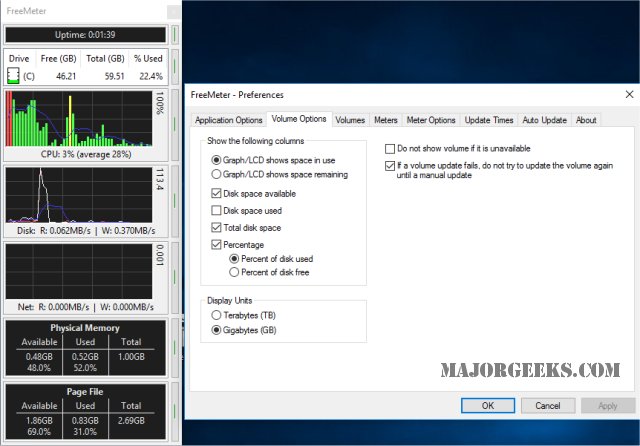
FreeMeter version 2.40.0 has been released, offering an efficient solution for monitoring system performance with minimal resource usage. The application features bar graph meters, where a red bar signifies 98% or higher utilization, yellow indicates 90% or above, and green denotes less than 90%. Additionally, users can view a blue horizontal line representing the 30-second average for each meter. In the Professional version, users have the flexibility to modify the percentage thresholds and color schemes according to their preferences.
A convenient feature allows users to quickly hide the FreeMeter window by double-clicking the title bar, with the option to unhide it by double-clicking the system tray icon. Importantly, even when hidden, FreeMeter continues to collect data, ensuring that users have access to real-time performance metrics at all times.
With this release, FreeMeter not only enhances its monitoring capabilities but also prioritizes user experience by allowing customizable options and efficient data management. Users can now better tailor the software to fit their specific needs, making it an invaluable tool for anyone concerned about system performance and resource allocation.
As FreeMeter continues to evolve, future updates could potentially include more advanced analytics features, integration with other performance monitoring tools, or enhanced visualization options to aid users in interpreting their system's performance data
A convenient feature allows users to quickly hide the FreeMeter window by double-clicking the title bar, with the option to unhide it by double-clicking the system tray icon. Importantly, even when hidden, FreeMeter continues to collect data, ensuring that users have access to real-time performance metrics at all times.
With this release, FreeMeter not only enhances its monitoring capabilities but also prioritizes user experience by allowing customizable options and efficient data management. Users can now better tailor the software to fit their specific needs, making it an invaluable tool for anyone concerned about system performance and resource allocation.
As FreeMeter continues to evolve, future updates could potentially include more advanced analytics features, integration with other performance monitoring tools, or enhanced visualization options to aid users in interpreting their system's performance data
FreeMeter 2.40.0 released
FreeMeter is designed to monitor your system performance without using too many resources.