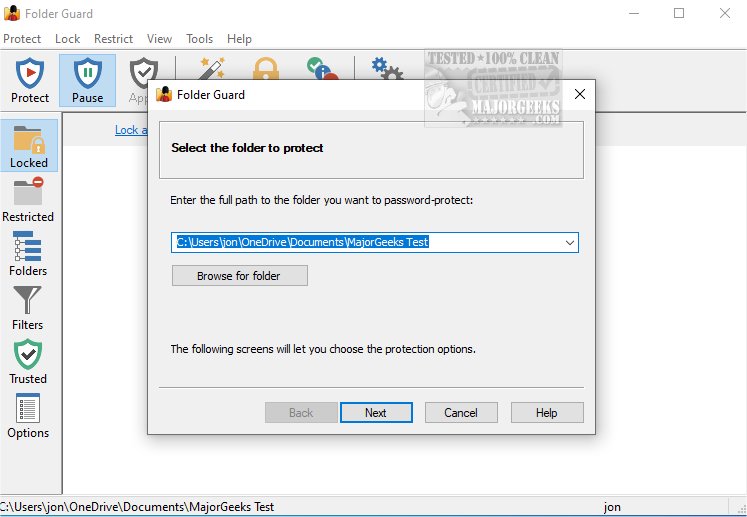
Folder Guard is a robust software application designed to provide advanced security for your computer by allowing comprehensive control over access to files, folders, and various Windows resources. The latest version, Folder Guard 26.1, introduces several features to enhance your protection against unauthorized access and modifications.
Key Features of Folder Guard:
1. Personalized Security Settings: Users can set up customized security measures to protect confidential data. The application allows you to password-protect an unlimited number of folders, assigning unique passwords to each, ensuring that only authorized users can access sensitive information.
2. Master Password Functionality: A Master Password feature enables users to easily manage folder access by removing protection from all folders simultaneously, streamlining security management.
3. Private Folder Protection: Users can enhance their privacy by hiding specific folders, making them invisible to unauthorized users. These folders remain hidden until accessed with the correct password, adding a layer of security for personal files.
4. Protection for System Files: Folder Guard secures critical system files from being altered or deleted and allows users to disable access to removable drives and the Control Panel, preventing unwanted changes to system settings.
5. Program Access Control: The application restricts access to programs and system tools, ensuring that unauthorized users, including administrators, cannot disrupt the Windows installation. Users can grant access to trusted individuals who possess the Master Password, thus maintaining control over their system.
6. Control Panel and System Configuration Restrictions: Folder Guard allows users to restrict access to the Control Panel and Windows Settings, ensuring that only designated users can modify important computer settings. It also includes options to lock USB, CD-ROM, and other removable drives.
Conclusion:
For anyone seeking an advanced computer security solution, Folder Guard 26.1 stands out as an effective tool that provides comprehensive control over file and folder access, ensuring that your digital security is firmly in your hands. With its user-friendly features and robust protection mechanisms, Folder Guard is an ideal choice for safeguarding sensitive information against unauthorized access.
Additionally, users may want to explore other security options, such as integrating Encrypting File System (EFS) into their workflow for enhanced encryption capabilities. By combining multiple security strategies, users can further fortify their digital environments against potential threats
Key Features of Folder Guard:
1. Personalized Security Settings: Users can set up customized security measures to protect confidential data. The application allows you to password-protect an unlimited number of folders, assigning unique passwords to each, ensuring that only authorized users can access sensitive information.
2. Master Password Functionality: A Master Password feature enables users to easily manage folder access by removing protection from all folders simultaneously, streamlining security management.
3. Private Folder Protection: Users can enhance their privacy by hiding specific folders, making them invisible to unauthorized users. These folders remain hidden until accessed with the correct password, adding a layer of security for personal files.
4. Protection for System Files: Folder Guard secures critical system files from being altered or deleted and allows users to disable access to removable drives and the Control Panel, preventing unwanted changes to system settings.
5. Program Access Control: The application restricts access to programs and system tools, ensuring that unauthorized users, including administrators, cannot disrupt the Windows installation. Users can grant access to trusted individuals who possess the Master Password, thus maintaining control over their system.
6. Control Panel and System Configuration Restrictions: Folder Guard allows users to restrict access to the Control Panel and Windows Settings, ensuring that only designated users can modify important computer settings. It also includes options to lock USB, CD-ROM, and other removable drives.
Conclusion:
For anyone seeking an advanced computer security solution, Folder Guard 26.1 stands out as an effective tool that provides comprehensive control over file and folder access, ensuring that your digital security is firmly in your hands. With its user-friendly features and robust protection mechanisms, Folder Guard is an ideal choice for safeguarding sensitive information against unauthorized access.
Additionally, users may want to explore other security options, such as integrating Encrypting File System (EFS) into their workflow for enhanced encryption capabilities. By combining multiple security strategies, users can further fortify their digital environments against potential threats
Folder Guard 26.1 released
Folder Guard is a powerful software application that offers advanced computer security by providing comprehensive control over access to files, folders, and various Windows resources.