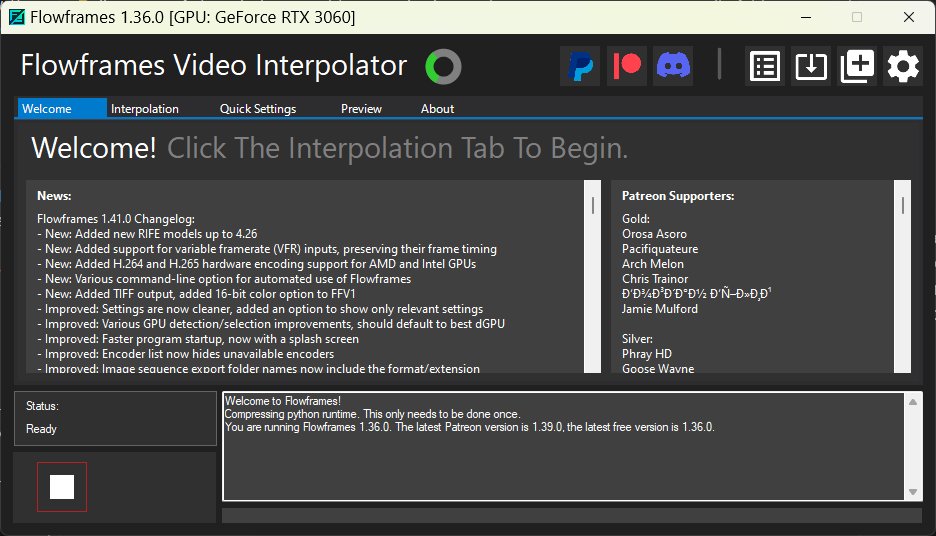
Flowframes 1.36.0 has been released as a free Windows application that utilizes AI frame interpolation to enhance the smoothness of low-frame-rate videos. This tool is particularly beneficial for improving the quality of older video content, such as gameplay captures and animations, by generating additional frames between existing ones to elevate the playback frame rate to more contemporary levels like 60 FPS or 120 FPS.
- User-Friendly Interface: The application features a straightforward drag-and-drop system, making it accessible for users without extensive video editing experience.
- Batch Processing: Users can process multiple videos simultaneously, which enhances efficiency.
- Customizable Output: Users can adjust frame rates, processing speeds, and output presets according to their preferences.
- GPU Acceleration: The software utilizes GPU power for faster processing, with a fallback to CPU if necessary.
- Intuitive interface suitable for beginners.
- Excellent performance on modern graphics cards.
- Regular updates ensure continuous improvements.
Cons:
- Limited to Windows operating systems.
- Heavier AI models may slow down older hardware.
- Requires significant storage space due to the nature of AI models.
In summary, Flowframes stands out as a practical solution for enhancing video quality with minimal effort, making it an essential tool for both casual users and video enthusiasts alike. As video technology continues to evolve, applications like Flowframes will remain crucial for bridging the gap between legacy content and modern viewing standards
Key Features of Flowframes
- AI Frame Interpolation: Flowframes employs various AI models, including RIFE-based algorithms, to analyze the motion in videos and seamlessly insert new frames, resulting in a smoother viewing experience.- User-Friendly Interface: The application features a straightforward drag-and-drop system, making it accessible for users without extensive video editing experience.
- Batch Processing: Users can process multiple videos simultaneously, which enhances efficiency.
- Customizable Output: Users can adjust frame rates, processing speeds, and output presets according to their preferences.
- GPU Acceleration: The software utilizes GPU power for faster processing, with a fallback to CPU if necessary.
Advantages and Disadvantages
Pros:- Intuitive interface suitable for beginners.
- Excellent performance on modern graphics cards.
- Regular updates ensure continuous improvements.
Cons:
- Limited to Windows operating systems.
- Heavier AI models may slow down older hardware.
- Requires significant storage space due to the nature of AI models.
Installation and Usage
While the initial download is compact, users should be prepared for additional data downloads, resulting in a total installation size of around 7 GB or more, depending on the chosen models. The application works well even when installed on external SSDs.Pricing and Support
Flowframes is completely free, with no hidden charges or feature limitations. Users are encouraged to support the developer through optional donations to help maintain and improve the software.Conclusion
Flowframes is a valuable tool for anyone dealing with video, especially those looking to enhance older content for modern displays. Its simplicity and effectiveness make it a worthwhile addition to any video editing toolkit. For any challenges faced or to explore alternative options, users can visit the MajorGeeks forums for guidance.In summary, Flowframes stands out as a practical solution for enhancing video quality with minimal effort, making it an essential tool for both casual users and video enthusiasts alike. As video technology continues to evolve, applications like Flowframes will remain crucial for bridging the gap between legacy content and modern viewing standards
Flowframes 1.36.0 released
Flowframes is a free Windows tool that uses AI frame interpolation to make videos look smoother by bumping low frame rates up to something far more watchable.