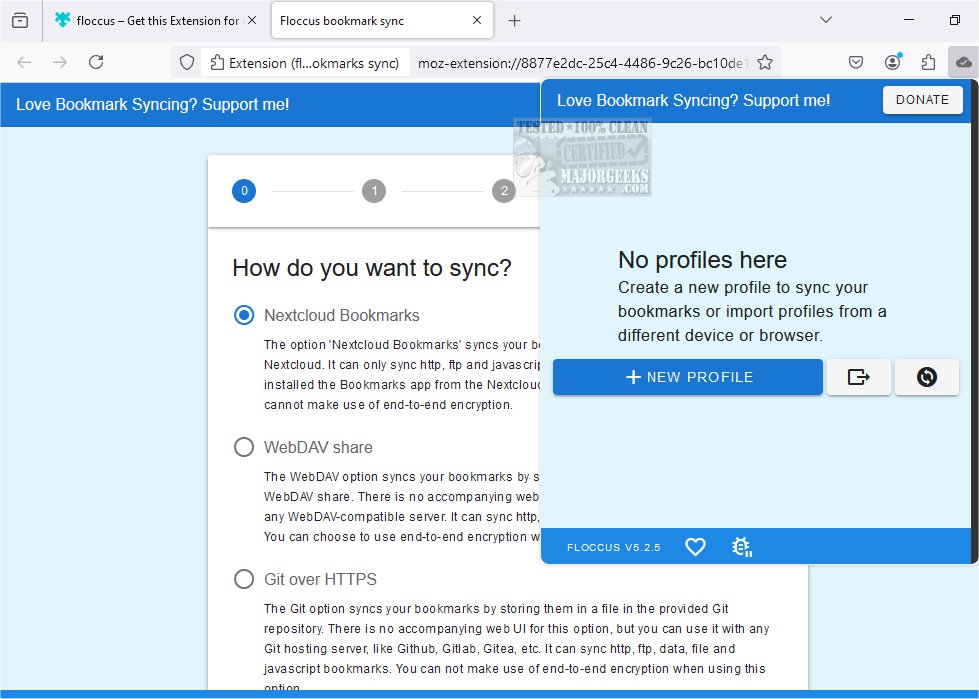
Floccus 5.8.2 has been released, offering users a private and efficient way to synchronize bookmarks across various browsers and devices. Unlike traditional bookmark managers, Floccus allows you to continue using the native bookmark management features of your browser while it functions solely as a synchronization tool. This ensures a seamless experience without the need for a new interface.
To sync your bookmarks, a syncing server is required, which can be accessed by all your devices. Floccus supports multiple options for this, with Google Drive being the most straightforward choice. If privacy is a concern, users can opt for encryption of their bookmarks. Additionally, Floccus works with WebDAV-compatible services and is compatible with Git servers like GitHub and GitLab.
For users of Nextcloud, an open-source cloud collaboration tool, Floccus can be easily integrated with the Nextcloud Bookmarks app. This allows remote access to bookmarks, facilitating management from any location, such as an internet café in Malawi.
Key features of Floccus include:
- Direct synchronization of native browser bookmarks
- Compatibility with various sync options, including Nextcloud Bookmarks, Google Drive, and WebDAV
- Support for multiple web browsers such as Firefox, Chrome, Edge, Opera, Brave, and Vivaldi
- An Android app for mobile access to bookmarks
- Customizable sync profiles and strategies, including control over sync intervals and folders
- Secure credential management with encryption options
In addition to Floccus, users can find helpful resources for exporting or importing bookmarks from Google Chrome, creating desktop shortcuts for bookmarks, and transferring bookmarks and settings between Firefox and Google Chrome.
As Floccus continues to evolve, users can expect further enhancements to its synchronization capabilities and additional features that prioritize privacy and ease of use. This positions Floccus as a reliable solution for individuals seeking to maintain their bookmarks across different platforms without compromising on security or usability
To sync your bookmarks, a syncing server is required, which can be accessed by all your devices. Floccus supports multiple options for this, with Google Drive being the most straightforward choice. If privacy is a concern, users can opt for encryption of their bookmarks. Additionally, Floccus works with WebDAV-compatible services and is compatible with Git servers like GitHub and GitLab.
For users of Nextcloud, an open-source cloud collaboration tool, Floccus can be easily integrated with the Nextcloud Bookmarks app. This allows remote access to bookmarks, facilitating management from any location, such as an internet café in Malawi.
Key features of Floccus include:
- Direct synchronization of native browser bookmarks
- Compatibility with various sync options, including Nextcloud Bookmarks, Google Drive, and WebDAV
- Support for multiple web browsers such as Firefox, Chrome, Edge, Opera, Brave, and Vivaldi
- An Android app for mobile access to bookmarks
- Customizable sync profiles and strategies, including control over sync intervals and folders
- Secure credential management with encryption options
In addition to Floccus, users can find helpful resources for exporting or importing bookmarks from Google Chrome, creating desktop shortcuts for bookmarks, and transferring bookmarks and settings between Firefox and Google Chrome.
As Floccus continues to evolve, users can expect further enhancements to its synchronization capabilities and additional features that prioritize privacy and ease of use. This positions Floccus as a reliable solution for individuals seeking to maintain their bookmarks across different platforms without compromising on security or usability
Floccus 5.8.2 released
Floccus allows you to sync your bookmarks across different browsers and devices privately.