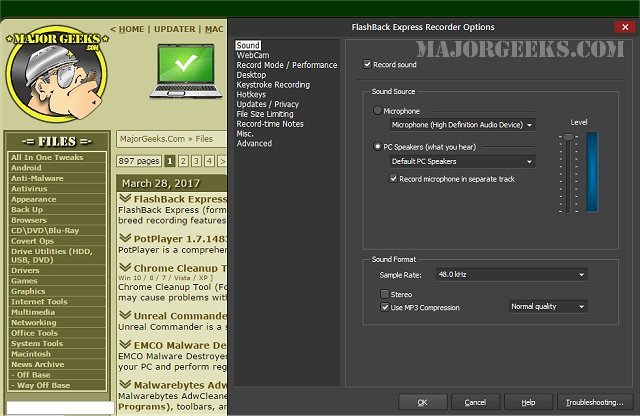
FlashBack Express 7.10.0.527 has been released, enhancing its reputation as a free and user-friendly screen and video recorder. Previously known as BB FlashBack Express, this software offers top-tier recording capabilities that set it apart in the market.
One of its standout features is an advanced 'capture driver' technology, which ensures high-quality video at impressive frame rates without compromising the performance of even lower-powered computers. Users can also add a personal touch to their recordings through webcam integration, allowing for picture-in-picture effects. This feature enables users to record their webcam feed alongside screen activity and audio commentary simultaneously, capturing a comprehensive view of their presentations or tutorials.
FlashBack Express is conveniently accessible from the taskbar, system tray, or as a floating window on the desktop, making it easy for users to start recording whenever needed. The intuitive wizard guides first-time users through the recording process, ensuring a seamless experience from start to finish. Once the recording is complete, users can easily publish their videos online, with options to upload directly to platforms such as YouTube, Blip.tv, Viddler, or Revver, or share a link to their content.
In summary, FlashBack Express 7.10.0.527 is an excellent choice for anyone looking to create high-quality screen recordings with ease. With its user-friendly interface and robust features, it caters to both novice and experienced users. Future updates could further enhance functionality, possibly incorporating more editing tools, additional sharing options, or even cloud integration for seamless access to recordings across devices
One of its standout features is an advanced 'capture driver' technology, which ensures high-quality video at impressive frame rates without compromising the performance of even lower-powered computers. Users can also add a personal touch to their recordings through webcam integration, allowing for picture-in-picture effects. This feature enables users to record their webcam feed alongside screen activity and audio commentary simultaneously, capturing a comprehensive view of their presentations or tutorials.
FlashBack Express is conveniently accessible from the taskbar, system tray, or as a floating window on the desktop, making it easy for users to start recording whenever needed. The intuitive wizard guides first-time users through the recording process, ensuring a seamless experience from start to finish. Once the recording is complete, users can easily publish their videos online, with options to upload directly to platforms such as YouTube, Blip.tv, Viddler, or Revver, or share a link to their content.
In summary, FlashBack Express 7.10.0.527 is an excellent choice for anyone looking to create high-quality screen recordings with ease. With its user-friendly interface and robust features, it caters to both novice and experienced users. Future updates could further enhance functionality, possibly incorporating more editing tools, additional sharing options, or even cloud integration for seamless access to recordings across devices
FlashBack Express 7.10.0.527 released
FlashBack Express (formerly BB FlashBack Express) is a free screen and video recorder with the best-of-breed recording features of FlashBack.