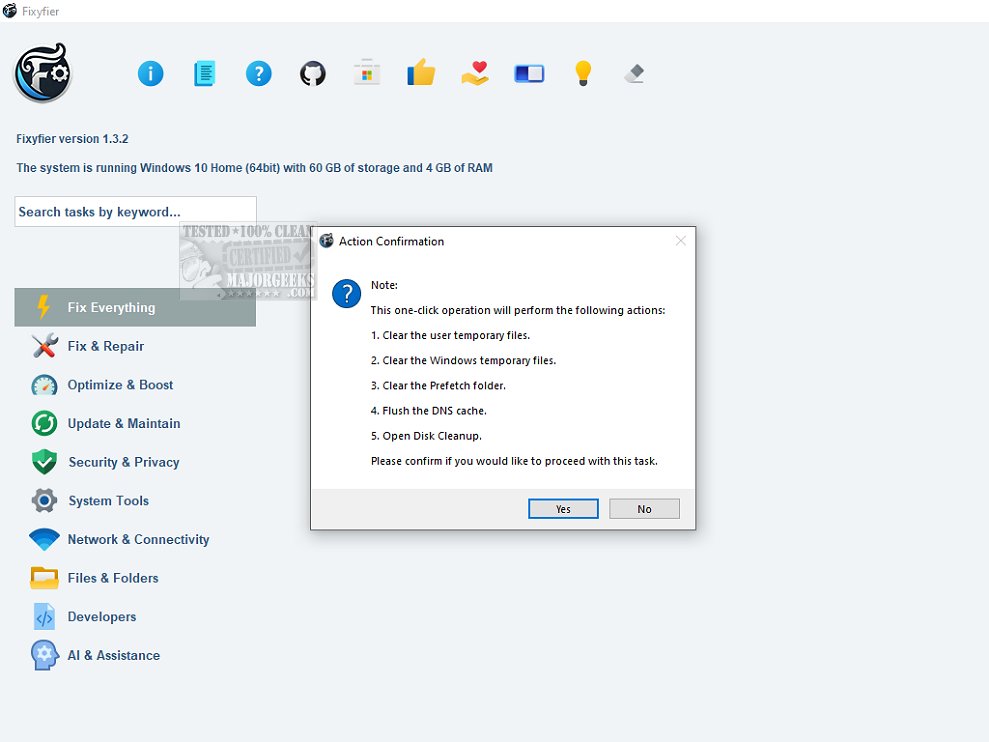
Fixyfier is a robust software solution tailored to address and resolve prevalent issues within the Windows operating system. This latest version, 5.4.8, enhances Fixyfier's capabilities, allowing users to repair, tweak, and optimize their systems effectively.
Key Features of Fixyfier
1. Comprehensive Repair Functions: Fixyfier consolidates essential Windows repair tools, including DISM, SFC, and various Windows Troubleshooters, into a single platform. This eliminates the need for users to memorize multiple commands or navigate through extensive menus.
2. User-Friendly Interface: The software is designed for both IT professionals and everyday users, providing a straightforward interface that simplifies troubleshooting tasks. Users can address issues like network connectivity problems and system file corruption easily.
3. AI-Driven Analysis: Fixyfier leverages artificial intelligence to offer customized suggestions for resolving common PC problems, enabling quick diagnosis and efficient solutions.
4. Health Check and Reporting: The software provides real-time feedback on system health, generating detailed reports on repairs and fixes applied. Continuous health checks help users identify potential issues early, minimizing the risk of downtime and enhancing productivity.
5. Batch File Generation: Users can create batch files for repair tasks, allowing for automation and the ability to execute repairs at a later time.
Conclusion
Fixyfier 5.4.8 stands out as an essential tool for Windows users seeking to optimize their systems with ease. Its user-friendly design and comprehensive repair capabilities make troubleshooting and system maintenance a straightforward process.
Future Enhancements
Going forward, future updates could include additional features such as enhanced AI functionalities for predictive troubleshooting, integration with cloud-based support for more extensive diagnostics, and improved user customization options for advanced users. Additionally, expanding the database of common issues and repair solutions could further streamline the user experience and enhance overall system optimization
Key Features of Fixyfier
1. Comprehensive Repair Functions: Fixyfier consolidates essential Windows repair tools, including DISM, SFC, and various Windows Troubleshooters, into a single platform. This eliminates the need for users to memorize multiple commands or navigate through extensive menus.
2. User-Friendly Interface: The software is designed for both IT professionals and everyday users, providing a straightforward interface that simplifies troubleshooting tasks. Users can address issues like network connectivity problems and system file corruption easily.
3. AI-Driven Analysis: Fixyfier leverages artificial intelligence to offer customized suggestions for resolving common PC problems, enabling quick diagnosis and efficient solutions.
4. Health Check and Reporting: The software provides real-time feedback on system health, generating detailed reports on repairs and fixes applied. Continuous health checks help users identify potential issues early, minimizing the risk of downtime and enhancing productivity.
5. Batch File Generation: Users can create batch files for repair tasks, allowing for automation and the ability to execute repairs at a later time.
Conclusion
Fixyfier 5.4.8 stands out as an essential tool for Windows users seeking to optimize their systems with ease. Its user-friendly design and comprehensive repair capabilities make troubleshooting and system maintenance a straightforward process.
Future Enhancements
Going forward, future updates could include additional features such as enhanced AI functionalities for predictive troubleshooting, integration with cloud-based support for more extensive diagnostics, and improved user customization options for advanced users. Additionally, expanding the database of common issues and repair solutions could further streamline the user experience and enhance overall system optimization
Fixyfier 5.4.8 released
Fixyfier is designed to be a comprehensive software solution for addressing and resolving common issues within the Windows operating system.