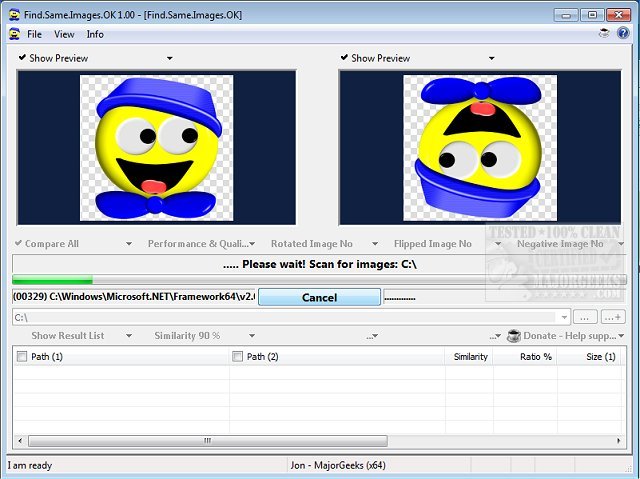
Find.Same.Images.OK has recently released version 5.99, a powerful tool specifically designed for identifying duplicate images, as well as those that may be rotated or mirrored. This software goes beyond basic duplicate image finders by using advanced graphic signatures to conduct pixel-level comparisons. It can also detect negative images, making it a versatile option for users with extensive image libraries.
One of its standout features is the ability to provide image previews, allowing users to visually confirm the results of their scans. This is particularly beneficial for individuals dealing with large volumes of images, as it simplifies the often tedious process of locating and deleting duplicates that take up valuable disk space. The utility is noted for its speed and efficiency, with the capability to target specific directories during searches.
Key features of Find.Same.Images.OK include:
- Comparison of folders and files across multiple directories
- High-quality performance with minimal CPU usage
- Portability with an optional installation feature
- Support for various image formats, including JPG, PNG, and WMF
In addition, users can benefit from similar tools and tips, such as utilizing Storage Sense to automatically delete junk files in Windows 10 and 11, and comparing the effectiveness of popular drive cleaners like CCleaner, Wise Disk Cleaner, and PrivaZer. Additionally, there are resources available for restoring the Windows Photo Viewer in newer operating systems.
Overall, Find.Same.Images.OK presents itself as an essential tool for anyone looking to efficiently manage and organize their image files while reclaiming valuable storage space
One of its standout features is the ability to provide image previews, allowing users to visually confirm the results of their scans. This is particularly beneficial for individuals dealing with large volumes of images, as it simplifies the often tedious process of locating and deleting duplicates that take up valuable disk space. The utility is noted for its speed and efficiency, with the capability to target specific directories during searches.
Key features of Find.Same.Images.OK include:
- Comparison of folders and files across multiple directories
- High-quality performance with minimal CPU usage
- Portability with an optional installation feature
- Support for various image formats, including JPG, PNG, and WMF
In addition, users can benefit from similar tools and tips, such as utilizing Storage Sense to automatically delete junk files in Windows 10 and 11, and comparing the effectiveness of popular drive cleaners like CCleaner, Wise Disk Cleaner, and PrivaZer. Additionally, there are resources available for restoring the Windows Photo Viewer in newer operating systems.
Overall, Find.Same.Images.OK presents itself as an essential tool for anyone looking to efficiently manage and organize their image files while reclaiming valuable storage space
Find.Same.Images.OK 5.99 released
Find.Same.Images.OK is designed to locate duplicate images as well as any that are rotated or mirrored and more.