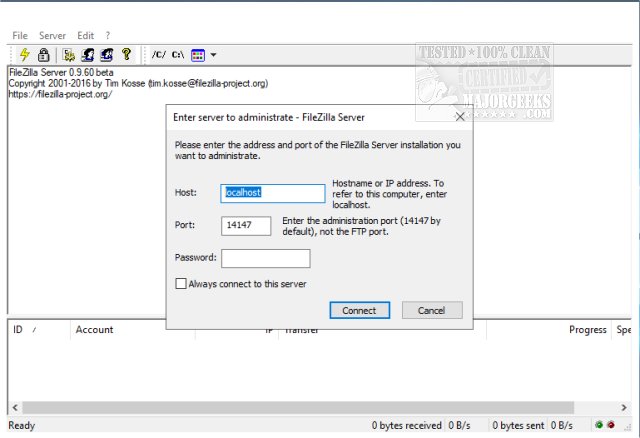
FileZilla Server has announced the release of version 1.12.4, enhancing its capabilities as a Windows-based application for managing both local and remote FTP servers. Alongside the server, the FileZilla Client is available for both 32-Bit and 64-Bit systems, providing users with a comprehensive FTP solution.
The latest iteration of FileZilla Server offers a variety of customizable settings, including the ability to select ports for server communication, manage the maximum number of concurrent user connections, allocate CPU thread usage, and define timeout parameters for logins and file transfers. Additionally, users can configure passive mode FTP, adjust transfer and socket buffer sizes, set bandwidth limitations, and enable compression for file transfers, with the option to exclude specific IP addresses from compression.
Security is a significant focus in this release, as FileZilla Server incorporates features such as IP address auto-banning to protect against multiple failed login attempts, support for FTP over TLS to ensure secure data transmission, and IP filtering for enhanced access control. The application is designed with a user-friendly interface, simplifying the setup process, which can also be integrated as a Windows service for improved functionality.
Overall, FileZilla Server 1.12.4 provides robust tools for managing FTP services, making it an excellent choice for users seeking a reliable and secure file transfer solution.
In addition to its current features, future updates could potentially include enhanced user management capabilities, improved logging for monitoring activity, and more advanced security protocols to address emerging threats in data transmission. As the demand for secure and efficient file transfer solutions continues to grow, FileZilla Server is well-positioned to adapt and evolve to meet these needs
The latest iteration of FileZilla Server offers a variety of customizable settings, including the ability to select ports for server communication, manage the maximum number of concurrent user connections, allocate CPU thread usage, and define timeout parameters for logins and file transfers. Additionally, users can configure passive mode FTP, adjust transfer and socket buffer sizes, set bandwidth limitations, and enable compression for file transfers, with the option to exclude specific IP addresses from compression.
Security is a significant focus in this release, as FileZilla Server incorporates features such as IP address auto-banning to protect against multiple failed login attempts, support for FTP over TLS to ensure secure data transmission, and IP filtering for enhanced access control. The application is designed with a user-friendly interface, simplifying the setup process, which can also be integrated as a Windows service for improved functionality.
Overall, FileZilla Server 1.12.4 provides robust tools for managing FTP services, making it an excellent choice for users seeking a reliable and secure file transfer solution.
In addition to its current features, future updates could potentially include enhanced user management capabilities, improved logging for monitoring activity, and more advanced security protocols to address emerging threats in data transmission. As the demand for secure and efficient file transfer solutions continues to grow, FileZilla Server is well-positioned to adapt and evolve to meet these needs
FileZilla Server 1.12.4 released
FileZilla Server is a Windows application administered as a local and remote FTP server. FileZilla Client for 32-Bit and 64-Bit are also available.