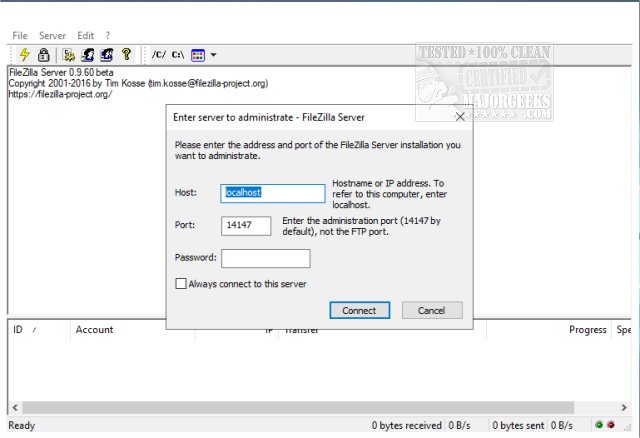
FileZilla Server version 1.12.1 has been released, enhancing its capabilities as a robust Windows application for managing both local and remote FTP servers. Alongside the server, users also have access to the FileZilla Client, compatible with both 32-Bit and 64-Bit systems.
The latest version of FileZilla Server provides extensive customization options, allowing administrators to specify the listening ports, the maximum number of concurrent users, CPU thread utilization, and detailed timeout settings for logins and file transfers. Furthermore, it supports passive mode FTP, enabling users to adjust transfer and socket buffer sizes, manage bandwidth usage, and implement file transfer compression with specific exclusions based on IP addresses.
Security remains a priority in this release, with features such as auto-banning of IP addresses after multiple failed login attempts, support for FTP over TLS while excluding unencrypted FTP, and IP filtering options. The server is designed with a user-friendly interface and can be easily installed as a Windows service, streamlining the setup process for users.
In addition to these features, the new release also prompts users to explore how to effectively set up an FTP server on Windows 10 and 11, ensuring they can leverage the full potential of FileZilla Server in their networking environment. With these improvements, FileZilla Server continues to be a leading choice for users seeking a reliable and secure FTP solution
The latest version of FileZilla Server provides extensive customization options, allowing administrators to specify the listening ports, the maximum number of concurrent users, CPU thread utilization, and detailed timeout settings for logins and file transfers. Furthermore, it supports passive mode FTP, enabling users to adjust transfer and socket buffer sizes, manage bandwidth usage, and implement file transfer compression with specific exclusions based on IP addresses.
Security remains a priority in this release, with features such as auto-banning of IP addresses after multiple failed login attempts, support for FTP over TLS while excluding unencrypted FTP, and IP filtering options. The server is designed with a user-friendly interface and can be easily installed as a Windows service, streamlining the setup process for users.
In addition to these features, the new release also prompts users to explore how to effectively set up an FTP server on Windows 10 and 11, ensuring they can leverage the full potential of FileZilla Server in their networking environment. With these improvements, FileZilla Server continues to be a leading choice for users seeking a reliable and secure FTP solution
FileZilla Server 1.12.1 released
FileZilla Server is a Windows application administered as a local and remote FTP server. FileZilla Client for 32-Bit and 64-Bit are also available.