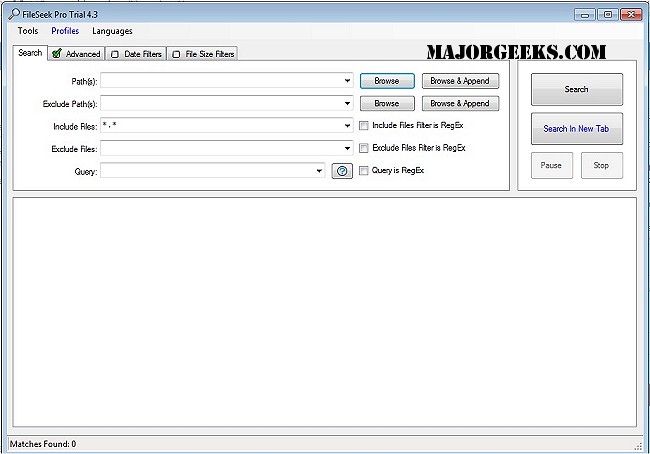
FileSeek 7.1 has been released as a user-friendly file search utility, catering to both casual users and power users with its advanced features. The tool allows users to search for text matches within files, utilize regular expressions for precise searches, and navigate through folders and sub-folders effortlessly. One of the standout features of FileSeek is its ability to integrate into the Windows Explorer right-click menu, providing quick access to its functionalities. Unlike many search tools, FileSeek does not rely on background indexing, which means that closing the application has no impact on your computer's performance.
Key features of FileSeek include:
- Searching for text matches inside files
- Utilizing regular expressions for detailed search control
- Searching through folders and sub-folders
- Matching one or more specific file patterns
- Excluding certain file patterns from search results
- Filtering results by date or size
- Saving and syncing search profiles across multiple devices
- Operating without background file indexing
With the recent update, users can look forward to improved performance and new functionalities, making FileSeek an even more powerful tool for managing and locating files efficiently.
Additionally, FileSeek continues to be a valuable resource for users who need to navigate hidden files, open File Explorer in various ways, or reset folder view settings in Windows 10 and 11. As the software evolves, it promises to maintain its commitment to simplicity, performance, and user control
Key features of FileSeek include:
- Searching for text matches inside files
- Utilizing regular expressions for detailed search control
- Searching through folders and sub-folders
- Matching one or more specific file patterns
- Excluding certain file patterns from search results
- Filtering results by date or size
- Saving and syncing search profiles across multiple devices
- Operating without background file indexing
With the recent update, users can look forward to improved performance and new functionalities, making FileSeek an even more powerful tool for managing and locating files efficiently.
Additionally, FileSeek continues to be a valuable resource for users who need to navigate hidden files, open File Explorer in various ways, or reset folder view settings in Windows 10 and 11. As the software evolves, it promises to maintain its commitment to simplicity, performance, and user control
FileSeek 7.1 released
FileSeek is a simple, easy-to-use file search utility.