Fido 1.70 has been released, a PowerShell script developed by the creator of Rufus. This tool provides a user-friendly graphical interface for downloading retail ISOs of Windows 11, 10, and 8. A video tutorial is available to guide users through the process. Fido was designed to simplify the download experience, as Microsoft offers retail ISO links for these versions, but previous access methods involved unnecessary steps that frustrated users.
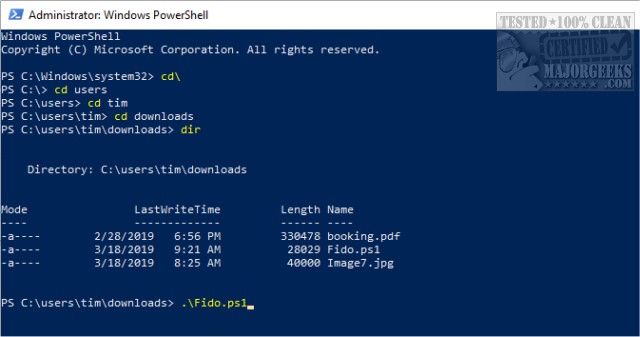
To use Fido, users should launch PowerShell by pressing the Windows Key + X and typing in "Fido.ps1". This action opens a GUI, where they can select the desired Windows version (either 11, 10, or 8.1) and proceed to choose from various available editions, such as Home, Pro, or Education, depending on the selected release.
The tool is particularly beneficial for users looking for older builds of Windows, which can be harder to find. While Microsoft provides its own Media Creation Tool for downloading ISOs, Fido offers a more straightforward alternative, making it easier to access the desired files. Users encountering restricted errors should run Fido using the command "Get-Content .\Fido.ps1 | powershell.exe -noprofile".
In conclusion, Fido serves as a valuable resource for Windows users seeking a more efficient way to download ISO images, enhancing the overall experience of obtaining operating system files. Its ease of use and accessibility position it as a practical solution amidst other more complex methods. Additionally, the availability of a video tutorial further supports users in navigating the tool effectively
To use Fido, users should launch PowerShell by pressing the Windows Key + X and typing in "Fido.ps1". This action opens a GUI, where they can select the desired Windows version (either 11, 10, or 8.1) and proceed to choose from various available editions, such as Home, Pro, or Education, depending on the selected release.
The tool is particularly beneficial for users looking for older builds of Windows, which can be harder to find. While Microsoft provides its own Media Creation Tool for downloading ISOs, Fido offers a more straightforward alternative, making it easier to access the desired files. Users encountering restricted errors should run Fido using the command "Get-Content .\Fido.ps1 | powershell.exe -noprofile".
In conclusion, Fido serves as a valuable resource for Windows users seeking a more efficient way to download ISO images, enhancing the overall experience of obtaining operating system files. Its ease of use and accessibility position it as a practical solution amidst other more complex methods. Additionally, the availability of a video tutorial further supports users in navigating the tool effectively
Fido 1.70 released
Fido is a PowerShell script from the creator of Rufus. It features a simple graphical interface for downloading Windows 11, 10, and 8 retail ISOs. A video tutorial is available.