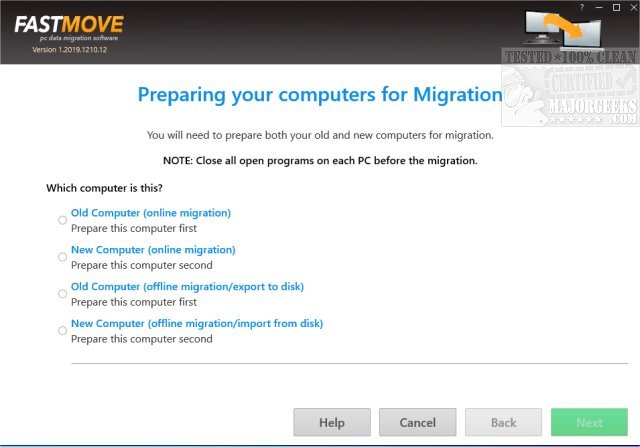
FastMove 3.2026.0.0 has been released, offering a streamlined solution for transferring data between machines. This application simplifies the migration of files, folders, software, and settings from one computer to another, ensuring a user-friendly experience. It is particularly useful for users transitioning between machines with the same operating system, as well as those moving from Windows 7 to Windows 10 or upgrading from a 32-bit to a 64-bit system.
FastMove operates through a straightforward three-step wizard: connect both machines to the network, select the data to transfer, and let FastMove handle the migration.
Key Features of FastMove:
- Fast and Lossless Data Migration: Unlike using a USB drive to transfer files, FastMove ensures a smooth migration of all your essential data, including settings and software, without any loss.
- Program Transfer: Users can avoid the tedious task of reinstalling applications on their new computer. FastMove allows for the selection and transfer of desired applications, saving time and effort.
- User Accounts and Settings Migration: The app enables users to transfer all their custom Windows settings, passwords, and preferences, ensuring a familiar setup on the new machine.
- Device Driver Transfer: FastMove eliminates the need to manually install device drivers, allowing users to select and transfer necessary drivers seamlessly.
- Custom Files and Favorites Migration: The application transfers all custom files, folders, and browser favorites directly, negating the need for cloud uploads or manual copying.
- Folder Synchronization: FastMove includes a Sync Folders tool that allows users to compare and merge folders between two PCs, ensuring that no files are lost or overlooked in the transfer process.
Conclusion: FastMove is a comprehensive data migration solution that simplifies the process of transferring essential data between Windows PCs. Its intuitive interface, efficient features, and dependable performance make it an excellent tool for anyone upgrading or replacing their computer. As technology continues to evolve, tools like FastMove become increasingly vital in ensuring a seamless transition to new devices, allowing users to maintain their productivity and comfort with minimal disruption.
In future updates, it would be beneficial for FastMove to incorporate features that support transfers between different operating systems, such as from macOS to Windows, or to enhance its cloud integration capabilities for users who prefer cloud storage solutions. Additionally, improvements in speed and efficiency during large-scale data transfers could further enhance the user experience
FastMove operates through a straightforward three-step wizard: connect both machines to the network, select the data to transfer, and let FastMove handle the migration.
Key Features of FastMove:
- Fast and Lossless Data Migration: Unlike using a USB drive to transfer files, FastMove ensures a smooth migration of all your essential data, including settings and software, without any loss.
- Program Transfer: Users can avoid the tedious task of reinstalling applications on their new computer. FastMove allows for the selection and transfer of desired applications, saving time and effort.
- User Accounts and Settings Migration: The app enables users to transfer all their custom Windows settings, passwords, and preferences, ensuring a familiar setup on the new machine.
- Device Driver Transfer: FastMove eliminates the need to manually install device drivers, allowing users to select and transfer necessary drivers seamlessly.
- Custom Files and Favorites Migration: The application transfers all custom files, folders, and browser favorites directly, negating the need for cloud uploads or manual copying.
- Folder Synchronization: FastMove includes a Sync Folders tool that allows users to compare and merge folders between two PCs, ensuring that no files are lost or overlooked in the transfer process.
Conclusion: FastMove is a comprehensive data migration solution that simplifies the process of transferring essential data between Windows PCs. Its intuitive interface, efficient features, and dependable performance make it an excellent tool for anyone upgrading or replacing their computer. As technology continues to evolve, tools like FastMove become increasingly vital in ensuring a seamless transition to new devices, allowing users to maintain their productivity and comfort with minimal disruption.
In future updates, it would be beneficial for FastMove to incorporate features that support transfers between different operating systems, such as from macOS to Windows, or to enhance its cloud integration capabilities for users who prefer cloud storage solutions. Additionally, improvements in speed and efficiency during large-scale data transfers could further enhance the user experience
FastMove 3.2026.0.0 released
FastMove enables the transfer of data between machines allowing you to move all your files, folders, software, and settings to your new machine in a user-friendly manner.