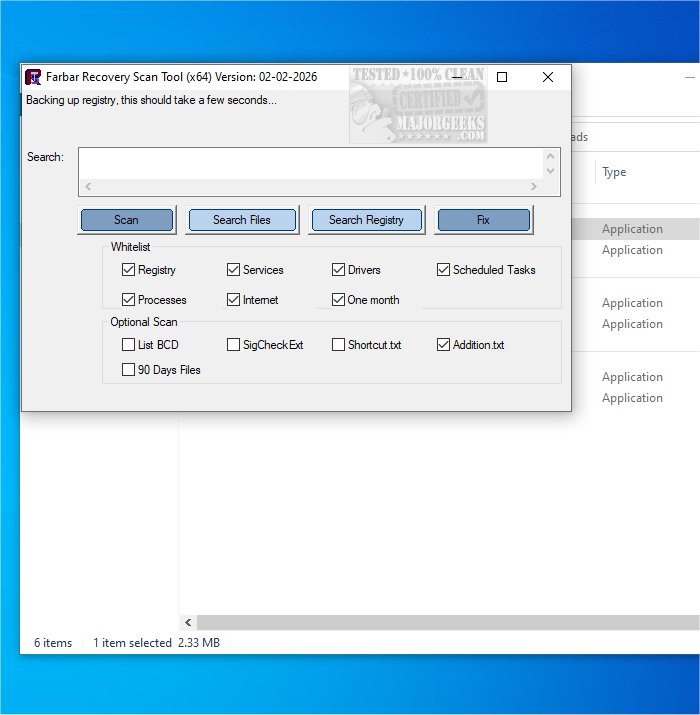
The Farbar Recovery Scan Tool (FRST) version 03.03.2026 has been released. FRST is a free, portable application specifically designed for diagnosing malware-related issues in Windows environments, including a version compatible with 32-Bit systems.
This tool is particularly useful for scanning and diagnosing issues in the Windows Recovery Environment, where it can assist in addressing boot problems. FRST performs a quick scan to gather detailed information about various system components, including Windows Registry loading points, services, driver services, Netsvcs entries, known DLLs, drives, and partition specifications. It also identifies critical system files that may have been compromised by malware. The results of the scan are saved in a text file named FRST.txt, which is conveniently located in the same directory as the application, making it easy for users to access the information.
For comprehensive antivirus protection and enhanced security for your devices and data, it is advisable to use Malwarebytes in conjunction with FRST. The combination of these tools can significantly bolster your defenses against malware threats and help maintain your system's integrity.
Additionally, users might find it beneficial to explore other antivirus options, such as determining the effectiveness of Windows Defender or understanding steps to take when other antivirus subscriptions, like Norton or McAfee, expire. Overall, maintaining robust malware protection is essential for safeguarding your digital environment.
In future updates, users can anticipate enhancements that improve scanning speed, user interface, and integration with other security tools to further streamline the malware detection and remediation processes
This tool is particularly useful for scanning and diagnosing issues in the Windows Recovery Environment, where it can assist in addressing boot problems. FRST performs a quick scan to gather detailed information about various system components, including Windows Registry loading points, services, driver services, Netsvcs entries, known DLLs, drives, and partition specifications. It also identifies critical system files that may have been compromised by malware. The results of the scan are saved in a text file named FRST.txt, which is conveniently located in the same directory as the application, making it easy for users to access the information.
For comprehensive antivirus protection and enhanced security for your devices and data, it is advisable to use Malwarebytes in conjunction with FRST. The combination of these tools can significantly bolster your defenses against malware threats and help maintain your system's integrity.
Additionally, users might find it beneficial to explore other antivirus options, such as determining the effectiveness of Windows Defender or understanding steps to take when other antivirus subscriptions, like Norton or McAfee, expire. Overall, maintaining robust malware protection is essential for safeguarding your digital environment.
In future updates, users can anticipate enhancements that improve scanning speed, user interface, and integration with other security tools to further streamline the malware detection and remediation processes
Farbar Recovery Scan Tool 03.03.2026 released
Farbar Recovery Scan Tool, or FRST, is a free portable application designed to diagnose malware issues. Also available for 32-Bit.