EZ Contact Book has released version 6.0.0.30, designed to streamline contact management for users of all skill levels through an intuitive and user-friendly interface. The application facilitates the organization of contact lists by allowing users to create automatic contact groups, such as Family, Friends, and Business, upon first use. This categorization simplifies the process of finding contacts later.
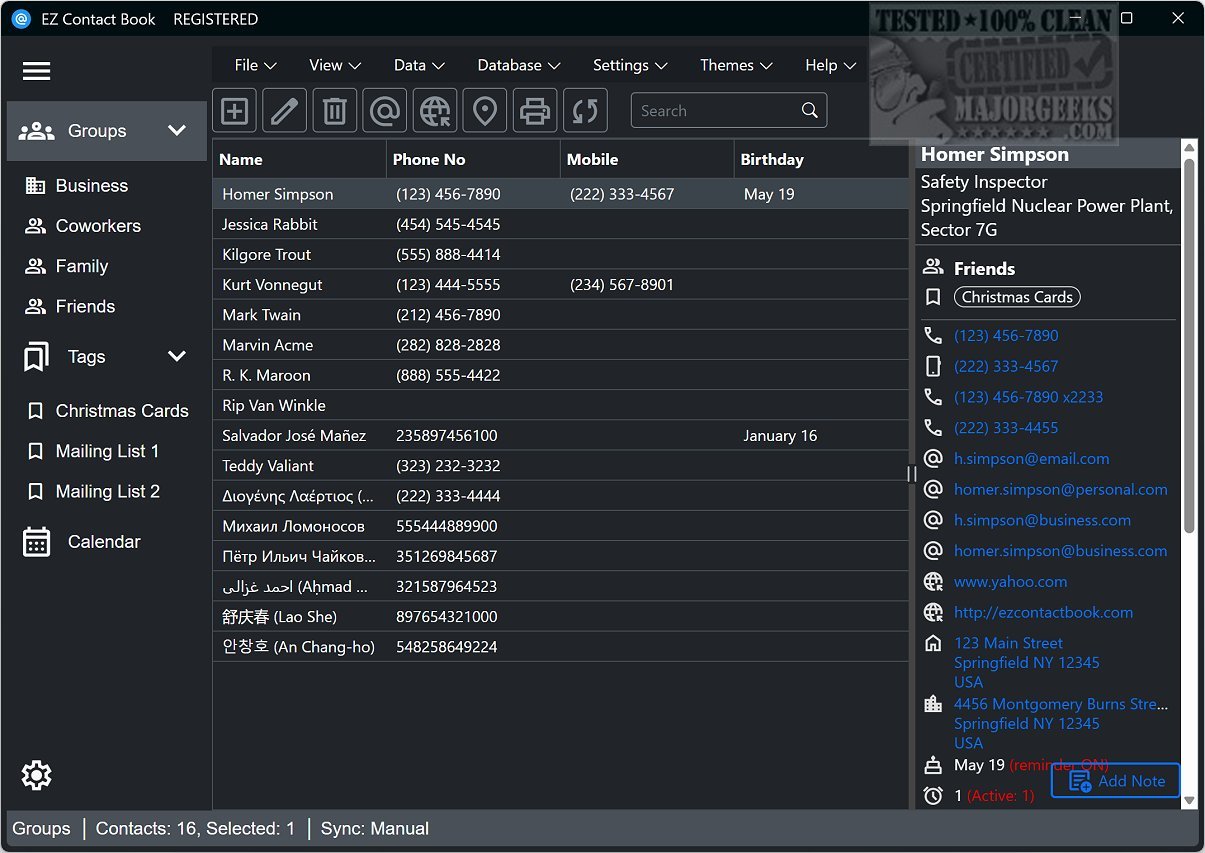
The main interface is well-structured, providing easy access to various contact categories and essential information, including names, phone numbers, and notes. Adding new contacts is a straightforward process where users input relevant details such as personal and business information, along with reminders for important dates.
Beyond basic contact management, EZ Contact Book offers a range of functionalities, including the ability to edit or delete contacts, initiate calls or send emails directly from the app, and move contacts between groups for better organization. Users can also print envelopes and view contact locations on Google Maps. A powerful search function aids in quick data retrieval, while options for importing and exporting data to formats like Outlook, CSV, and vCard enhance usability.
Customization is a key feature of EZ Contact Book, allowing users to adjust font settings, select visible columns, enable startup upon system boot, set birthday reminders, and modify phone settings for optimal functionality.
Overall, EZ Contact Book stands out as a remarkable tool for effective contact management. Its blend of user-friendly design and extensive features makes it suitable for anyone looking to improve their efficiency in organizing contacts and managing related tasks. Future updates may include enhanced integration with other applications, additional customization options, and improved data security features to further cater to the needs of users
The main interface is well-structured, providing easy access to various contact categories and essential information, including names, phone numbers, and notes. Adding new contacts is a straightforward process where users input relevant details such as personal and business information, along with reminders for important dates.
Beyond basic contact management, EZ Contact Book offers a range of functionalities, including the ability to edit or delete contacts, initiate calls or send emails directly from the app, and move contacts between groups for better organization. Users can also print envelopes and view contact locations on Google Maps. A powerful search function aids in quick data retrieval, while options for importing and exporting data to formats like Outlook, CSV, and vCard enhance usability.
Customization is a key feature of EZ Contact Book, allowing users to adjust font settings, select visible columns, enable startup upon system boot, set birthday reminders, and modify phone settings for optimal functionality.
Overall, EZ Contact Book stands out as a remarkable tool for effective contact management. Its blend of user-friendly design and extensive features makes it suitable for anyone looking to improve their efficiency in organizing contacts and managing related tasks. Future updates may include enhanced integration with other applications, additional customization options, and improved data security features to further cater to the needs of users
EZ Contact Book 6.0.0.30 released
EZ Contact Book is designed to help simplify the management of your contact list through its user-friendly interface and a range of intuitive options suitable for users of all backgrounds and technical abilities.