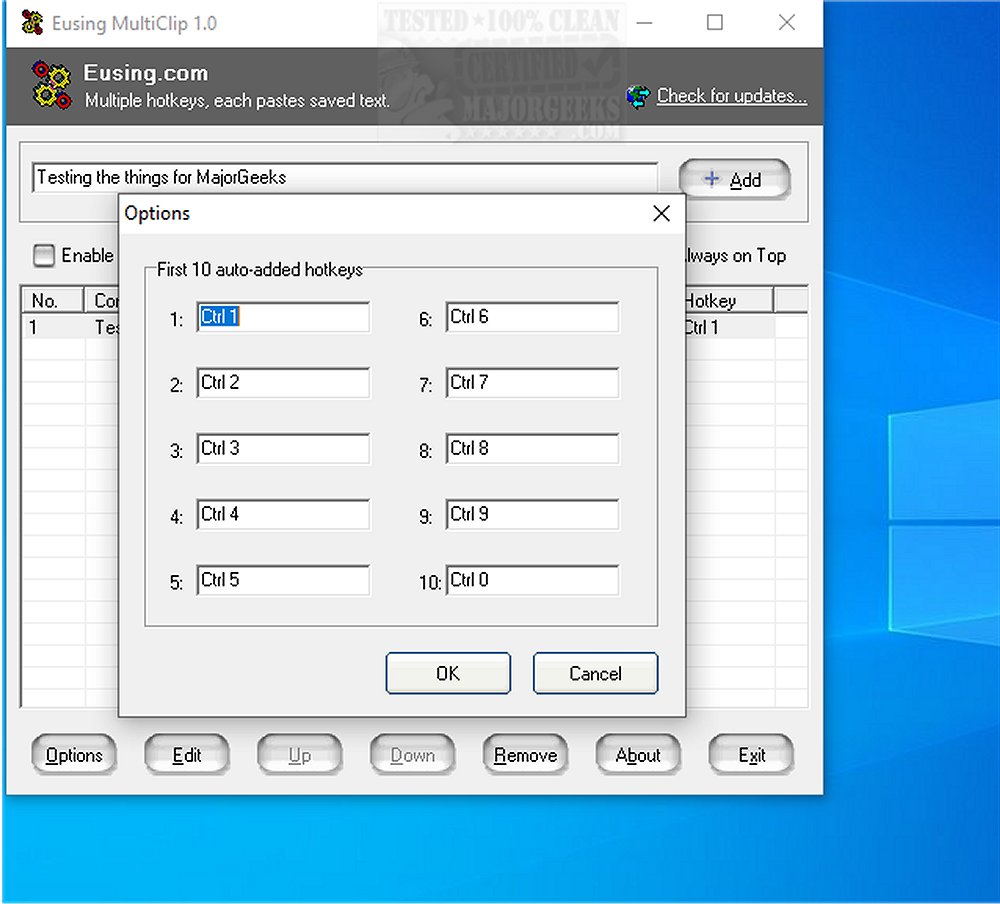
Eusing MultiClip 2.1 has been released as a robust utility aimed at enhancing productivity by allowing users to save and manage frequently used text snippets for quick access. This tool is designed to streamline tasks that require repetitive typing, such as filling out forms or entering data in various applications.
Key Features of Eusing MultiClip:
- Custom Hotkeys: Users can assign unique hotkeys (like F1 or Ctrl+1) to their most frequently used text entries for instant recall.
- Multi-Scene Support: The utility works effectively across different platforms, including forms, emails, and social media posts.
- Easy Management: Adding, editing, or deleting snippets is straightforward, requiring no complex setup.
- Non-Conflicting Keys: Users can choose hotkeys without worrying about conflicts with system commands or other applications.
- Instant Activation: Text can be directly inserted into fields with a single key press, bypassing the copy-paste step.
- Versatile Text Types: Users can save a variety of text types, including personal information, email templates, code snippets, and social media captions.
- Persistent Storage: Snippets remain saved even after a device restart.
- Combo Key Support: Users can utilize combinations of Ctrl, Alt, or Win with any key for more flexible hotkey options.
- Automatic Entry Generation: The program can automatically generate new entries based on clipboard content, in addition to manual entry creation.
User Experience: Eusing MultiClip is designed with a user-friendly interface, making it easy to learn and adapt for users of all skill levels. It offers a seamless experience in managing text snippets without any unnecessary complexity.
Conclusion: Eusing MultiClip 2.1 stands out as an efficient clipboard manager that integrates hotkey functionality, providing users with a powerful yet simple tool for managing text snippets. Its practical features and intuitive design make it a valuable asset for anyone looking to enhance their productivity and streamline their workflow.
Additional Resources: Users can also explore related topics, such as how to copy file paths to the clipboard, clear clipboard history using shortcuts, and disable clipboard history in Windows 10 and 11.
Overall, Eusing MultiClip is a must-have for anyone seeking to boost efficiency in their daily tasks involving text entry
Key Features of Eusing MultiClip:
- Custom Hotkeys: Users can assign unique hotkeys (like F1 or Ctrl+1) to their most frequently used text entries for instant recall.
- Multi-Scene Support: The utility works effectively across different platforms, including forms, emails, and social media posts.
- Easy Management: Adding, editing, or deleting snippets is straightforward, requiring no complex setup.
- Non-Conflicting Keys: Users can choose hotkeys without worrying about conflicts with system commands or other applications.
- Instant Activation: Text can be directly inserted into fields with a single key press, bypassing the copy-paste step.
- Versatile Text Types: Users can save a variety of text types, including personal information, email templates, code snippets, and social media captions.
- Persistent Storage: Snippets remain saved even after a device restart.
- Combo Key Support: Users can utilize combinations of Ctrl, Alt, or Win with any key for more flexible hotkey options.
- Automatic Entry Generation: The program can automatically generate new entries based on clipboard content, in addition to manual entry creation.
User Experience: Eusing MultiClip is designed with a user-friendly interface, making it easy to learn and adapt for users of all skill levels. It offers a seamless experience in managing text snippets without any unnecessary complexity.
Conclusion: Eusing MultiClip 2.1 stands out as an efficient clipboard manager that integrates hotkey functionality, providing users with a powerful yet simple tool for managing text snippets. Its practical features and intuitive design make it a valuable asset for anyone looking to enhance their productivity and streamline their workflow.
Additional Resources: Users can also explore related topics, such as how to copy file paths to the clipboard, clear clipboard history using shortcuts, and disable clipboard history in Windows 10 and 11.
Overall, Eusing MultiClip is a must-have for anyone seeking to boost efficiency in their daily tasks involving text entry
Eusing MultiClip 2.1 released
Eusing MultiClip is a powerful utility that enables you to save frequently used text snippets for quick access later.