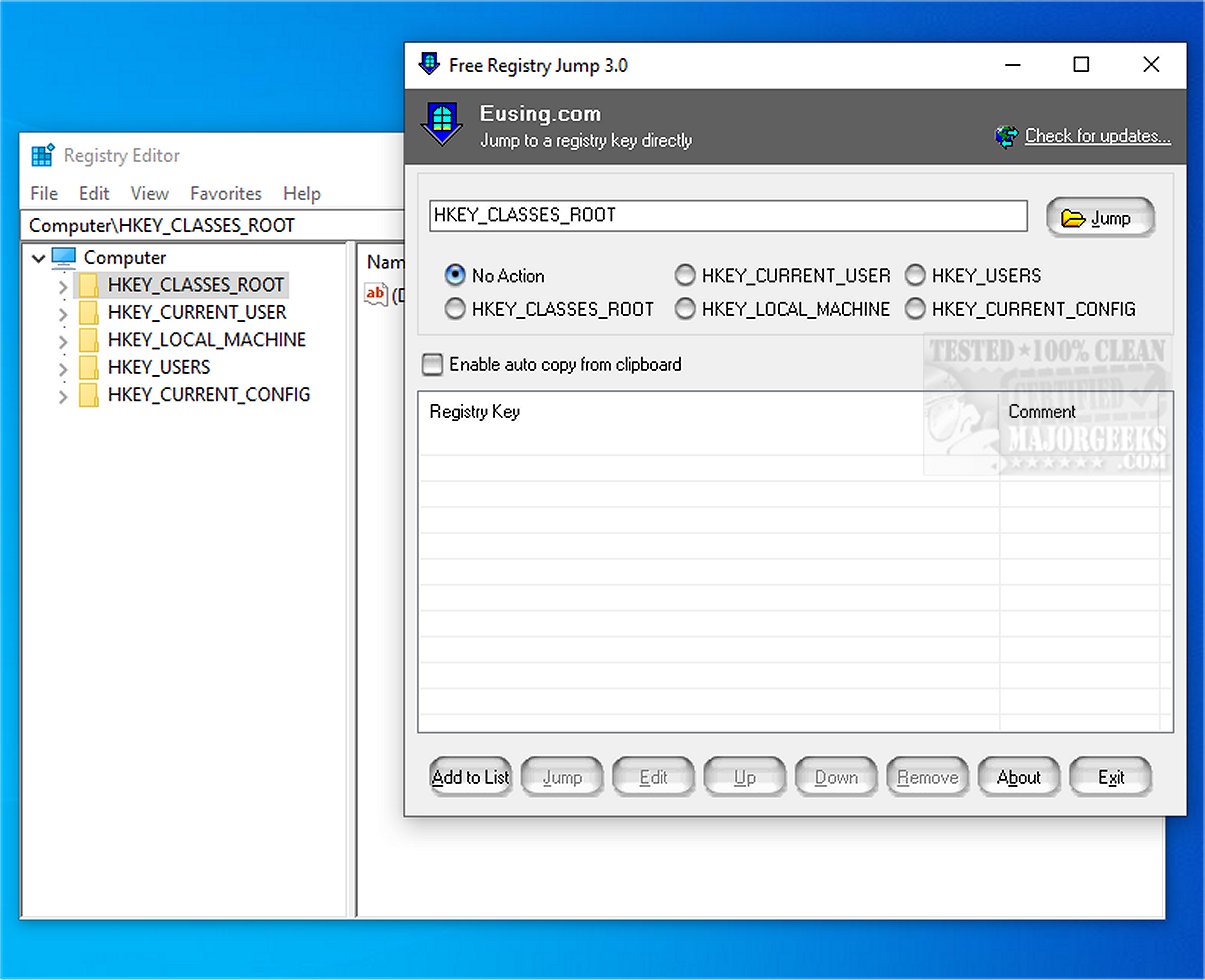
Eusing Free Registry Jump 3.0 has been released, offering users a powerful tool to navigate the Windows registry efficiently. This utility allows users to quickly access specific registry keys or values simply by entering their desired target, which significantly reduces the time spent manually navigating through the registry paths. Additionally, it provides functionality to manage frequently used registry keys for even quicker access.
One of the standout features of Eusing Free Registry Jump is its ability to access registry keys directly from clipboard data, accommodating both standard (HKEY_LOCAL_MACHINE) and abbreviated (HKLM) root keys. This versatility makes it a valuable companion for users who frequently interact with the Windows registry, particularly when using Regedit, which typically opens to the last accessed key.
Eusing Free Registry Jump is designed with user-friendliness in mind. As a portable application, it does not require installation, allowing users to run it from USB drives or other devices, making it ideal for on-the-go access. The application boasts a simple interface where users can manually enter or paste registry keys, create lists of multiple keys, and quickly jump to any selected key with just one click. It also enables users to edit or delete existing keys and rearrange list items for better organization.
For safety, users are advised to back up their registry before making any modifications, ensuring they can restore settings if needed.
In conclusion, Eusing Free Registry Jump 3.0 is an essential tool for those looking to streamline their interaction with the Windows registry. By simplifying the navigation process, it enhances productivity for users managing system settings and configurations. This tool is particularly beneficial for IT professionals, tech enthusiasts, and anyone who needs to make frequent adjustments to their system's registry.
For further reading, users may find it helpful to explore topics such as how to open the Registry Editor in Windows, backing up or restoring the Windows registry, resetting the Registry Editor to default settings, and automating registry backups on Windows 10 and 11
One of the standout features of Eusing Free Registry Jump is its ability to access registry keys directly from clipboard data, accommodating both standard (HKEY_LOCAL_MACHINE) and abbreviated (HKLM) root keys. This versatility makes it a valuable companion for users who frequently interact with the Windows registry, particularly when using Regedit, which typically opens to the last accessed key.
Eusing Free Registry Jump is designed with user-friendliness in mind. As a portable application, it does not require installation, allowing users to run it from USB drives or other devices, making it ideal for on-the-go access. The application boasts a simple interface where users can manually enter or paste registry keys, create lists of multiple keys, and quickly jump to any selected key with just one click. It also enables users to edit or delete existing keys and rearrange list items for better organization.
For safety, users are advised to back up their registry before making any modifications, ensuring they can restore settings if needed.
In conclusion, Eusing Free Registry Jump 3.0 is an essential tool for those looking to streamline their interaction with the Windows registry. By simplifying the navigation process, it enhances productivity for users managing system settings and configurations. This tool is particularly beneficial for IT professionals, tech enthusiasts, and anyone who needs to make frequent adjustments to their system's registry.
For further reading, users may find it helpful to explore topics such as how to open the Registry Editor in Windows, backing up or restoring the Windows registry, resetting the Registry Editor to default settings, and automating registry backups on Windows 10 and 11
Eusing Free Registry Jump 3.0 released
Eusing Free Registry Jump allows you to instantly jump to a registry key or value by entering the desired target. Not only that, but you can also manage and quickly access frequently used registry keys.