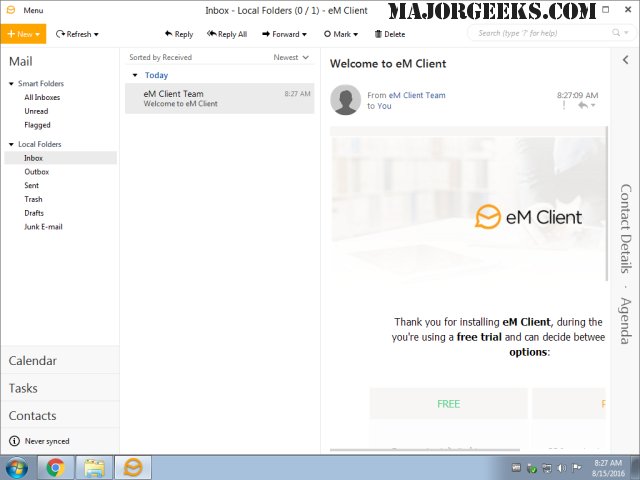
eM Client version 10.4.5298.0 has been released, offering users an enhanced email management experience. This comprehensive email client is designed with a modern and intuitive interface that simplifies navigation and usage. In addition to email capabilities, eM Client includes features such as a calendar, task management, chat functionality, and contact organization, making it a versatile tool for both personal and professional use.
Users can easily synchronize their emails using various protocols such as POP3, SMTP, IMAP, EWS, and AirSync, which facilitates seamless integration with different servers and services. The application's clean, business-oriented interface aids in the efficient organization of emails and tasks, ensuring users can manage their communications effectively.
Furthermore, eM Client supports robust data management features, including the ability to back up and restore data. It also allows for importing data from popular email clients like Gmail, Microsoft Outlook, Outlook Express, and Thunderbird, making it easy for users to transition to eM Client without losing important information.
Key features include a conversation view for streamlined email discussion tracking, the option to schedule emails for delayed sending, and a built-in translation tool for incoming emails, among others. These functionalities enhance the overall user experience, making eM Client a valuable choice for anyone in need of a powerful email client.
As eM Client continues to evolve, users can anticipate future updates that may further expand its capabilities and improve user experience, ensuring it remains competitive in the email client market
Users can easily synchronize their emails using various protocols such as POP3, SMTP, IMAP, EWS, and AirSync, which facilitates seamless integration with different servers and services. The application's clean, business-oriented interface aids in the efficient organization of emails and tasks, ensuring users can manage their communications effectively.
Furthermore, eM Client supports robust data management features, including the ability to back up and restore data. It also allows for importing data from popular email clients like Gmail, Microsoft Outlook, Outlook Express, and Thunderbird, making it easy for users to transition to eM Client without losing important information.
Key features include a conversation view for streamlined email discussion tracking, the option to schedule emails for delayed sending, and a built-in translation tool for incoming emails, among others. These functionalities enhance the overall user experience, making eM Client a valuable choice for anyone in need of a powerful email client.
As eM Client continues to evolve, users can anticipate future updates that may further expand its capabilities and improve user experience, ensuring it remains competitive in the email client market
eM Client 10.4.5298.0 released
eM Client is a feature-rich email client that includes a modern, easy-to-use interface and offers a calendar, tasks, chat, contacts, and more.