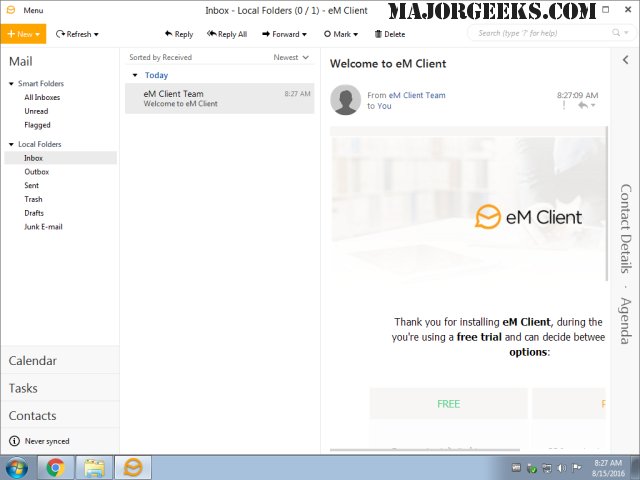
eM Client version 10.4.4185.0 has been released, bringing an array of features to enhance the email management experience. This email client boasts a modern and user-friendly interface, making it easy for users to navigate through its functionalities, which include a calendar, tasks, contacts, chat, and more.
With eM Client, users can effortlessly synchronize their emails using various protocols such as POP3, SMTP, IMAP, EWS, and AirSync, as well as synchronize calendars and contacts with multiple servers and services. The application’s clean and professional design promotes efficient organization of emails and tasks.
Additionally, eM Client offers robust backup and restoration options, alongside the capability to import data from other email clients such as Gmail, Microsoft Outlook, Outlook Express, and Thunderbird. Some notable features include a conversation view for better email tracking, the option to delay sending emails, and an integrated translation tool for incoming messages.
In summary, eM Client is a comprehensive solution for individuals and businesses looking to streamline their communication workflows. The latest update not only reinforces its existing features but also aims to provide users with improved performance and greater customization options, catering to the evolving needs of its user base. As email communication continues to play a critical role in both personal and professional settings, tools like eM Client are essential for optimizing productivity and organization
With eM Client, users can effortlessly synchronize their emails using various protocols such as POP3, SMTP, IMAP, EWS, and AirSync, as well as synchronize calendars and contacts with multiple servers and services. The application’s clean and professional design promotes efficient organization of emails and tasks.
Additionally, eM Client offers robust backup and restoration options, alongside the capability to import data from other email clients such as Gmail, Microsoft Outlook, Outlook Express, and Thunderbird. Some notable features include a conversation view for better email tracking, the option to delay sending emails, and an integrated translation tool for incoming messages.
In summary, eM Client is a comprehensive solution for individuals and businesses looking to streamline their communication workflows. The latest update not only reinforces its existing features but also aims to provide users with improved performance and greater customization options, catering to the evolving needs of its user base. As email communication continues to play a critical role in both personal and professional settings, tools like eM Client are essential for optimizing productivity and organization
eM Client 10.4.4185.0 released
eM Client is a feature-rich email client that includes a modern, easy-to-use interface and offers a calendar, tasks, chat, contacts, and more.