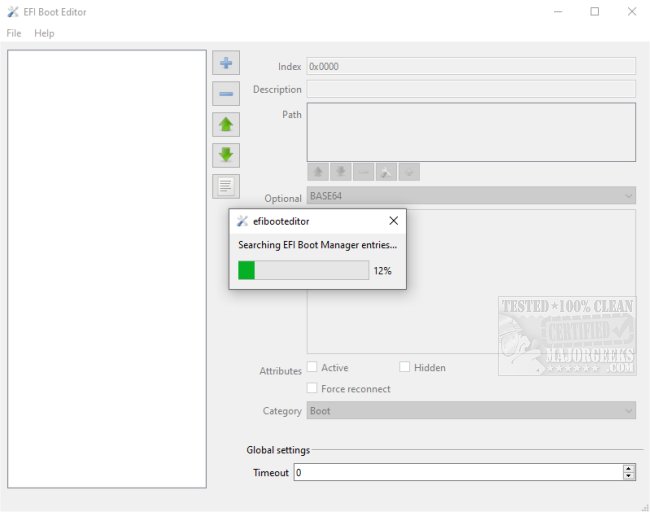
The latest version of EFI Boot Editor, 1.5.6, has been launched, providing users with an accessible portable GUI designed for modifying the boot manager. This tool is intended for individuals who wish to customize their boot settings, combining user-friendliness with features that cater to more advanced users.
Before making any modifications, it is recommended that users create a restore point. This precaution ensures that if any issues arise, they can revert to the original boot manager settings seamlessly. EFI Boot Editor supports various boot options, including the Windows Boot Manager, EFI USB devices, Network booting, and CD-ROM/DVD options.
Users can view essential details like descriptions, paths, categories, and global settings associated with the Windows Boot Manager. Additionally, the application offers flexibility in formatting, allowing users to change settings to BASE64, HEX, UTF-8, or UTF-16 formats, as needed.
This latest release of EFI Boot Editor provides a clean and organized interface, making it an invaluable tool for those who wish to view or modify boot manager configurations.
Extended Note:
As boot management becomes increasingly essential in multi-OS environments and for users troubleshooting boot issues, tools like EFI Boot Editor are vital. The application's ability to support diverse file formats and its focus on user experience make it suitable for both novice and experienced users. Furthermore, as technology evolves, we can expect future updates to introduce even more features, potentially incorporating advanced diagnostic tools, automated backup systems, or enhanced security measures to protect boot configurations. Users interested in optimizing their systems may also benefit from related guides such as resetting BIOS settings, checking BIOS versions, or troubleshooting boot device errors
Before making any modifications, it is recommended that users create a restore point. This precaution ensures that if any issues arise, they can revert to the original boot manager settings seamlessly. EFI Boot Editor supports various boot options, including the Windows Boot Manager, EFI USB devices, Network booting, and CD-ROM/DVD options.
Users can view essential details like descriptions, paths, categories, and global settings associated with the Windows Boot Manager. Additionally, the application offers flexibility in formatting, allowing users to change settings to BASE64, HEX, UTF-8, or UTF-16 formats, as needed.
This latest release of EFI Boot Editor provides a clean and organized interface, making it an invaluable tool for those who wish to view or modify boot manager configurations.
Extended Note:
As boot management becomes increasingly essential in multi-OS environments and for users troubleshooting boot issues, tools like EFI Boot Editor are vital. The application's ability to support diverse file formats and its focus on user experience make it suitable for both novice and experienced users. Furthermore, as technology evolves, we can expect future updates to introduce even more features, potentially incorporating advanced diagnostic tools, automated backup systems, or enhanced security measures to protect boot configurations. Users interested in optimizing their systems may also benefit from related guides such as resetting BIOS settings, checking BIOS versions, or troubleshooting boot device errors
EFI Boot Editor 1.5.6 released
EFI Boot Editor is a portable GUI that allows you to modify the boot manager.