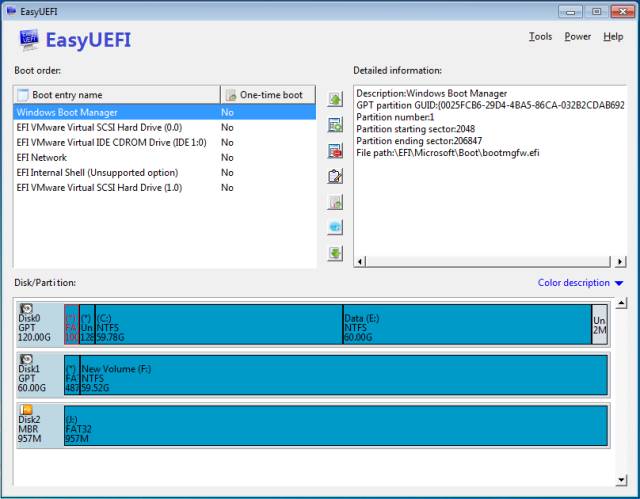
EasyUEFI has released version 6.2.0, enhancing its functionality as a tool for managing EFI/UEFI boot options. This software allows users to create, delete, edit, back up, and restore EFI/UEFI boot configurations without the need to access the BIOS setup. Additionally, it enables users to set a one-time boot entry for the next system restart and to modify the boot order easily.
One of the standout features of EasyUEFI is its capability to create a bootable Windows PE image. Users can generate this image file to create a bootable USB flash drive or burn it onto a CD/DVD using third-party software. This feature is particularly useful for troubleshooting boot issues, as the bootable media can help fix problems related to missing or corrupt EFI/UEFI boot options.
For those facing challenges with system booting, EasyUEFI provides essential tools and functionalities, making it a valuable resource for both casual users and IT professionals. The software offers an intuitive interface and comprehensive support, allowing users to manage their boot configurations effectively.
In addition to its primary functions, users may find it helpful to explore related topics, such as how to reset BIOS to optimal settings, check BIOS versions, and troubleshoot boot device errors. Overall, EasyUEFI continues to be a relevant and practical solution for anyone needing to manage EFI/UEFI settings and resolve boot-related issues
One of the standout features of EasyUEFI is its capability to create a bootable Windows PE image. Users can generate this image file to create a bootable USB flash drive or burn it onto a CD/DVD using third-party software. This feature is particularly useful for troubleshooting boot issues, as the bootable media can help fix problems related to missing or corrupt EFI/UEFI boot options.
For those facing challenges with system booting, EasyUEFI provides essential tools and functionalities, making it a valuable resource for both casual users and IT professionals. The software offers an intuitive interface and comprehensive support, allowing users to manage their boot configurations effectively.
In addition to its primary functions, users may find it helpful to explore related topics, such as how to reset BIOS to optimal settings, check BIOS versions, and troubleshoot boot device errors. Overall, EasyUEFI continues to be a relevant and practical solution for anyone needing to manage EFI/UEFI settings and resolve boot-related issues
EasyUEFI 6.2.0 released
EasyUEFI is a useful tool to manage your EFI/UEFI boot options.