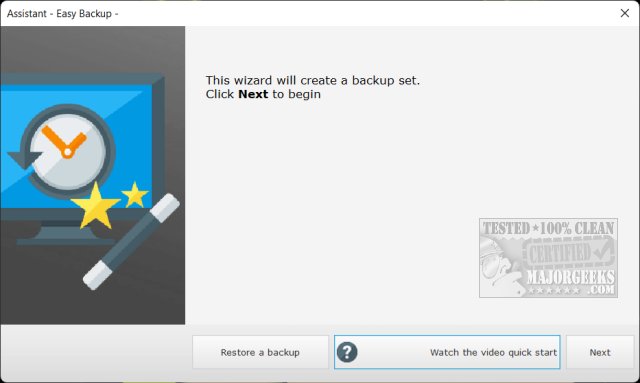
Easy Backup 2026 version 14.3 has been released, providing users with a free and user-friendly solution for backing up files or entire systems. The software includes a helpful wizard and video tutorials to guide users through the backup process. Though developed by a French company, the application offers excellent English translations, although users may notice that the backup folder is named "Sauvegarde-facile," which translates to "easy-save."
After installation, users are encouraged to watch a tutorial to familiarize themselves with the software. Easy Backup features two modes: Easy and Advanced. The Easy mode allows for straightforward backups to an external drive, while the Advanced mode offers additional options, such as creating a system image and a rescue thumb drive. This capability to create a system image sets Easy Backup apart from many other free backup applications.
The software is ideal for users who want to ensure the safety of their files and system without incurring costs, making it accessible for both novice and experienced users.
In addition to backing up, Easy Backup complements other essential tasks related to system maintenance. For example, users may want to explore how to reset or reinstall Windows 10 & 11 using cloud options, manage system protection settings, create or delete system restore points, and back up or restore the Windows Registry and drivers.
Overall, Easy Backup 2026 14.3 stands out as a comprehensive and user-friendly solution for data security, appealing to a wide range of users looking to safeguard their digital assets effectively
After installation, users are encouraged to watch a tutorial to familiarize themselves with the software. Easy Backup features two modes: Easy and Advanced. The Easy mode allows for straightforward backups to an external drive, while the Advanced mode offers additional options, such as creating a system image and a rescue thumb drive. This capability to create a system image sets Easy Backup apart from many other free backup applications.
The software is ideal for users who want to ensure the safety of their files and system without incurring costs, making it accessible for both novice and experienced users.
In addition to backing up, Easy Backup complements other essential tasks related to system maintenance. For example, users may want to explore how to reset or reinstall Windows 10 & 11 using cloud options, manage system protection settings, create or delete system restore points, and back up or restore the Windows Registry and drivers.
Overall, Easy Backup 2026 14.3 stands out as a comprehensive and user-friendly solution for data security, appealing to a wide range of users looking to safeguard their digital assets effectively
Easy Backup 2026 14.3 released
Easy Backup is a free backup solution for your files or entire system featuring a wizard and video tutorials to assist you through the process.