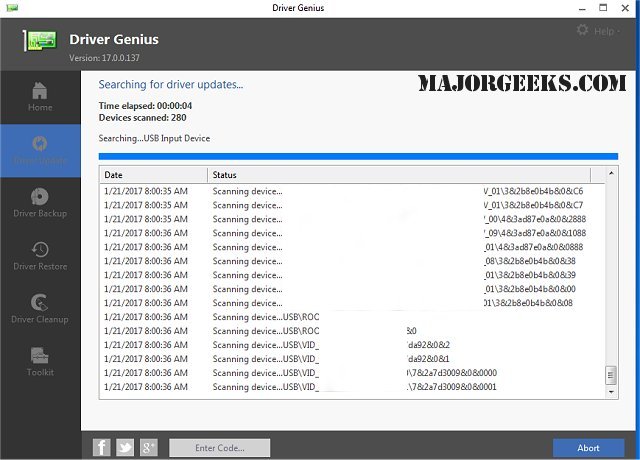
Driver Genius Professional 25.0.0.136 has recently been released, providing users with an efficient tool for backing up and restoring device drivers. This software quickly scans your system to identify all connected devices and allows users to back up drivers as either ZIP files or self-extracting EXE files. This feature significantly simplifies the process of driver reinstallation, particularly advantageous during operating system reinstalls, as it facilitates automatic driver installation with just a single click.
One of the standout features of Driver Genius Professional is its user-friendly auto-install package, which includes a straightforward wizard mode designed for beginners, making it accessible to users with varying levels of technical expertise.
Key features of Driver Genius include:
- The ability to clone drivers into an auto-setup package for easy reinstallation.
- Detailed information about installed devices to help users understand their hardware.
- The option to search for drivers for computers that are not connected to the internet.
- A one-click feature to check for and install the latest drivers available for your system.
- An online live update feature that keeps the drivers information database current.
In addition to its primary functionalities, users can also explore related topics such as downloading the latest drivers for Windows, backing up and restoring drivers, managing Windows updates related to drivers, viewing recently updated drivers, and troubleshooting driver issues using the Driver Verifier Manager.
As technology evolves, having a reliable tool like Driver Genius Professional becomes essential for maintaining hardware functionality and ensuring optimal system performance. The latest version enhances user experience by streamlining driver management processes, making it easier than ever to keep systems up-to-date and running smoothly
One of the standout features of Driver Genius Professional is its user-friendly auto-install package, which includes a straightforward wizard mode designed for beginners, making it accessible to users with varying levels of technical expertise.
Key features of Driver Genius include:
- The ability to clone drivers into an auto-setup package for easy reinstallation.
- Detailed information about installed devices to help users understand their hardware.
- The option to search for drivers for computers that are not connected to the internet.
- A one-click feature to check for and install the latest drivers available for your system.
- An online live update feature that keeps the drivers information database current.
In addition to its primary functionalities, users can also explore related topics such as downloading the latest drivers for Windows, backing up and restoring drivers, managing Windows updates related to drivers, viewing recently updated drivers, and troubleshooting driver issues using the Driver Verifier Manager.
As technology evolves, having a reliable tool like Driver Genius Professional becomes essential for maintaining hardware functionality and ensuring optimal system performance. The latest version enhances user experience by streamlining driver management processes, making it easier than ever to keep systems up-to-date and running smoothly
Driver Genius Professional 25.0.0.136 released
Driver Genius is a professional tool for backing-up or restoring your drivers.