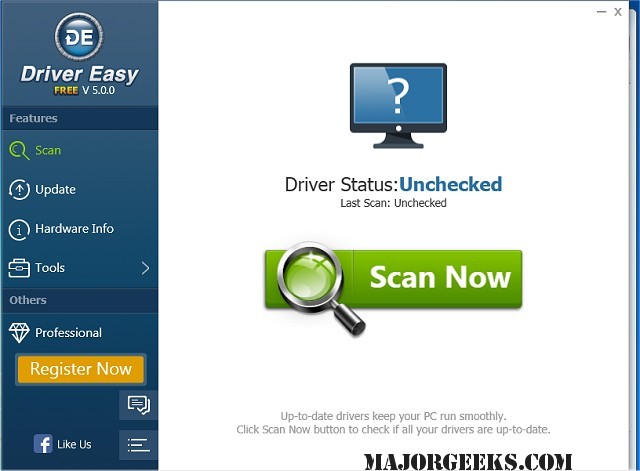
Driver Easy has recently released version 7.1.1.3510, which provides users with a streamlined solution for managing device drivers on their computers. This software scans your system to identify missing or outdated drivers and downloads the necessary updates from its extensive database, which boasts over 3 million distinct drivers. This functionality ensures that your drivers are consistently up-to-date, enhancing overall PC performance and resolving common driver-related issues.
One of the standout features of Driver Easy is its Offline Scan capability. This feature allows users to analyze driver requirements on a computer without an internet connection by saving a driver analysis file, which can then be used on an internet-enabled machine to download the appropriate drivers. This is particularly beneficial for locating the correct network drivers when offline.
The software also includes a backup and restore function, enabling users to securely back up all the drivers associated with their hardware. This feature is essential for those looking to perform system restorations or recover from hardware changes. Additionally, a Windows Update tool is integrated within Driver Easy, enhancing the speed of updates with features like a smart download server picker and multiple concurrent downloads.
Driver Easy also addresses the issue of residual drivers from uninstalled hardware, such as old graphics cards. The Uninstall Removed Hardware Driver feature effectively removes these outdated drivers, preventing potential conflicts and improving system boot times.
Overall, Driver Easy serves as a comprehensive driver management solution, saving users time and ensuring their systems run smoothly by keeping all drivers current. With its additional functionalities and user-friendly design, it stands out as an essential tool for any Windows user looking to optimize their computer's performance.
In addition to its current features, future versions of Driver Easy could further enhance user experience by integrating more automated processes for driver updates, expanding its database even further, or incorporating machine learning algorithms to predict driver issues before they occur
One of the standout features of Driver Easy is its Offline Scan capability. This feature allows users to analyze driver requirements on a computer without an internet connection by saving a driver analysis file, which can then be used on an internet-enabled machine to download the appropriate drivers. This is particularly beneficial for locating the correct network drivers when offline.
The software also includes a backup and restore function, enabling users to securely back up all the drivers associated with their hardware. This feature is essential for those looking to perform system restorations or recover from hardware changes. Additionally, a Windows Update tool is integrated within Driver Easy, enhancing the speed of updates with features like a smart download server picker and multiple concurrent downloads.
Driver Easy also addresses the issue of residual drivers from uninstalled hardware, such as old graphics cards. The Uninstall Removed Hardware Driver feature effectively removes these outdated drivers, preventing potential conflicts and improving system boot times.
Overall, Driver Easy serves as a comprehensive driver management solution, saving users time and ensuring their systems run smoothly by keeping all drivers current. With its additional functionalities and user-friendly design, it stands out as an essential tool for any Windows user looking to optimize their computer's performance.
In addition to its current features, future versions of Driver Easy could further enhance user experience by integrating more automated processes for driver updates, expanding its database even further, or incorporating machine learning algorithms to predict driver issues before they occur
Driver Easy 7.1.1.3510 released
Driver Easy will scan your computer, identify missing or outdated drivers, and then download them all.