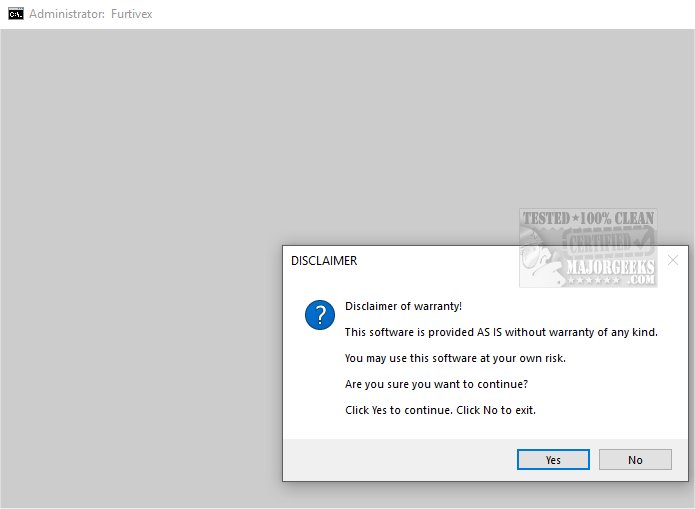
The latest version of DoesNotBelong (previously known as Furtivex Malware Removal) has been released to provide users with a powerful on-demand malware scanning solution aimed at augmenting existing antivirus software. This tool serves as a supplemental layer of defense, effectively identifying and eliminating potential malware threats.
Moreover, DoesNotBelong checks for essential system files, logging any missing ones for users to address, thus ensuring system stability.
The tool highlights Windows Defender logs, specifically targeting event ID 3002, although this feature is still under development and should not be seen as a definitive indicator of malware infection. Additionally, it identifies and displays Malwarebytes logs found on the desktop for quick user access.
Furthermore, it disables the 'Show me suggested content in the Settings app' option in Windows 10 and 11, a feature many users find unnecessary.
Purpose and Functionality
DoesNotBelong is specifically designed to bolster your antivirus capabilities by offering a free and efficient scanning tool. While it excels at malware removal, users should note that some features may necessitate a basic understanding of Windows internals for optimal use.Proactive Process Management
A key feature of DoesNotBelong is its proactive approach to managing system processes, which enhances overall system performance and security. The tool intelligently terminates non-essential processes while preserving a whitelist of crucial tasks. It also performs thorough cleaning of RunOnce entries from the Windows Registry, helping maintain a clutter-free environment.Moreover, DoesNotBelong checks for essential system files, logging any missing ones for users to address, thus ensuring system stability.
Event Viewer and Cache Management
DoesNotBelong provides comprehensive management of Event Viewer logs, systematically clearing logs across various categories including Application, Security, and System. This feature enhances the clarity of event data, making it easier for users to monitor system activities. It also removes caches from popular browsers and applications, which improves performance while safeguarding user credentials by retaining cookies.The tool highlights Windows Defender logs, specifically targeting event ID 3002, although this feature is still under development and should not be seen as a definitive indicator of malware infection. Additionally, it identifies and displays Malwarebytes logs found on the desktop for quick user access.
Mitigating Malware Impact
DoesNotBelong addresses potential issues caused by malware by correcting harmful registry modifications, lifting policy restrictions, and enabling the functionality of other antivirus tools. It also provides crash dump information for troubleshooting purposes, aiding users in diagnosing issues with non-responsive applications.Furthermore, it disables the 'Show me suggested content in the Settings app' option in Windows 10 and 11, a feature many users find unnecessary.
System Restore and Security Assurance
To ensure user safety, DoesNotBelong automatically creates a System Restore Point during its operation, titled 'Furtivex Malware Removal Script.' This serves as a backup in case any problems arise; however, it is important to note that this feature will not trigger if System Restore has been disabled.Conclusion
DoesNotBelong is an essential tool for anyone seeking to enhance their malware protection strategy. By acting as a robust additional layer of security, it not only fortifies defenses against various malware threats but also provides peace of mind regarding online safety. Users can embrace the confidence that comes with knowing their digital presence is better protected.Future Extensions
As cybersecurity threats evolve, the developers of DoesNotBelong may consider integrating more advanced features, such as real-time monitoring capabilities, machine learning algorithms for threat detection, and support for a wider range of malware types. Collaborations with cybersecurity professionals could further refine its effectiveness, ensuring that DoesNotBelong remains at the forefront of malware remediation solutionsDoesNotBelong 10.8.9 released
DoesNotBelong (formerly Furtivex Malware Removal) is a script designed to enhance the capabilities of your antivirus software by providing a free, on-demand scanning tool. This additional layer of protection helps identify and eliminate malware threats effectively.