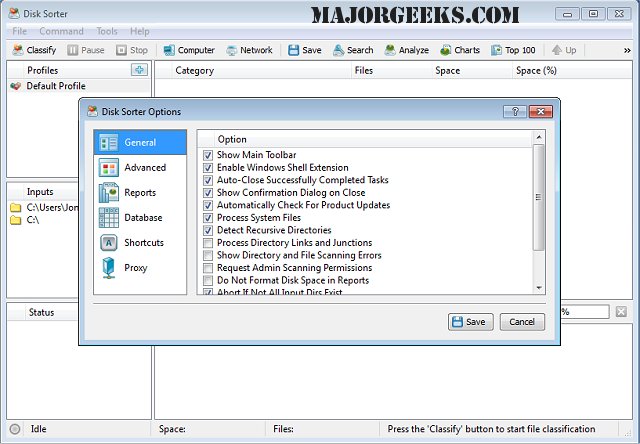
DiskSorter Pro/Free version 17.9.14 has been released, offering a robust tool for scanning and classifying files on hard drives. This software allows users to categorize files based on various criteria, including size, file extension, type, and access time, among others. It can analyze files located on local disks, network shares, directories, and NAS storage devices. Additionally, DiskSorter Pro enables users to save or export classification reports to an SQL database and conduct advanced historical trend analysis, making it a comprehensive file management solution.
Key features of DiskSorter Pro include:
- Capability to manage up to 10 TB of disk space
- Ability to process 10 million files in a single operation
- Support for analyzing up to 10 input directories
- Creation of 10 different analysis profiles
- Compatibility with over 3,500 file categories
- Support for long and Unicode file names, as well as UNC network paths
- Management of ACLs (Access Control Lists) and security attributes
- Built-in file management operations with options to classify specific file types
- Generation of reports in formats such as HTML, PDF, XML, CSV, and Text
- Multi-threaded file classification for improved efficiency
In addition to its classification capabilities, DiskSorter Pro also provides users with tools for effective file management and optimization. This software is ideal for users looking to streamline their file organization processes, enhance storage efficiency, and conduct detailed analyses of their file systems.
As a related note, users may also find the following topics of interest:
- How to prevent File Explorer from displaying external drives multiple times
- Techniques to optimize USB drives for better performance
- Methods to restore SSD performance through secure erasing
- Instructions to identify whether a hard drive is SSD or HDD
Overall, DiskSorter Pro/Free is an essential tool for users who need to manage large volumes of data effectively and efficiently
Key features of DiskSorter Pro include:
- Capability to manage up to 10 TB of disk space
- Ability to process 10 million files in a single operation
- Support for analyzing up to 10 input directories
- Creation of 10 different analysis profiles
- Compatibility with over 3,500 file categories
- Support for long and Unicode file names, as well as UNC network paths
- Management of ACLs (Access Control Lists) and security attributes
- Built-in file management operations with options to classify specific file types
- Generation of reports in formats such as HTML, PDF, XML, CSV, and Text
- Multi-threaded file classification for improved efficiency
In addition to its classification capabilities, DiskSorter Pro also provides users with tools for effective file management and optimization. This software is ideal for users looking to streamline their file organization processes, enhance storage efficiency, and conduct detailed analyses of their file systems.
As a related note, users may also find the following topics of interest:
- How to prevent File Explorer from displaying external drives multiple times
- Techniques to optimize USB drives for better performance
- Methods to restore SSD performance through secure erasing
- Instructions to identify whether a hard drive is SSD or HDD
Overall, DiskSorter Pro/Free is an essential tool for users who need to manage large volumes of data effectively and efficiently
DiskSorter Pro/Free 17.9.14 released
DiskSorter Pro provides you with a powerful option designed to scan your hard drive and classify the files found based on specific criteria.