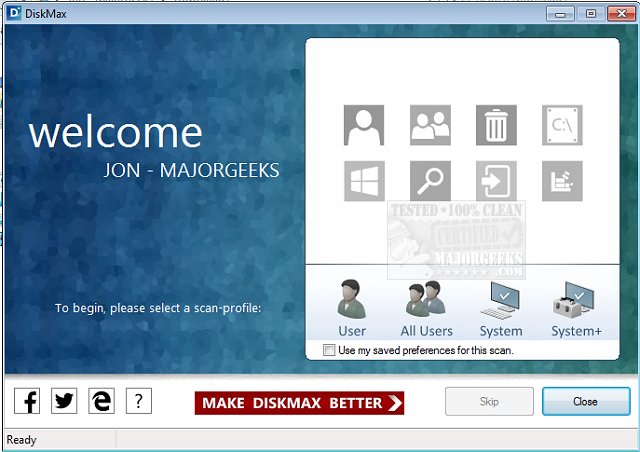
DiskMax version 7.30 has been released, offering users a robust tool for regular disk cleanups and performance optimizations to maintain the health of their PCs. By utilizing DiskMax periodically, users can experience a noticeable boost in system responsiveness, with applications launching more quickly, files opening at a faster rate, and improved gaming performance. The software is designed to automate crucial maintenance tasks, making it beneficial even for advanced users who want to streamline their system upkeep.
Key features of DiskMax include:
- Automated emptying of the recycle bin, cleaning of installation remnants, and debugging information.
- Comprehensive cleanup of user histories, temporary files, internet files, cookies, recently opened documents, thumbnail caches, and Windows error reporting logs.
- Removal of Windows cache, legacy cursors, debugging info, internet logs, help center caches, repair information, DLL caches, logs, temporary files, and Windows update rollback files.
- Deletion of registry entries linked to Most Recently Used lists.
- Clearing of Windows event logs, a unique feature not offered by most other applications.
- An advanced deep scan option that allows experienced users to remove specific file types, including log, old, and temporary files.
- File rearrangement to enhance access speed.
In addition to its powerful features, DiskMax provides a user-friendly interface that simplifies the cleanup process, making it accessible for users of all skill levels.
For those looking for alternatives, similar tools include CCleaner, Wise Disk Cleaner, and PrivaZer. Users can also explore Windows 10's built-in Storage Sense feature for automatic junk file deletion, as well as methods for securely deleting files via PowerShell and Cipher, and backing up or restoring the Windows Registry.
Overall, DiskMax 7.30 is an essential utility for anyone seeking to optimize their PC's performance and maintain a clean system environment. Regular use can lead to a significantly enhanced computing experience
Key features of DiskMax include:
- Automated emptying of the recycle bin, cleaning of installation remnants, and debugging information.
- Comprehensive cleanup of user histories, temporary files, internet files, cookies, recently opened documents, thumbnail caches, and Windows error reporting logs.
- Removal of Windows cache, legacy cursors, debugging info, internet logs, help center caches, repair information, DLL caches, logs, temporary files, and Windows update rollback files.
- Deletion of registry entries linked to Most Recently Used lists.
- Clearing of Windows event logs, a unique feature not offered by most other applications.
- An advanced deep scan option that allows experienced users to remove specific file types, including log, old, and temporary files.
- File rearrangement to enhance access speed.
In addition to its powerful features, DiskMax provides a user-friendly interface that simplifies the cleanup process, making it accessible for users of all skill levels.
For those looking for alternatives, similar tools include CCleaner, Wise Disk Cleaner, and PrivaZer. Users can also explore Windows 10's built-in Storage Sense feature for automatic junk file deletion, as well as methods for securely deleting files via PowerShell and Cipher, and backing up or restoring the Windows Registry.
Overall, DiskMax 7.30 is an essential utility for anyone seeking to optimize their PC's performance and maintain a clean system environment. Regular use can lead to a significantly enhanced computing experience
DiskMax 7.30 released
Use DiskMax to periodically perform powerful disk cleanups and performance optimizations in order to keep your PC healthy.